Downloadable Files
You can download BRAW Studio for free at the bottom of this page.
When BRAW Footage Slows You Down…
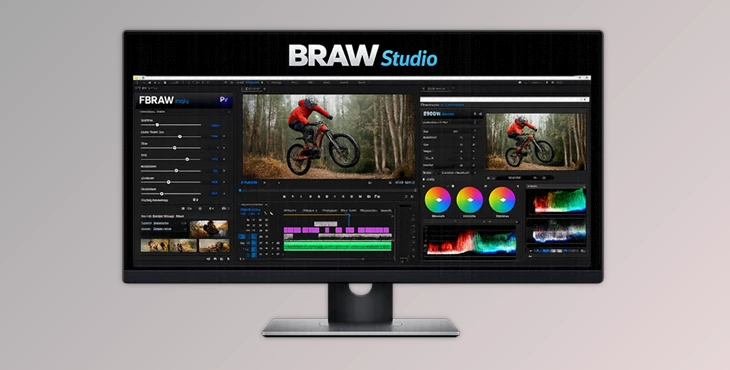
Working with Blackmagic RAW (.braw) footage is amazing for image quality—but inside Adobe apps, it can quickly become frustrating. You may have great shots, but the workflow can feel heavy: importing issues, missing RAW controls, slow grading, and messy organization. That’s exactly why BRAW Studio (v3) exists. It brings native BRAW support to Premiere Pro and Media Encoder, enables real-time RAW grading in After Effects, and adds a brand-new Desktop Player/Color Grader with tools like White Balance Picker and a Premiere Pro Metadata Organizer.
What Is BRAW Studio and Why Does It Matter?
BRAW Studio is a professional desktop app + Adobe plugin suite that lets you:
- Import .braw files natively into Premiere Pro and Media Encoder
- Grade RAW settings in real time inside After Effects
- Play and color grade BRAW footage directly from Windows Explorer or macOS Finder
- Save RAW settings in sidecar files, so they automatically work across apps
Why these features improve your results
Because RAW controls are not just “extra sliders.” They affect the footage at a deeper level than normal color correction:
- Correcting white balance in RAW looks cleaner than fixing it later with Lumetri.
- Adjusting ISO/exposure in RAW can preserve more detail.
- Using official Blackmagic Color Science gives you a more accurate, cinematic base.
So BRAW Studio improves both:
✅ your workflow speed
✅ your final image quality
The Tool Overview: What’s New and Powerful in BRAW Studio v3
BRAW Studio v3 is designed to feel like the missing piece in a professional BRAW workflow—especially if you’re editing inside Adobe.
Features
✅ Native BRAW Import for Premiere Pro + Media Encoder With BRAW Studio, you can:
- Import BRAW footage directly
- Edit normally inside Premiere Pro
- Re-encode BRAW exports
- Create proxies in Media Encoder
This means no unnecessary transcoding and no wasting time before editing.
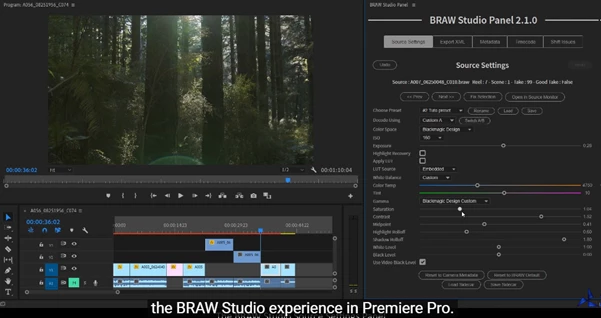
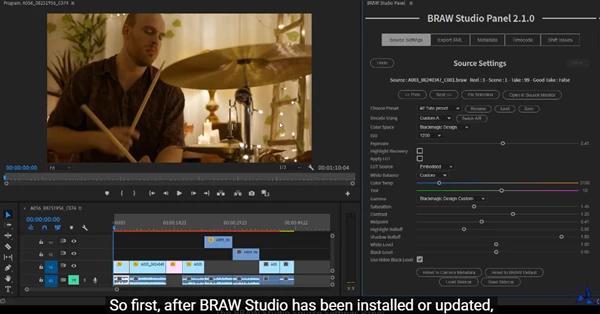
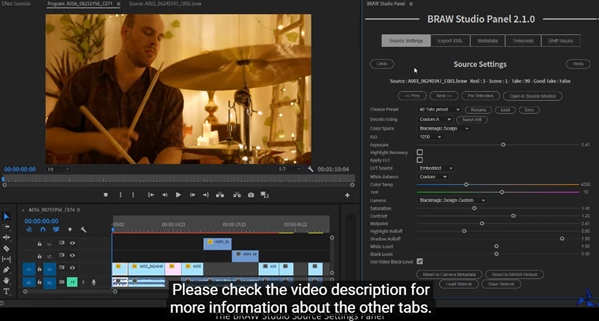
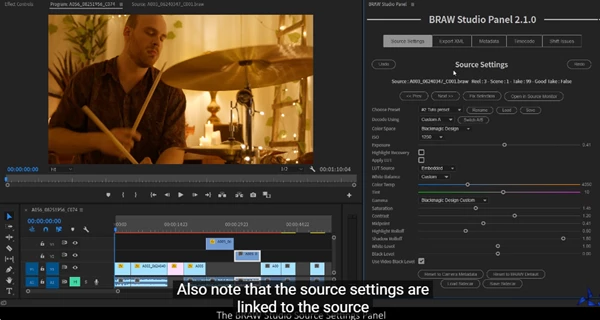
✅ Premiere Pro Panel (Source Settings + Workflow Utilities) BRAW Studio includes a dedicated Premiere Pro panel
(Window → Extensions) that gives you:
- Source Settings Panel for RAW parameters
- Batch changes (apply settings to multiple clips at once)
- Trimming tools
- Toolbox tab
- Extract Embedded LUT
- Import and organize metadata
This is especially useful for big projects where you have dozens—or hundreds—of BRAW clips.
✅ After Effects Real-Time RAW Grading (Layer Settings Effect) Without BRAW Studio, you can’t properly color grade
BRAW inside After Effects. With the BRAW Studio Layer Settings effect, you can:
- Adjust RAW parameters directly inside AE
- Preview changes in real time
- Work with BRAW footage naturally inside motion/VFX workflows
✅ Brand New Desktop Player + Color Grader App One of the biggest v3 upgrades is the standalone Desktop app. You
can:
- Open BRAW files directly from Finder/Explorer
- Play and color grade instantly
- Save settings to sidecar files
Automatically apply those settings inside:
- DaVinci Resolve
- Premiere Pro
- After Effects
- Media Encoder
This is perfect for quick pre-grading before editing.
✅ White Balance Picker (Fast Neutral Color in Seconds) The White Balance Picker helps you neutralize footage in a few
clicks. This is extremely helpful when:
- The scene was shot with the wrong WB
- Lighting changes between shots
- You want consistent skin tones across takes
Instead of guessing Kelvin values, you simply pick a neutral point and move on.
✅ Premiere Pro Metadata Organizer Tool This new feature helps you:
- Extract metadata from BRAW files
- Organize footage more efficiently
- Keep your Premiere project cleaner and more professional
If you shoot documentaries, events, or long-form projects, this is a big time saver.
✅ Trim Tool (Remove Unused Frames Without Losing Quality) BRAW Studio allows you to remove unused frames while
keeping:
- The same BRAW codec
- The same quality
This is ideal for cleaning up long takes and saving storage without converting the footage.
✅ Presets + A/B Compare + LUT Sidecar Support You also get:
- Custom A/B comparison
- 20 Global Presets (usable across apps)
- A new feature: Add LUT to Sidecar
So you can build consistent looks and reuse them across multiple projects.
Pro Tips: How to Use BRAW Studio Like a Pro
You don’t need to use every feature at once. These tips keep it practical and effective:
Tip 1: Fix white balance first
Always start with the White Balance Picker, then adjust exposure/ISO.
Tip 2: Use batch changes for scene matching
Select all clips in a scene and apply one base RAW setup.
Then fine-tune only the key shots.
Tip 3: Pre-grade in the Desktop Player
Before you even open Premiere:
- Open clips from Explorer/Finder
- Apply basic RAW corrections
- Save sidecars
Then import into Premiere with your footage already clean.
Tip 4: Build presets for repeatable looks
Make presets for common setups like:
- Daylight outdoor
- Indoor tungsten
- Night recovery
- Soft cinematic base
This keeps your workflow fast and consistent.
Final Thoughts: Why BRAW Studio v3 Is Worth Trying
If you are working with Blackmagic RAW and editing in Adobe, BRAW Studio v3 isn’t a plugin—it’s a complete workflow enhancement. You’ll get:
- BRAW Native Import for Premiere Pro + Media Encoder
- Real RAW Grading in After Effects
- A new Desktop Player/Grader
- White Balance Picker
- Metadata Organizer Tools
- Metadata Organizer Tools
- App Settings based on Sidecars
If BRAW has hampered your Adobe experience, BRAW Studio v3 is the missing link to a fully functional workflow.
 BRAW Studio (v3) White Balance Picker & Premiere Pro Metadata Organizer by Aescripts (v3.4.2 for Win, Mac).rar (Size: 75.0 MB - Date: 4/9/2026 11:10:16 AM)
- Aescripts - BRAW Studio v3.4.1 (Win).rar (Size: 47.2 MB - Date: 2/16/2026 10:21:45 AM)
- Aescripts - BRAW Studio v3.4.0 (Win).rar (Size: 47.2 MB - Date: 11/12/2025 2:05:05 PM)
- Aescripts - BRAW Studio v3.3.9 (Win).rar (Size: 47.0 MB - Date: 8/17/2025 1:30:43 PM)
- Aescripts - BRAW Studio v3.3.8 (Win).rar (Size: 28.7 MB - Date: 4/21/2025 11:56:40 AM)
- AeScripts Autokroma BRAW Studio v3.3.3 (Mac).rar (Size: 24.7 MB - Date: 1/18/2025 2:14:03 PM)
- BRAWStudio v2.2.4 Win.rar (Size: 11.3 MB - Date: 10/16/2024 11:27:53 PM)
- BRAW Studio v2.4.3 for Mac.rar (Size: 24.8 MB - Date: 10/16/2024 11:27:52 PM)
- BRAW Studio v2.4.3 for Win.rar (Size: 11.9 MB - Date: 10/16/2024 11:27:52 PM)
- BRAW Studio v2.4.1 Win.rar (Size: 12.6 MB - Date: 10/16/2024 11:27:52 PM)
- BRAW Studio v2.4.1 Mac.rar (Size: 24.6 MB - Date: 10/16/2024 11:27:52 PM)
- BRAW Studio V2.3.0 Premiere Pro Win.rar (Size: 45.1 MB - Date: 10/16/2024 11:27:51 PM)
- BRAW Studio v2.1.2 for Mac.rar (Size: 105.6 MB - Date: 10/16/2024 11:27:51 PM)
- BRAW Studio v2.2.4 for Mac.rar (Size: 16.9 MB - Date: 10/16/2024 11:27:50 PM)
- BRAW Studio v2.1.2 Win.rar (Size: 10.8 MB - Date: 10/16/2024 11:27:49 PM)
- Aescripts BRAW Studio v3.0.4 (Win, Mac).rar (Size: 52.2 MB - Date: 10/16/2024 11:27:49 PM)
- Aescripts BRAW Studio v2.5.0 (WIN, MAC).rar (Size: 48.1 MB - Date: 10/16/2024 11:27:48 PM)
- Aescripts BRAW Studio v2.7.0 (WIN).rar (Size: 9.7 MB - Date: 10/16/2024 11:27:47 PM)
- Aescripts BRAW Studio V2 v2.7.6 (WIN).rar (Size: 22.0 MB - Date: 10/16/2024 11:27:46 PM)
- Aescripts BRAW Studio V2 v2.7.3 (WIN).rar (Size: 12.9 MB - Date: 10/16/2024 11:27:45 PM)
- AeScripts Autokroma BRAW Studio v3.3.3 (Win).rar (Size: 29.4 MB - Date: 10/16/2024 11:27:45 PM)
- AeScripts - BRAW Studio v3.1.3 (Win).rar (Size: 28.1 MB - Date: 10/16/2024 11:27:44 PM)
Files Password : gfxplugin.com OR 123456