Downloadable Files
You can download GifGun for free from the bottom of this page.
One Click, Endless Loops ✨
If you’ve ever tried exporting a GIF from After Effects the “traditional” way, you know the struggle. Long render times, heavy files, quality loss, endless tweaks… It’s frustrating.
Now imagine finishing your animation and exporting a perfectly optimized, loop-ready GIF in just one click. That’s exactly where GifGun changes the game.
It’s not just a plugin. It’s a serious workflow upgrade for motion designers who deal with short loops, previews, social media content, UI animations, or email graphics. Simple. Fast. Professional.
What Exactly Is GifGun and Why Does It Matter?
At its core, GifGun is a professional export tool for After Effects that lets you create optimized animated files — quickly and efficiently.
But it’s more than “just exporting GIFs.”
What does it actually do?
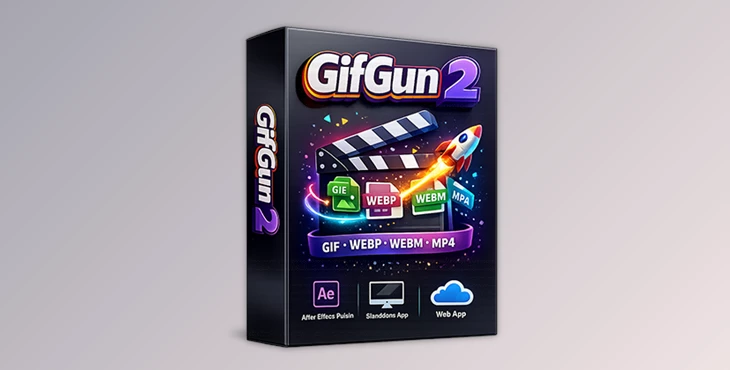
Converts After Effects compositions into GIF, WEBP, WEBM, and MP4
Compresses files intelligently without noticeable quality loss
Allows batch rendering of multiple comps
Lets you target specific file sizes automatically
Works as:
An After Effects plugin
A standalone desktop app
A web app
Why does this improve your results?
Because file size and quality matter — especially for:
Social media (Instagram, Twitter, Steam, etc.)
Websites and landing pages
Email marketing
Product demos
UI previews
NDA-compliant client environments
Instead of manually testing settings again and again, GifGun balances dimensions, frame rate, and compression for you. The result? Smaller files. Better quality. Less stress.
Meet the Tool: GifGun 2
Version 2 takes everything people loved about the original and pushes it further.
It works on:
macOS 15+
Windows 10/11
After Effects 2021+
Apple Silicon (native support)
And the best part?
One license gives you three tools in one:
After Effects Plugin
Standalone Desktop App
Web App
That flexibility alone makes it ideal for freelancers, studios, and teams with different workflows.
Features
Multi-Format Export
Export to:
GIF (universal compatibility)
WEBP (25–50% smaller than GIF)
WEBM (HTML5 video with transparency)
MP4 (perfect for social media)
Having all these formats in one place means you choose the right format for the platform — instead of forcing everything into GIF.
Smart Compression
GifGun reduces file sizes by around 15% while maintaining visual quality.
It uses:
Advanced color palette optimization
Dithering control
Frame optimization
For social posts, email banners, or landing pages — where every megabyte counts — this is a lifesaver.
Batch Rendering
Need to export 10 product animations? Or multiple UI states?
Instead of exporting one by one, GifGun lets you render multiple compositions at once. This is especially powerful for:
Client previews
App micro-interactions
Game loop exports
It saves hours over time.
Target File Size Control
This is one of the most practical features.
You can set a file size limit — and GifGun automatically adjusts settings to match it.
Perfect for:
Twitter (15 MB limits)
Instagram stories
Email campaigns
Portfolio uploads
No more guessing. No more trial and error.
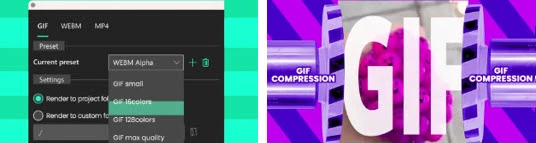
Custom Presets (JSON Support)
You can create and share render presets like After Effects render queue presets — but enhanced.
Save presets as JSON
Share with your team
Create platform-specific templates
Standardize client deliveries
For studios, this keeps everything consistent and professional.
Cross-Platform Workflow
Plugin. Desktop app. Web app.
This means:
You can drag and drop video files in the standalone app
Use it in browser-based workflows
Work across secure environments
It adapts to how you work — not the other way around.
Pro Tips to Get Better Results
Even though GifGun makes exporting simple, a few smart techniques can elevate your output:
Keep loops seamless
Before exporting, make sure:
First and last frames match
Motion curves are smooth
No sudden jumps at the loop point
A clean loop makes your GIF feel premium.
Design with compression in mind
Avoid unnecessary gradients
Limit extreme color shifts
Use controlled motion instead of chaotic animation
Compression performs better with cleaner visuals.
Use WEBP when possible
If the platform supports it, WEBP often gives you significantly smaller file sizes with better quality than GIF.
It’s a modern upgrade worth using.
Create platform presets
Build presets for:
Instagram
Twitter
Portfolio
Email
This way, exporting becomes truly one-click.
Final Thoughts: Why GifGun Is Worth Your Attention
At the end of the day, GifGun isn’t about exporting files. It’s about saving time and delivering polished results without technical headaches.
For motion designers, time is creative energy.
For studios, time is money.
For social content, file size is everything.
GifGun simplifies a traditionally painful part of the workflow, turning it into something fast, predictable, and professional.
If you work with short animations, loops, or optimized motion content, this is one of those tools that quietly becomes essential.
Give it a try. Once you export your first perfectly optimized loop in one click, it’s hard to go back.
 GifGun (2) One-Click GIF Export for After Effects by aescripts (v2.2.1 for Win, Mac).rar (Size: 139.2 MB - Date: 4/13/2026 12:37:21 PM)
- Aescripts - GifGun v2.2.0 (Win, Mac).rar (Size: 139.2 MB - Date: 2/19/2026 1:07:08 PM)
- Aescripts - GifGun v2.0.25 (Win, Mac).rar (Size: 77.5 MB - Date: 10/11/2025 11:08:19 PM)
- Aescripts - GifGun v2.0.24 (Win, Mac).rar (Size: 77.5 MB - Date: 9/13/2025 2:49:11 PM)
- Aescripts - GifGun v2.0.21.rar (Size: 77.8 MB - Date: 5/6/2025 1:03:40 PM)
- Aescripts GifGun v2.0.20 (Win, Mac).rar (Size: 61.7 MB - Date: 2/12/2025 11:52:33 AM)
- After Effects GifGun 1.7.5 Full (win,mac) + Manual.rar (Size: 80.6 MB - Date: 1/4/2025 2:39:35 PM)
- Aescripts GifGun v2.0.19 (Win, Mac).rar (Size: 61.8 MB - Date: 1/4/2025 2:39:31 PM)
- Aescripts GifGun v2.0.18 (Win, Mac).rar (Size: 62.2 MB - Date: 1/4/2025 2:39:26 PM)
- Aescripts GifGun v2.0.17 (Win, Mac).rar (Size: 61.8 MB - Date: 1/4/2025 2:39:21 PM)
- Aescripts GifGun V2.0.12 (Win, Mac).rar (Size: 61.6 MB - Date: 1/4/2025 2:39:15 PM)
- AEScripts GifGun v1.7.20 for After Effects (win).rar (Size: 43.8 MB - Date: 1/4/2025 2:39:10 PM)
- Aescripts GifGun 2 V2.0.15 (Win, Mac).rar (Size: 61.8 MB - Date: 1/4/2025 2:39:07 PM)
Files Password : gfxplugin.com OR 123456