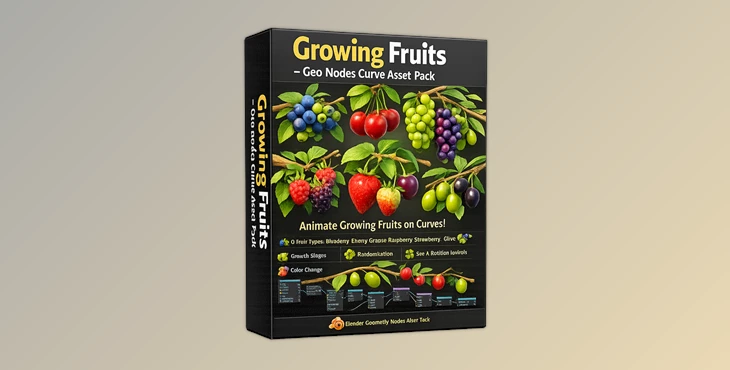
Downloadable Files
You can download Growing Fruits for free at the end of this page.
Create Living Fruit Systems with Ease
Have you ever thought about creating realistic animations of the growth of fruits on plants? Growing Fruits is a powerful collection of Blender assets that will make it easy for you to create these types of animations for your projects.
The Growing Fruits asset pack allows you to create entire systems of fruits that grow on curves. These fruits can range from berries to fruit that grows on branches of various types and sizes. The Growing Fruits pack will help you to create a variety of animations for projects that feature fruit in any way.
What is Growing Fruits and Why Is It Useful?
Growing Fruits is a customizable Geo Nodes asset pack for Blender that generates realistic fruits along Bezier curves. Instead of manually placing and animating individual fruits, users can simply draw a curve and let the system automatically create growing fruit arrangements.
The pack includes six different fruit varieties:
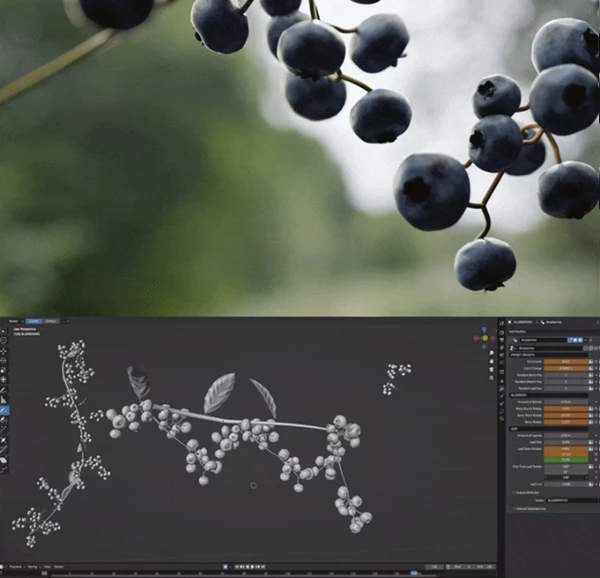
- Blueberries
- Cherries
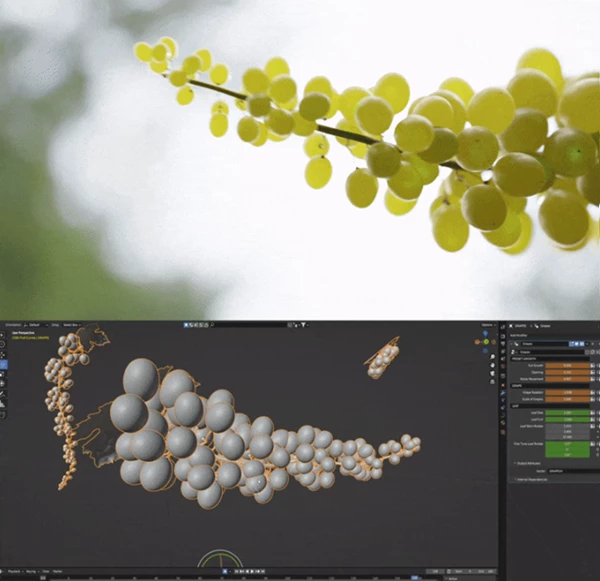
- Grapes
- Raspberries
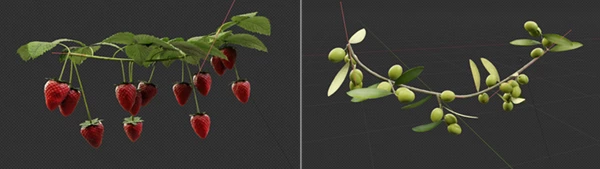
- Strawberries
- Olives
Each fruit can smoothly transition from an unripe stage to a fully ripe appearance through animation controls. Imagine creating:
- A vineyard where grapes gradually ripen over time.
- A strawberry plant growing throughout a seasonal animation.
- A botanical visualization showing fruit development stages.
- Stylized nature scenes filled with animated berry clusters.
These capabilities help artists save time while achieving far more realistic and dynamic results.
Features
Fully Animatable Growth System
Every fruit asset is designed to animate naturally from young fruit to mature fruit. Users can control:
- Growth progression
- Scale changes
- Rotation behavior
- Random variation
- Ripening color transitions
This allows for highly realistic growth simulations and time-lapse style animations.
Curve-Based Fruit Generation
All fruits are generated from Bezier curves. Simply draw a curve, and the system automatically distributes fruits and stems along its shape. This makes it easy to create:
- Branches
- Hanging grape clusters
- Berry vines
- Small fruit bunches
- Complex organic plant structures
Even a single curve point can generate an individual fruit cluster.
Advanced Geo Nodes Structure
The node setup is carefully organized with labeled frames and groups. Artists who want deeper customization can easily modify:
- Fruit density
- Placement behavior
- Growth logic
- Randomization settings
- Overall appearance
This makes the pack suitable for both beginners and experienced Geo Nodes users.
Procedural Materials
All fruit materials are procedurally created inside Blender. Because the materials are procedural:
- Colors remain flexible.
- Ripening effects animate smoothly.
- Surfaces maintain consistency across different scenes.
- Custom adjustments are quick and non-destructive.
Performance-Friendly Instancing
The entire system relies on Blender instancing techniques rather than realized geometry. Benefits include:
- Lower memory usage
- Faster viewport performance
- Efficient rendering
- Scalable fruit populations
Even complex fruit arrangements remain manageable during production.
Six Unique Fruit Types
Each included fruit offers its own visual characteristics and growth behavior, giving artists multiple options for different project styles and environments.
Real-World Creative Examples
Growing Fruits can be used across a wide variety of professional projects:
- Nature documentaries and educational animations
- Agricultural visualizations
- Product advertisements for food brands
- Stylized environmental artwork
- Seasonal growth time-lapses
- Fantasy forests and magical gardens
- Motion graphics and explainer videos
Instead of manually building fruit systems from scratch, artists can focus on storytelling, lighting, and final presentation.
Professional Tips for Better Results
Add some natural variations to the curves of the fruits when they are created in Blender.
Use the growth animation feature only gradually on your fruits to simulate the way in which fruits naturally grow over time
. If you encounter any instances of intersection between the fruits in your project, try adjusting the rotation of the fruits to fix the problem.
Use depth of field on the fruits to create additional realism in your project.
Adjust the color of the fruits to simulate the various ways that fruits may ripen and grow to various colors over time.
Keep the complexity of the curves to which the fruits are assigned to reasonable amounts if you have very large amounts of fruits growing on your project.
Final Thoughts
Growing Fruits for Blender is an excellent asset pack for anyone looking to add some realistic animations of fruits growing on their Blender projects. The features of the Growing Fruits pack make it easy to use for beginners as well as for artists with experience using Blender’s Geo Nodes editor.
There are a variety of projects for which Growing Fruits will be of use. Additionally, the ability to customize the fruits to your projects and the level of realism of the fruits make this an essential addon for Blender artists and animators.

Files Password : gfxplugin.com OR 123456