Downloadable Files
You can download Ultimate Colour Control for free from the end of this page.
Take Full Control of Your Colors
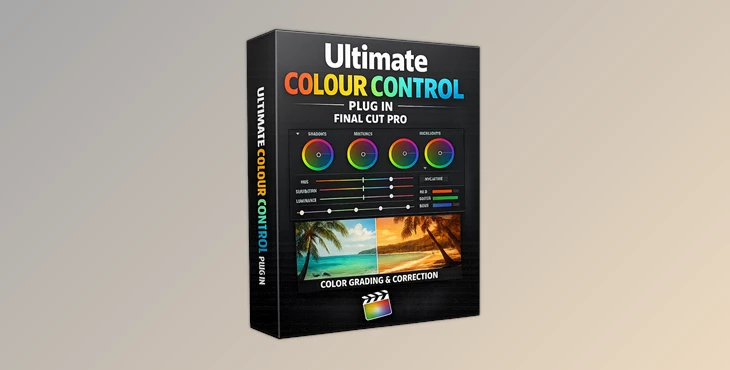
Color grading is one of the most important steps in the video creation process. A well-graded piece of video content can completely transform the mood and quality of a video. For those looking for advanced color correction tools within Final Cut Pro, Ultimate Colour Control is the plugin that you need.
Ultimate Colour Control offers editors an impressive collection of 40 adjustable parameters that allow for precise color grading adjustments directly within Final Cut Pro. Whether you are editing cinematic films or social media videos, this color control tool will give your videos the professional quality that you require.
What Is Advanced Color Control and Why Does It Matter?
Color control is a process that allows editors to adjust the video to improve the visual quality of the footage. For example, if your footage features a sunset, it may be important to even out the colors for that footage. Or if your video features many indoor shots, you may need to even out the color casts.
Color grading tools provide editors with the ability to:
- Improve the color balance within the footage.
- Create cinematic color grading styles.
- Match footage shot from different cameras.
- Even out the lighting within the video.
- Tell a better story within the video content.
These editing capabilities allow editors to create more engaging videos and to maintain creative control over their projects.
Meet Ultimate Colour Control
Ultimate Colour Control is a color grading tool created for Final Cut Pro that gives editors access to an extensive range of color adjustment tools with an easy-to-use interface. This tool was created to allow editors to perform color adjustments directly within their projects without having to rely upon other editing effects.
Features
- 40 Adjustable Color Parameters: Ultimate Colour Control provides an extensive number of color adjustment controls that editors can use to fine-tune their footage to their specifications.
- Highlight, Midtone, and Shadow Remapping: Editors can control the highlight, midtone, and shadow ranges of the footage independently to even out the contrast within the videos.
- Advanced Tint Controls: Using the tint controls, editors can apply creative color treatments to their footage to give their videos a unique visual style.
- Hue Adjustments: Individual colors within the video can be adjusted with this feature to improve the colors of elements such as skin tones within the video.
- Negative Effects: Create creative color effects using the negative color controls to manipulate footage in unconventional ways.
- Channel Mixer Controls: Editors can manipulate the individual color channels in their footage to achieve more precise color adjustments.
- Universal Resolution Support: Ultimate Colour Control supports projects of any size or resolution within Final Cut Pro.
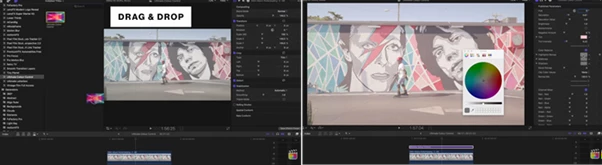
- Seamless Final Cut Pro Integration: Designed specifically for Final Cut Pro, the plug-in fits naturally into existing editing workflows and requires no complicated setup process.
Real-World Examples
A travel filmmaker can use highlight and shadow remapping to recover detail from bright skies and dark foregrounds.
A wedding editor can create soft romantic color tones by adjusting tints and midtones.
A YouTube creator can establish a unique brand aesthetic by applying consistent color grading across all videos.
Commercial editors can match footage from multiple cameras quickly using hue controls and channel mixing tools.

Professional Tips for Better Results
Start with basic color corrections to your footage.
Make adjustments to only a few parameters at a time to maintain control over your editing software.
Focus on evening out the color of skin tones in your videos.
Use separate adjustments for shadows and highlights to maintain even footage.
Save your color correction settings to use in any projects that you create to maintain a consistent editing style.
Final Thoughts
Ultimate Colour Control offers editors working within Final Cut Pro an extensive range of color adjustment tools that significantly expand the color grading capabilities of the editing software. From tone controls to creative color editing features, this tool gives editors complete control over the color of their projects.
Whether you are editing cinematic films, commercials, social media videos, or documentaries, this editing tool can significantly improve the editing process for users of Final Cut Pro. For editors looking to maintain complete control over the color of their projects, Ultimate Colour Control is an essential editing tool for your editing software toolkit.

Files Password : gfxplugin.com OR 123456