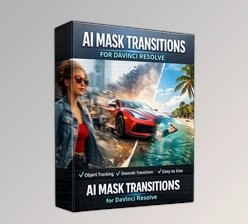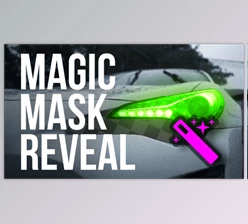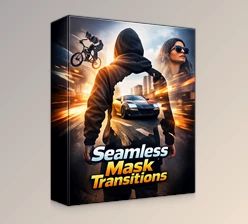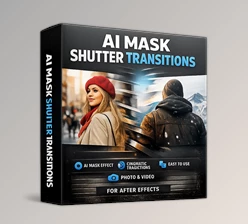
Downloadable Files
You can download Mask Object for free at the end of this page.
Create Seamless Transitions That Feel Natural
Do you ever struggle with creating scene changes that feel natural to the content of your editing project? Mask Object allows you to create scene changes that use real objects from your editing project to mask the change between two video clips. This will give your editing project an engaging way to change scenes.
Whether editing travel videos, vlogs, commercials, or cinematic films, Mask Object will allow you to create visually engaging scene changes.
What Is an Object Mask Transition?
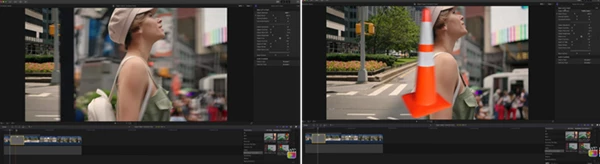
An object mask transition uses a moving object within the frame to hide the cut between two clips. As the object passes across the screen, it acts as a natural mask, revealing the next scene underneath.
For example:
- A person walking across the camera can reveal the next shot.
- A passing vehicle can smoothly transition into a new location.
- A custom graphic or logo can become a unique branded transition.
- A foreground object can create a seamless cinematic scene change.
These transitions improve visual flow because the viewer’s attention follows the moving object rather than focusing on the edit itself. This creates a more professional and polished viewing experience.
Meet Mask Object for Final Cut Pro
Mask Object is a professional transition pack designed exclusively for Final Cut Pro. It comes with pre-programmed object masks and also gives editors the ability to create fully customized transitions using their own PNG graphics.
The pack is designed to make advanced masking transitions accessible without requiring complicated manual animation or compositing techniques.
Features
17 Ready-to-Use Masked Objects
The package includes 17 pre-programmed masked objects designed to work across a wide variety of editing situations. These ready-made masks help editors create dynamic transitions in just a few clicks while maintaining a professional appearance.
Included Transition Types
- Mask Left to Right
- Mask Right to Left
- Mask Left to Right (Custom Drop Zone)
- Mask Right to Left (Custom Drop Zone)
Custom PNG Object Support
One of the most exciting features is the ability to use your own custom PNG files. Simply place your graphic into the Drop Zone, and the transition automatically adapts to match your design. This makes it easy to create:
- Brand-specific transitions
- Logo reveals
- Custom graphic wipes
- Creative storytelling effects
This flexibility allows every project to maintain a unique visual identity.
Seamless Scene Changes
The transition system is designed to create smooth and natural movement between clips. Instead of abrupt cuts, the masked object guides the viewer’s eye from one scene to the next, helping maintain engagement and visual continuity.
This is especially useful for:
- Travel videos
- YouTube content
- Commercial advertisements
- Social media videos
- Cinematic productions
Quick Installation and Setup
The package includes step-by-step installation instructions, making it easy for both beginners and experienced editors to get started quickly. No advanced technical knowledge is required.
Real-World Editing Ideas
Here are a few creative ways editors can use Mask Object:
Travel Films
Use a passing person, sign, or object to transition between destinations and create a connected visual journey.
Commercial Projects
Introduce products and scenes with branded custom PNG masks that reinforce company identity.
YouTube Videos
Create energetic transitions that keep viewers engaged while maintaining a professional editing style.
Social Media Content
Add eye-catching scene changes that stand out in fast-moving feeds and short-form videos.
Pro Tips for Better Results
Use Mask Object to create transitions that use an object that naturally moves in the editing project from left to right or right to left. This will make it look more natural in the editing project.
Ensure your PNG files are of high quality, with transparent backgrounds for best results.
Use objects that move at the same speed as the editing project to ensure a smooth masked object transition.
Avoid overusing Mask Object. Use it for key editing scenes rather than every editing cut between clips.
Use your company’s logo for masked objects to build brand recognition across your editing projects.
Final Thoughts
Mask Object offers editors a simple and creative way to enhance their editing projects within Final Cut Pro. With 17 different masked objects and the ability to use your own PNG files to create custom masked objects, Mask Object allows editors to create seamless scene changes between editing clips.
Whether you are creating YouTube videos, commercials, travel editing projects, or social media content, Mask Object will improve the editing experience. For editors looking for a way to add some creativity to their editing projects, Mask Object is a must-have download for Final Cut Pro editors.

Files Password : gfxplugin.com OR 123456