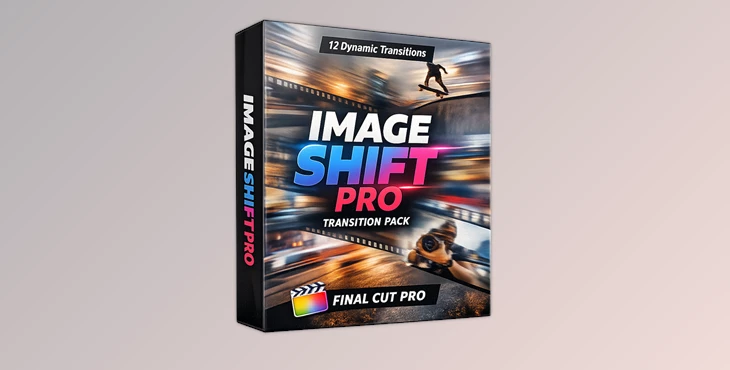
Downloadable Files
You can download Image Shift Pro for free from the end of this page.
Transform Static Edits into Dynamic Visual Stories
In today's video editing world, viewers have come to expect a level of sophistication from edits that will keep them watching till the last frame of the video. The use of special transitions gives an edit a professional feel that draws the viewer into the edit and allows them to follow the edit from one point to the next.
If you are a Final Cut Pro editor searching for a way to enhance the visual aspect of your projects, then the Image Shift Pro transition pack could be what you have been searching for. This product was made especially for Final Cut Pro users who want to add dynamic visual effects to their projects.
Understanding Image Shift Transitions
Image Shift Pro contains transitions that give the illusion of movement to the images within your project. These transitions allow for your edited videos to feature seamless movement from one scene to the next, adding dynamic elements to your projects that will ensure that your editing stands out from the crowd.
Some of the features of Image Shift Pro include the ability to create travel videos with smooth scene transitions, promotional videos with dynamic effects, social media videos with modern editing effects, and photography showcases with smooth image transitions.
Meet Image Shift Pro
Image Shift Pro is a professional pack of image-shifting transitions that have been created specifically for Final Cut Pro users. This product contains 12 high-quality, professionally-created image-shifting transitions that can be used for any editing project you undertake within Final Cut Pro.
From YouTube channels to social media videos, and from product videos to photography showcases, the variety of editing effects included in this transition pack will help you to edit your projects to your liking.
Features
12 Professional Transition Effects The pack includes a complete collection of motion-based transitions:
- Shift Down
- Shift Up
- Shift Left
- Shift Right
- Shift Left Right
- Shift Up Down
- Shift Zoom In
- Shift Zoom Out
- Shift Roll Up
- Shift Roll Down
- Shift Slide Right
- Shift Slide Left
This variety allows editors to choose the most appropriate movement style for different scenes and storytelling needs.
Designed Exclusively for Final Cut Pro
Image Shift Pro is built specifically for Final Cut Pro, ensuring a smooth workflow and easy integration into existing editing projects.
Fast Installation Process
The download package includes step-by-step installation instructions, making setup simple even for users who are new to custom transition packs.
Professional Motion Design
Every transition is crafted to create fluid movement and maintain visual consistency between clips, helping projects feel more refined and cinematic.
Flexible for Different Content Types
The transitions work well for:
- Travel videos
- YouTube content
- Social media edits
- Product showcases
- Corporate presentations
- Photography slideshows
- Promotional videos
Real-World Examples
A travel creator can use Shift Left and Shift Right transitions to simulate movement across locations.
A product marketer can use Shift Zoom In to emphasize product details and create a premium presentation style.
A content creator producing fast-paced reels can alternate between Shift Up, Shift Down, and Slide transitions to maintain energy throughout the video.
These practical applications help projects appear more engaging and professionally edited.
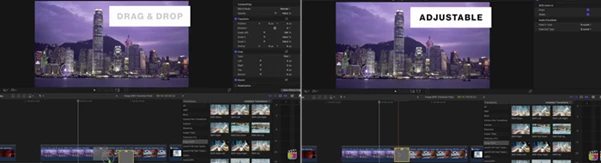
Professional Tips for Better Results
Use transition effects based on the movement within the editing project. For instance, if the subject within the edit moves from left to right within the edit, using a shift right transition will enhance the viewer's experience.
Do not overuse transition effects. Using all available transitions between editing projects can look messy and distracting from the content within your editing projects.
Use transition effects in conjunction with musical beats in your editing project for added viewer engagement.
Use zoom transitions within your editing project for special emphasis on important content within your editing project.
Use a few transition effects only within an editing project to maintain visual continuity for your editing audience.
Final Thoughts
Creating engaging editing projects for modern audiences involves the use of transition effects to enhance editing projects for visual appeal.
The Image Shift Pro editing effects pack allows editors within Final Cut Pro to enhance their editing projects with dynamic image shifting effects ranging from directional shifts to zoom and roll editing effects.
From creating social media videos to producing commercial editing projects, the editing effects within this effects pack will significantly improve the editing experience for producers of all types of editing projects.
Give Image Shift Pro a try and enhance your editing projects to wow your editing audience!

Files Password : gfxplugin.com OR 123456