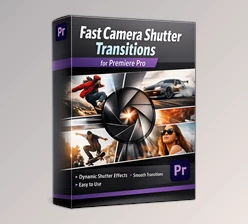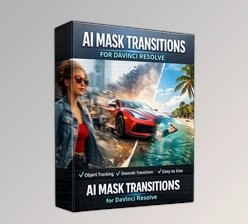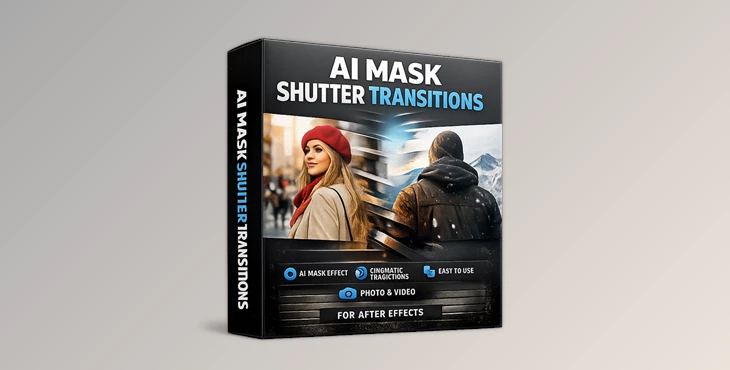
Downloadable Files
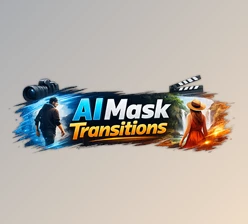
You can download AI Mask Shutter Transitions for free from the end of this page.
Transform Your Edits with Creative Transitions
Transitions are one of the most important elements in any video editing project. They help to ensure that the scenes within your video naturally flow from one to the next, keeping the viewers engaged from start to finish. For those looking to enhance their edits in a fast and professional way, AI Mask Shutter Transitions offers a collection of transition effects that can be instantly added to their projects to enhance the editing experience.
These transitions can be used to create cinematic videos, social media content, time-lapse travel videos, and more. They will elevate the quality of your editing and save you time in the editing process.
What Are Mask Shutter Transitions?
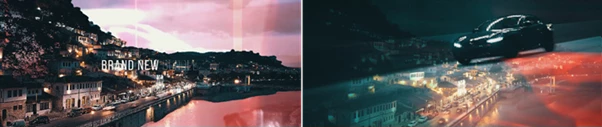
Mask shutter transitions are transitions that use animated masks and shutters to reveal the next scene in your editing project. They are often used to create dynamic movement between the edits in your video editing project, thereby enhancing the visual appeal of the project.
Mask shutter transitions are often used within video editing projects that include:
- Cinematic videos
- Travel videos
- Music videos
- Social media videos
- Corporate and presentation videos
- Promotional videos
Meet AI Mask Shutter Transitions
AI Mask Shutter Transitions is a ready-to-use effect that was created for Adobe After Effects 2026 and later versions. It features a collection of handcrafted textures that will allow your projects to feature visually impressive transitions that can be applied directly to both your photos and videos.
The goal of the AI Mask Shutter Transitions is to simplify the editing process for After Effects while delivering visually impressive results.
Features
No Plugins Required
One of the biggest advantages of AI Mask Shutter Transitions is that everything works directly inside After Effects. There is no need to install third-party plugins, which makes setup simple and convenient.
Compatible with After Effects 2026 and Higher
The package is optimized for modern versions of After Effects, ensuring smooth performance and compatibility with current workflows.
Works with Photos and Videos
Whether you are editing still images or video footage, these transitions can be integrated seamlessly into your project.
Supports Any Resolution and Frame Rate
The transitions are designed to work with virtually any resolution and FPS setting, making them suitable for everything from social media content to high-end video productions.
Easy-to-Use Workflow
Even beginners can quickly add professional transitions thanks to the straightforward implementation process and included tutorial.
Detailed Video Tutorial Included
A comprehensive video guide helps users understand the workflow and get the most out of the transition package.
Fully Handcrafted Textures
Each transition includes carefully crafted textures that add a unique visual style and help create more organic-looking scene changes.
High-Quality Results
The transitions are designed to maintain professional visual quality, helping editors produce polished content without spending hours creating custom effects.
Real-World Creative Applications
AI Mask Shutter Transitions can be used in many different editing scenarios.
For travel videos, they create energetic movement between locations and highlights.
For social media content, they help maintain fast pacing and audience engagement.
For commercial projects, they add a premium visual feel that enhances product presentations and promotional videos.
For cinematic storytelling, they provide smooth scene changes that support the narrative without distracting the viewer.
Professional Tips for Better Results
Use Fast Transitions for Energetic Content and Slow Transitions for More Cinematic Projects
Fast transitions are best used for energetic editing projects, such as travel and sports videos. Slow transitions are better suited to cinematic editing projects.
Use the Transitions in Time with Music Beats for Professional Results
For the best viewing experience, align the transitions with the beats of the music within your editing projects.
Do Not Overuse the Transitions
Avoid overusing any editing effects. The best use of these transitions is for occasional editing projects to maintain visual interest without eye strain for the viewer.
Ensure that the editing software settings match the editing project type
Choose the correct transition type for your editing project. For example, a cinematic project will feature more slow transitions than a social media or promotional editing project.
Experiment with Different Types of Footage
Since the transitions work with both static photos and videos, try to use different types of media within your editing projects to find the best results.
Final Thoughts
For video editors, AI Mask Shutter Transitions is an excellent solution that will save editing time and effort while still providing visually impressive results. With no additional plugins required, compatibility with popular editing software, and the option to use these editing tools within both photos and videos, of any resolution or frame rate, even beginner editors can produce professional editing projects that will impress the viewers.
Whether you are a beginner just starting to learn the intricacies of After Effects or you are a professional editor churning out commercial editing projects every week, AI Mask Shutter Transitions will allow you to produce more professional editing projects in less time.

Files Password : gfxplugin.com OR 123456