Downloadable Files
You can download Motion Studio for free from the end of this page.
Supercharge Your Creative Workflow
When creating professional animations, there are a number of tasks that you will have to repeat over and over again. Whether you are adjusting easing curves, organizing your layers, creating control rigs, working with colors, or animating keyframes, all of these steps can take up valuable time during your project. This is where Motion Studio comes in.
This tool is a collection of dozens of powerful tools that were created to help motion designers of all experience levels increase their overall efficiency with their projects. From motion graphics to explainer animations and everything in between, Motion Studio will make your creative workflow significantly faster.
What Is Motion Studio and Why Is It Useful?
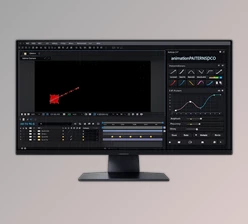
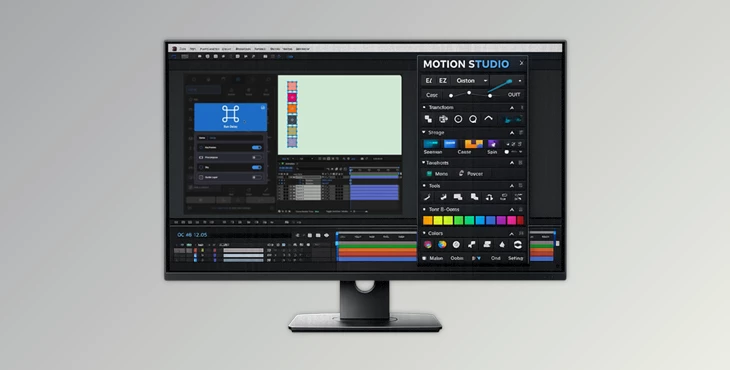
Motion Studio is a comprehensive collection of over 80 professional tools and more than 1000 controls created specifically for motion designers. It operates as an extension inside Adobe After Effects, Premiere Pro, and Illustrator, while also offering a dedicated desktop application for managing libraries, updates, presets, and custom workflows.
Instead of relying on multiple separate plugins and scripts, Motion Studio brings everything together in one organized ecosystem.
Some practical examples include:
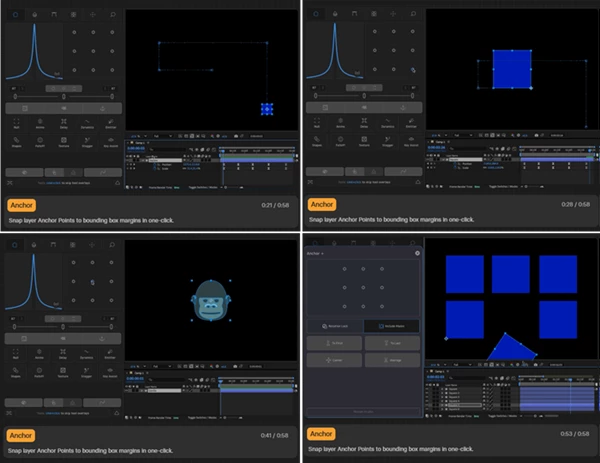
- Quickly snap anchor points with a single click.
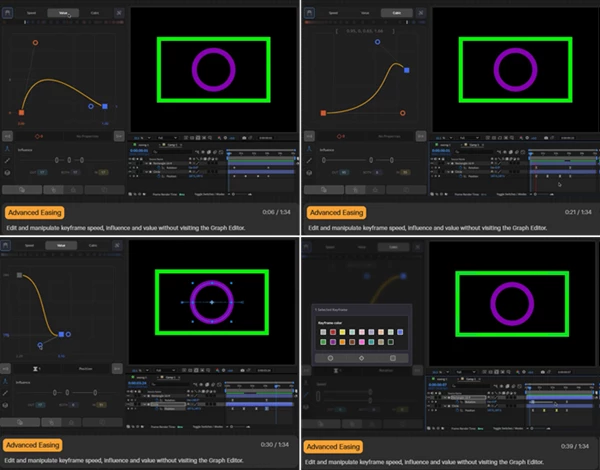
- Creating advanced easing animations using visual graph editors.
- Managing fill and stroke colors without opening multiple panels.
- Building animation control rigs instantly with automatic null creation.
- Organizing complex project panels automatically.
- Saving and reusing keyframe setups across different projects.
These features help reduce manual work, improve consistency, and allow designers to focus on storytelling and visual quality.
Meet Motion Studio
This product has been thoughtfully created to streamline every aspect of the animation process for motion designers. It features tools for managing keyframes, colors, and projects to give designers more focus on their creative efforts.
Features
Gold-Standard Motion Design Tool
The suite includes core tools that are frequently used during every animation session:
- One-click anchor point snapping
- Inline speed graph editing
- Fill and stroke color controls
- Layer isolation through Focus Groups
These tools help eliminate repetitive actions and speed up daily production tasks.
Pages of Motion Motion Studio organizes its capabilities into dedicated pages:
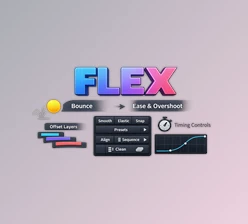
- Advanced easing editor with cubic, speed, and influence graphs
- Color management tools
- Focus page for layer grouping and isolation
- Built-in tools library browser
- Universal search system for finding tools and actions instantly
This structure keeps workflows organized and easy to access.
Deep Workflow Utilities Several advanced tools are designed for frequent production tasks:
- Composition settings editor
- Timeline scrubbing with custom frame snapping
- Particle simulation generation through the Emitter
- Re-Key system for saving and reapplying animation data
These tools reduce setup time and improve project consistency.
Everything Toolbox Motion Studio includes a collection of one-click automation tools:
- Delay for expression-based animation staggering
- Falloff for distance-based animation control
- Null generator for rapid rig creation
- Shape generators for geometric elements
- Sort tools for project organization
These utilities are especially useful for large-scale motion graphics projects.
Studio Desktop Application The standalone desktop app extends the ecosystem even further:
- Install and update extensions
- Manage color palettes
- Organize easing libraries
- Create custom Mini Panels
- Browse vector assets
- Configure Re-Key presets
This centralized management system keeps your entire creative toolkit organized.
Animation Assistant Tools Studio-exclusive workflow enhancements include:
- Re-Key for keyframe library management
- Mini Panels for custom workspaces
- Key Assist for automated keyframe creation
These features help accelerate repetitive animation tasks while maintaining precision.
Real-World Workflow Examples
Imagine creating a complex UI animation for a software demo. Instead of manually adjusting every transition, this tool allows you to apply advanced easing presets, create control rigs instantly, and organize animation timing through reusable keyframe libraries.
For explainer videos, the Delay and Falloff tools can quickly generate staggered animations that would otherwise require dozens of manual keyframes.
Motion graphics artists working on broadcast packages can use Focus Groups and project organization tools to manage large compositions with ease.
Pro Tips for Better Results
Build Custom Mini Panels
Create personalized toolbars containing your most frequently used tools. This can save countless clicks during long animation sessions.
Save Your Best Animations
By saving the best animations that you have created with Motion Studio to a keyframe library using the Re-Key features, you can quickly create similar animations for other projects.
Master the Easing Graphs
By becoming familiar with the cubic and speed graph editors, motion designers can create natural movements for animated elements without the use of additional animation effects.
Organize Projects Early
Use sorting and Focus Group tools from the beginning of a project. A clean structure becomes increasingly valuable as compositions grow in complexity.
Combine Automation Tools
Many Motion Studio utilities work best when used together. Combining Delay, Falloff, and Null tools can create sophisticated animations in a fraction of the usual time.
Final Thoughts
Motion Studio is not just a simple addon to Adobe After Effects, Premiere Pro, and Illustrator. It is a complete application that was created for motion designers to simplify their design process and eliminate the need to spend time on repetitive tasks.
With over 80 tools, Motion Studio can significantly speed up your projects and allow you to focus on delivering outstanding animations to your clients.
Whether you are an experienced motion designer or you are looking to speed up your creative process daily, Motion Studio will provide you with a powerful collection of tools to make your animation process faster and more enjoyable.

Files Password : gfxplugin.com OR 123456