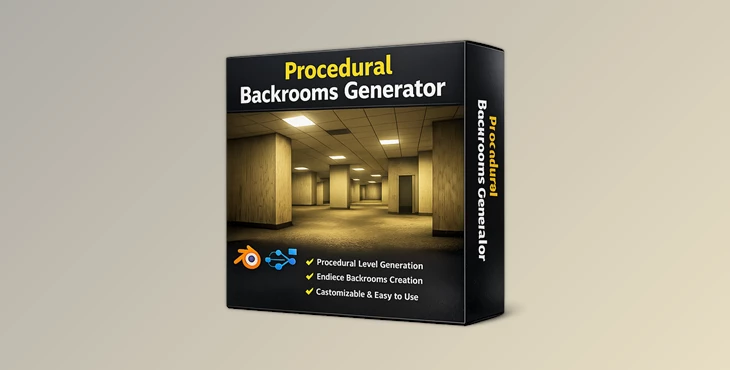
Downloadable Files
You can download the Procedural Backrooms Generator for free from the end of this page.
Create Endless Liminal Worlds with Procedural Backrooms Generator
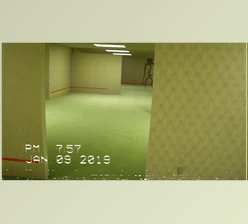
If you’ve ever wanted to recreate the atmosphere of the famous Backrooms in Blender, then you're in the right place. With the Procedural Backrooms Generator, you can quickly and easily create endless yellow hallway environments that encapsulate the mysterious and empty feeling of the liminal space.
This tool was developed to allow users who are relatively new to Blender to create complex procedural environments without having to manually model every element of the liminal space.
Understanding Procedural Environment Generation
Procedural environment generation is a method used to automatically create complex scenes based on a set of customizable parameters.
Some of the benefits of procedural environments include:
- Faster development times for large environments
- Consistent textures without stretching
- Easier optimization of environments for rendering
- Flexible editing of generated content
- Infinite possibilities for layout design with minimal effort
The procedural approach to content creation is beneficial to various types of creators, such as horror animators who may want to quickly produce content for YouTube channels dedicated to analog-style horror content, or game designers who want to visualize the potential of liminal spaces within games.
Meet Procedural Backrooms Generator
The Procedural Backrooms Generator is a professional Geometry Nodes setup that allows users to recreate Backrooms-inspired environments. This type of procedural tool allows even beginners to create large liminal spaces with high visual and rendering performance.
Features
Fully Procedural Maze Creation
This type of procedural tool allows the user to create unique liminal spaces simply by tweaking the sliders for various parameters. The more advanced the user is with Blender, the more creative they can be with their adjustments to the environment.
Deep Environment Customization
There are a variety of customizable aspects to the Procedural Backrooms Generator, including but not limited to:
- Wallpaper
- Carpets
- Surfaces
- Limits of the liminal space
- Lighting
- Mood of the environment
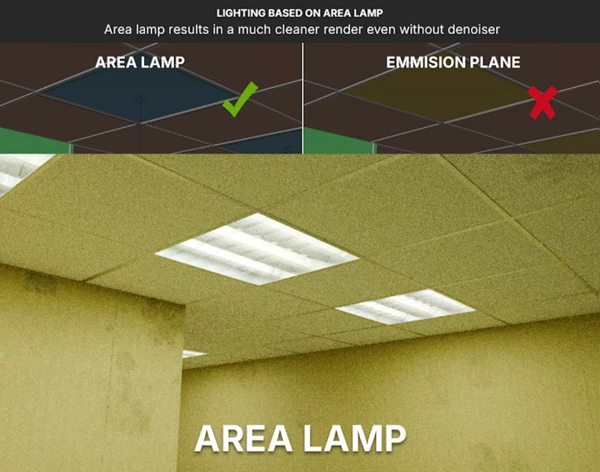
Optimized Area Light System
Unlike heavy emission-based lighting setups that often create fireflies and require higher sample counts, Procedural Backrooms Generator uses optimized area lights.
Benefits include:
- Cleaner renders
- Faster render times
- Better lighting control
- Reduced noise in Cycles
Users can choose which rows and columns are illuminated, apply randomization, and easily switch lights on or off.
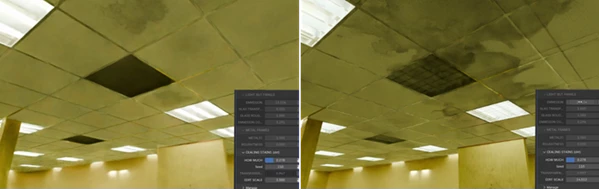
Realistic Surface Imperfections
Instead of relying solely on generic procedural noise textures, the system incorporates details inspired by real-world office wear and aging. This creates more believable walls, floors, and environmental surfaces.
EEVEE and Cycles Ready
The generator is optimized for both Blender rendering engines:
- Fast previews in EEVEE
- High-quality final renders in Cycles
- Consistent visual results across workflows
Asset Browser Integration
All six included assets are prepared for Blender’s Asset Browser. Three of these assets function as procedural generators capable of producing seamless combinations, dramatically increasing creative possibilities beyond simple static assets.
Real Project Examples
Artists can use the Procedural Backrooms Generator for:
- Horror animations
- YouTube analog horror content
- Found-footage projects
- Environmental concept art
- Game environment prototyping
- Architectural liminal space visualization
- Atmospheric cinematic sequences
A creator producing a Backrooms exploration video, for example, can generate multiple unique hallways in minutes while maintaining a consistent visual style throughout the project.
Pro Tips for Better Results
Try varying the lighting settings for different areas of the liminal spaces. Instead of having all of the rows of liminal spaces lit at the same time, try turning off some of the area lights.
The use of procedural wear and aging on the surfaces of the liminal spaces will make for more believable environments.
Try creating liminal spaces of varying dimensions to provide more natural-looking environments. Start with the default settings and only begin to experiment with the various parameters when you are ready.
Consider adding volumetric fog and implementing basic camera movements to enhance the liminal atmosphere of your scenes.
Final Thoughts
The Procedural Backrooms Generator allows for the recreation of one of the most iconic liminal spaces directly within Blender. This tool allows the user to generate a liminal space with high visual and rendering performance with minimal technical understanding of Blender.
This type of procedural, customizable tool is beneficial to a variety of creators, such as horror content creators or game designers looking to visualize liminal spaces in their projects. With its user-friendly interface and flexible, customizable environment, the Procedural Backrooms Generator is a tool that every Blender artist should have in their arsenal.

Files Password : gfxplugin.com OR 123456