Downloadable Files
You can download CloneSpace for free from the end of this page.
Create Stunning 3D Layer Arrays with Ease
Have you ever thought about filling your composition with hundreds of animated layers? Creating complex 3D arrays in After Effects can be challenging and time-consuming. CloneSpace is the perfect tool to help you with that.
This tool allows you to quickly and easily duplicate your layers into 3D space. Whether you are creating futuristic elements, complex product animations, or 3D abstract art, CloneSpace will save you time and effort.
What Is a 3D Layer Distribution Tool?
A 3D layer distribution tool allows you to automatically create multiple instances of your After Effects layer and distribute them across 3D space.
Creating multiple instances of your layer manually can be challenging. A 3D layer distribution tool allows you to avoid this and instantly create your desired arrangement.
3D layer distribution tools are extremely useful for projects that contain:
- Motion graphics
- Product animations
- Abstract animations
- Sci-fi elements
- Visual effects
Meet CloneSpace
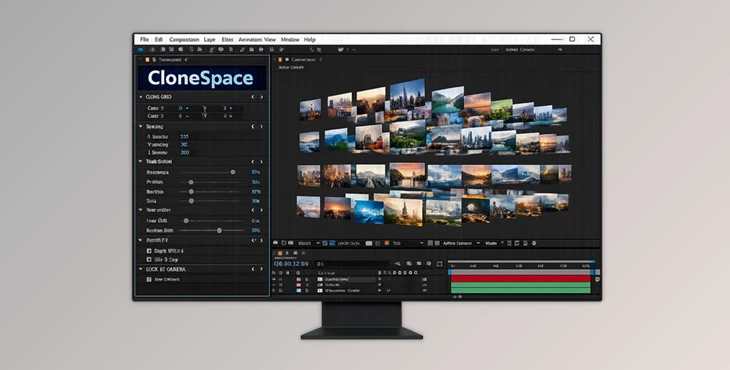
This product is a powerful After Effects plugin that allows you to quickly and easily duplicate your layers into 3D space. CloneSpace is GPU-accelerated, so it will perform well with hundreds of instances of your selected layer.
CloneSpace gives you complete control over the 3D placement of your cloned layers. You can create anything from a simple 3D array to complex animations with ease.
Features
Duplicate Layers Throughout 3D Space
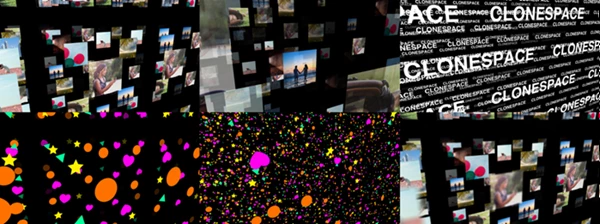
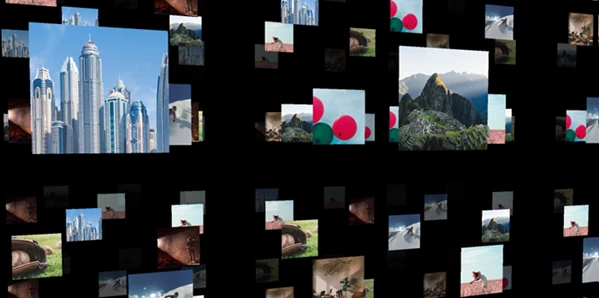
CloneSpace can instantly generate multiple copies of a layer and distribute them across a customizable 3D environment.
This allows artists to build large scenes and complex compositions without manually managing hundreds of layers.
Flexible Grid Layouts
CloneSpace allows you to create multiple flexible grids within your project. You have complete control over the grid settings:
- Grid spacing
- Row and column settings
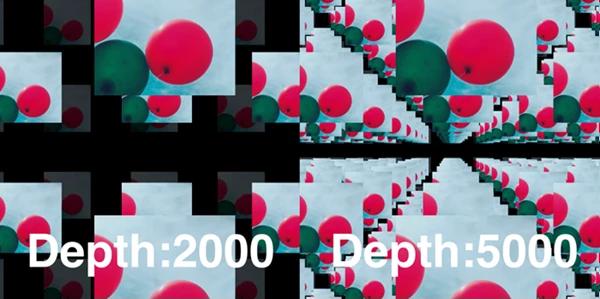
- Depth of space
- Alignment of the arrays
These settings allow you to quickly create multiple types of animations.
Camera-Facing Instances
This tool can automatically create instances of your layer that always face your composition’s active camera.
This is helpful for animations that use many instances of the same element, such as product image galleries or motion design presentations. It makes them easier to read and visually appealing.
Powerful Randomization Tools
One of CloneSpace’s most creative features is its advanced randomization system. Users can randomize:
- Position
- Scale
- Rotation
- Various transform properties
Randomization helps break visual uniformity and creates more natural-looking scenes with greater depth and variation.
Advanced Time Control
CloneSpace allows users to randomize layer timing across generated instances. Instead of every duplicate playing simultaneously, each copy can start at a different point in time. This creates:
- Dynamic motion patterns
- Organic animations
- More realistic movement behavior
without requiring additional keyframe work.
Cropping Along Any Axis
The cropping system makes it possible to trim generated arrays along specific axes. This provides greater artistic control when shaping compositions and refining layouts.
Depth of Field Support
CloneSpace enhances scene realism by adding depth through depth-of-field effects. Combined with 3D distribution and camera controls, this feature helps create cinematic-looking compositions with stronger visual hierarchy.
Offset Alternating Rows and Columns
Users can offset alternating rows and columns along various axes. This simple feature can dramatically transform a regular grid into:
- Honeycomb-style arrangements
- Dynamic geometric structures
- Complex architectural patterns
with minimal effort.
Real-World Creative Uses
CloneSpace can be used in a wide variety of motion design projects:
- Creating large arrays of product images
- Building futuristic interface animations
- Designing abstract geometric motion graphics
- Generating digital cityscapes
- Creating animated data visualizations
- Producing particle-style visual effects
- Constructing sci-fi environments
Its flexibility makes it suitable for both commercial and artistic projects.
Pro Tips for Better Results
Combine Randomization with Structure
Start with a clean grid layout and introduce subtle randomization afterward. This creates visual interest while maintaining overall organization.
Use Depth of Field Strategically
Applying a moderate depth of field can instantly add cinematic depth and help direct the viewer's attention toward important elements.
Experiment with Time Offsets
Randomized timing can make repetitive animations feel much more natural and dynamic without increasing project complexity.
Try Camera-Facing Layers for UI Designs
When creating floating panels, icons, or interface elements, camera-facing layers improve readability and create a polished, professional look.
Offset Rows for Unique Patterns
Alternating row and column offsets can transform simple arrays into visually striking structures with very little setup.
Final Thoughts
Overall, CloneSpace is a powerful tool for After Effects users looking to duplicate their layers into 3D space quickly and easily.
This product is a great tool for anyone creating motion graphics, products, abstract art, or even sci-fi projects. With its range of features and the ability to easily manipulate each aspect of the cloned layers, CloneSpace can significantly speed up your project and give you complete control over the outcome.

Files Password : gfxplugin.com OR 123456