Downloadable Files
You can download Beavel for free from the end of this page.
Create Clean and Professional Bevels with Ease
If you have struggled with creating bevels on your 3D models in Blender in the past, then you will want to check out Beavel. This add-on will make beveling one of the most important modeling tasks in Blender a lot easier to use.
Whether you are producing game assets, architectural models, product visualizations, or anything in between, Beavel will produce some of the best-looking bevels and allow you to maintain full control over the model's appearance.
What Is Beveling and Why Does It Matter?
In the real world, objects do not have perfectly sharp edges. By adding bevels to your models, your textures and models will appear more realistic and visually appealing.
Some of the many ways to use bevels include:
Product designers use them to produce realistic electronics and gadgets.
Architects use them to improve the look of their furniture designs.
Game artists use them to produce hard-surface assets.
Motion graphic designers use bevels for improved lighting and reflections of their assets.
By properly adding bevels to your models, the reflections, highlights, and shading will improve to produce convincing renders of your models.
Meet Beavel
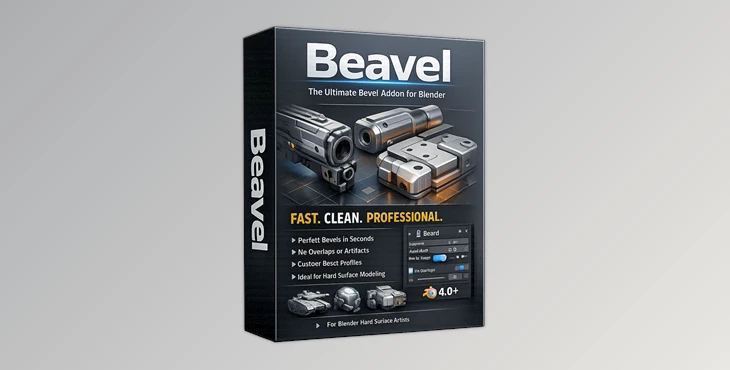
Beavel is a professional Blender add-on developed by Egret Studios that focuses on creating advanced bevels without the common problems associated with traditional bevel workflows.
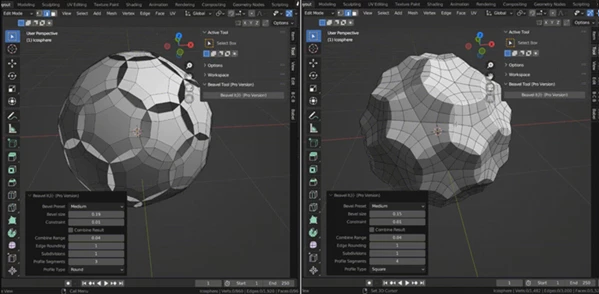
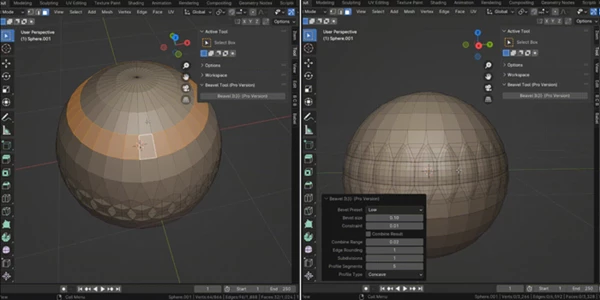
The tool allows artists to create custom bevel profiles, control subdivisions, round edges using advanced fillet algorithms, and prevent geometry intersections that often occur when working with complex shapes.
Its workflow is designed to save time while giving artists greater flexibility and precision during modeling.
Features
Advanced Bevel Subdivisions
By choosing the number of subdivisions that are used for your bevels, you can create smooth bevel profiles that will be perfect for your models.
Face and Edge Selection Support
With face and edge selection support, you can select exactly what parts of your model should be beveled.
Edge Rounding with Fillet Algorithm
Beavel includes a fillet-based edge rounding system that produces smoother and more natural transitions between surfaces. The result is a cleaner and more professional appearance.
Advanced Bevel Profiles
Artists can choose from multiple bevel profile shapes to match different design styles and project requirements. This makes it easier to create unique and visually interesting edge details.
Profile Segment Controls
The profile segment system gives users complete control over the complexity and smoothness of bevel profiles. You can fine-tune every detail to achieve the exact look you want.
Custom Profile Types
Beavel introduces profile types that allow users to build unique bevel shapes and apply them to selected faces or edges. This feature significantly expands creative possibilities during modeling.
Overlap Prevention Controls
One of Beavel’s most valuable features is its ability to prevent nearby edges from overlapping. These intelligent controls help maintain clean geometry and reduce the need for manual cleanup.
Optimized for NGON Modeling
Working with NGONs can often create beveling challenges. Beavel is designed to handle bevel operations efficiently, even on n-sided polygons, making it an excellent choice for advanced modeling workflows.
Real-World Benefits
Imagine creating a futuristic sci-fi prop with dozens of detailed panels and hard-surface edges. Traditional bevel tools may create intersections and geometry issues that require extensive cleanup.
With Beavel, you can quickly generate clean bevels, customize profile shapes, and avoid overlapping geometry, allowing you to focus on design rather than troubleshooting.
Similarly, product visualization artists can create smoother edges on consumer electronics, furniture, or industrial products while maintaining professional render quality.
Tips for Better Results
Start with Moderate Subdivisions
Use fewer subdivisions to maintain control over your model instead of creating complex geometry.
Experiment with Profile Types
Experiment with the available types of profiles to find the perfect one for the models that you are producing.
Use Overlap Prevention Early
Use the overlap prevention controls during your modeling process rather than at the end.
Combine with Hard-Surface Workflows
This tool will work best in conjunction with techniques used for creating hard-surface models.
Adjust Segments for Performance
Higher segment counts will produce smoother bevels, but will also increase the polygon counts of your models.
Final Thoughts
For anyone who is looking to have more control over bevel creation within Blender, Beavel is an excellent tool to use. With its advanced features and capabilities, this add-on for Blender will allow individuals to produce bevels that are not only clean but also professional-looking.
From game to product visualizations and beyond, this will streamline your modeling process with Beavel. Your modeling workflow will be significantly improved by this tool, and you can produce even more complex projects for clients or for your personal creations.

Files Password : gfxplugin.com OR 123456