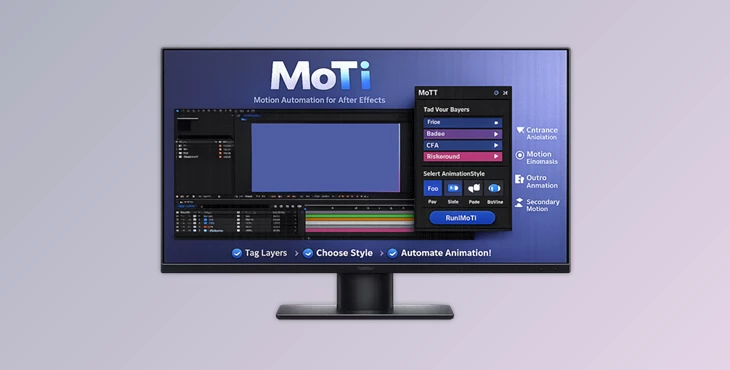
Downloadable Files
You can download the product MoTi for free at the end of this page.
Make Motion Graphics Faster Than Ever
Creating promo animations in Adobe After Effects can be exciting, but repeating the same animation process over and over quickly becomes exhausting. Titles, badges, product images, captions, and call-to-action buttons often require dozens of manual keyframes just to build a short social media promo.
That’s exactly where MoTi becomes incredibly useful.
MoTi automates motion graphics in After Effects with a single click. Instead of spending hours tweening and creating keyframes for your designs, MoTi will automatically create professional animations for your promo assets.
Whether you create product ads, event promos, sale graphics, or social media content, MoTi helps speed up production while still keeping everything editable inside After Effects.
What Is MoTi and Why Does It Matter?
MoTi is an automation extension for After Effects that understands promotional graphics and can automatically apply motion effects to each graphic design element.
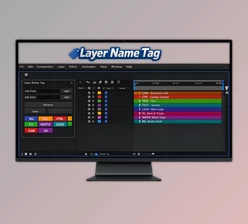
MoTi allows users to tag each design element with information about what kind of motion it should have.
For example, users can tag product graphics as products to make them the focus of the motion. They can also tag text elements as titles for them to have a dynamic type animation, or they can tag discount badges to make them wiggle to get the viewer’s attention.
Such automation saves time for motion graphics designers.
Why Automated Motion Design Improves Results
Many promo videos follow a similar visual structure:
Hero product image
Large headline
Supporting text
Background graphics
Call-to-action button
Sale or discount badge
Normally, animating these elements manually requires constant keyframing, timing adjustments, easing tweaks, and revision work.
MoTi simplifies the entire process.
Because the extension already understands how promotional layouts behave, it can instantly generate cleaner and more professional motion patterns. This leads to:
Faster workflow
More consistent animation quality
Cleaner timing
Better visual hierarchy
Easier revisions
Less technical busywork
Instead of fighting timelines, creators can focus more on design and storytelling.
Smart Workflow That Feels Natural
Import and Tag
MoTi starts with layered artwork from Photoshop, Illustrator, or an existing After Effects composition.
Users simply assign tags such as:
KV (Key Visual)
SV (Supporting Visual)
Title
Badge
Caption
BG
BGElem
Btn
These tags tell MoTi how each layer should behave during animation.
This system feels much more flexible than traditional templates because it adapts to your design instead of forcing your artwork into a fixed structure.
Features
One-Click Animation Generation
After tagging layers and selecting motion styles, clicking “Run MoTi” automatically generates:
Entrance animations
Emphasis motion
Helper motion
Outro timing
Floating effects
Dynamic transitions
All animations are generated directly inside the active composition with editable keyframes.
This means users still maintain full creative control.
Smart Layer Understanding
One of MoTi’s strongest features is its intelligent layer role system.
Instead of applying generic presets blindly, MoTi understands the purpose of each design element.
For example:
Hero products receive stronger cinematic movement
Titles gain energetic typography motion
Badges receive attention-grabbing effects
Background elements animate subtly for depth
This creates more balanced and visually appealing motion graphics automatically.
Built-In Motion Styles
MoTi includes multiple animation styles for different creative directions.
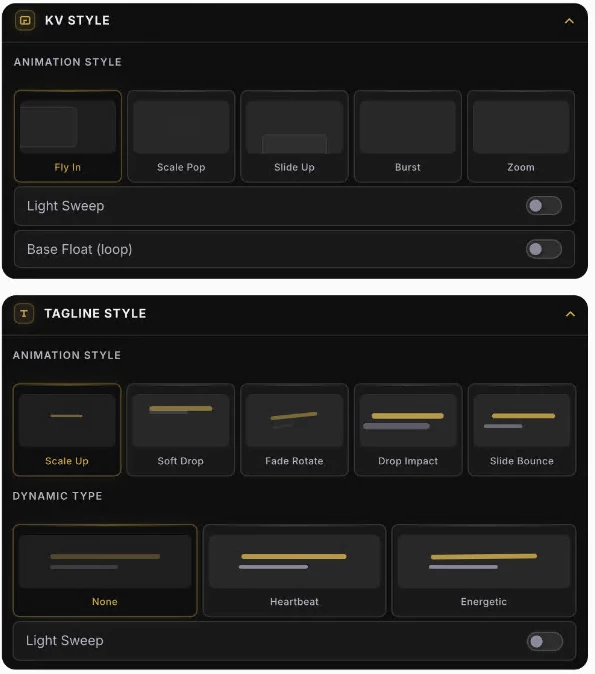
KV Styles
Fly In
Scale Pop
Slide Up
Burst
Zoom
Tagline Styles
Scale Up
Soft Drop
Fade Rotate
Drop Impact
Slide Bounce
Dynamic Type
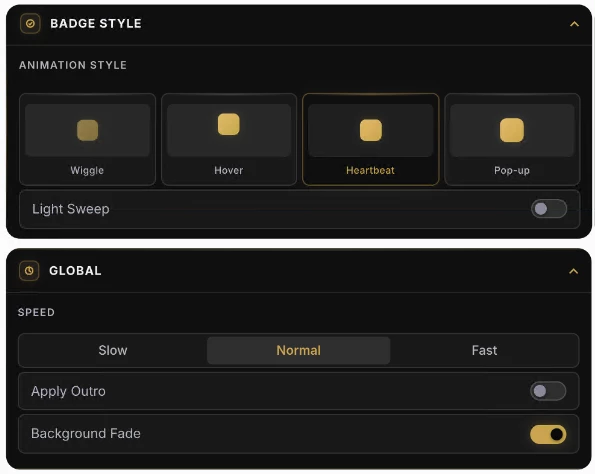
Badge Styles
Wiggle
Hover
Heartbeat
Pop-up
These styles make it easy to produce modern social media animations without building every movement from scratch.
Global Speed Control
Different projects require different pacing.
MoTi includes global timing controls that allow users to instantly switch between:
Slow
Normal
Fast
This helps creators quickly adapt animations for different platforms like Instagram Reels, YouTube Shorts, TikTok ads, or cinematic promos.
Smart Import for Cleaner Layers
Layered PSD and Illustrator files often import with oversized transparent bounds, making positioning frustrating.
MoTi Smart Import helps clean visible layer bounds during import, making layers easier to organize and animate.
This small feature can save huge amounts of setup time in larger projects.
Reset and Rebuild Instantly
Client revisions are one of the most time-consuming parts of motion design.
MoTi makes revisions dramatically easier.
Need a different motion direction?
Simply reset the generated animation, choose new styles, and rerun the system without rebuilding the timeline manually.
This is especially valuable for agencies and freelancers working under tight deadlines.
Real-World Creative Use Cases
MoTi works especially well for:
Product promo videos
Sale graphics
Event announcements
Social media advertisements
Product slideshow animations
Fast client revisions
Motion templates
Digital marketing content
For creators producing high volumes of promotional content, the time savings become extremely noticeable.
Professional Tips for Better Results
Organize Layers Clearly
Before importing artwork into After Effects, keep Photoshop or Illustrator files well organized.
Clean layer naming helps speed up tagging and improves workflow efficiency.
Use Motion Styles Strategically
Not every project needs energetic motion.
For luxury or cinematic projects, softer styles like Fade Rotate or Hover often create more elegant results.
For sales promotions, Burst and Wiggle effects attract more attention.
Choosing the right style improves the emotional impact of the animation.
Keep Background Motion Subtle
Background animation should support the composition, not distract from it.
Using softer floating effects on BGElem layers helps maintain professional visual balance.
Combine Manual Tweaks with Automation
MoTi handles the heavy lifting, but adding small manual adjustments afterward can make projects feel even more custom and polished.
Think of MoTi as a creative accelerator, not a creative limitation.
Final Thoughts
MoTi transforms one of the most repetitive parts of motion design into a fast, intelligent, and highly flexible workflow.
Instead of spending hours creating the same motion graphics, users can generate them in a few clicks.
MoTi remains within After Effects so that users can edit and tweak the animations to match their project needs.
MoTi is a tool that will significantly improve the speed of your motion graphics design process if you’re a freelancer, motion designer, editor, or social media creator who has tight project deadlines.
It’s a modern tool to help modern designers with modern design challenges.

Files Password : gfxplugin.com OR 123456