Downloadable Files
You can download PuzzleMotion for free at the end of this page.
Make Motion Design Feel Fun Again
Creating smooth animations in Adobe After Effects usually means dealing with endless keyframes, graph editors, and complicated timing adjustments. For many motion designers, even a simple animation can become slow and repetitive.
PuzzleMotion changes that workflow completely.
Instead of manually animating every movement, this tool introduces a visual block-based system where you simply drag and drop motion blocks onto a timeline. In just seconds, you can create complex and polished animations without fighting with curves or technical settings.
Whether you work with typography, logos, illustrations, UI elements, 3D renders, or video footage, PuzzleMotion turns animation into a faster, cleaner, and far more intuitive process.
What Is PuzzleMotion?
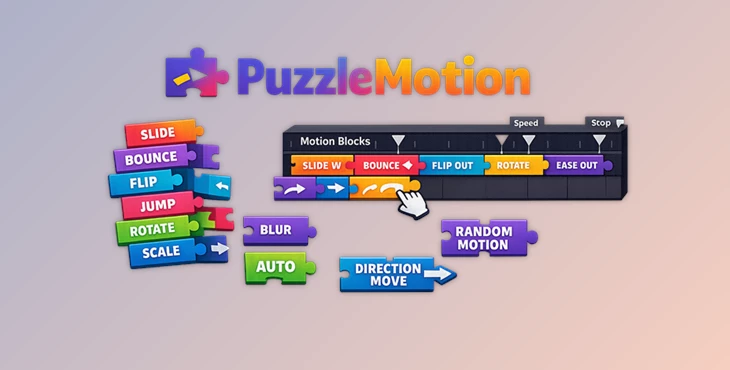
PuzzleMotion is a block-based animation extension for Adobe After Effects that allows users to build animations visually using directional and action blocks.
Instead of spending time creating dozens of keyframes manually, users can place motion blocks directly into a visual lane and instantly generate animation behavior.
The system is fully expression-driven, which means your timeline stays clean and organized while still allowing advanced customization when needed.
This approach makes motion design feel more like building with creative motion pieces rather than editing technical animation data.
Why This Workflow Feels So Much Faster
Traditional animation workflows often involve:
- Creating multiple keyframes
- Adjusting easing curves
- Editing graph handles
- Repeating animation patterns manually
- Fixing timing inconsistencies
PuzzleMotion removes most of that friction. By simply snapping blocks together, users can instantly create:
- Text entrance animations
- Dynamic logo reveals
- Smooth object movement
- Jump and flip actions
- Layer transitions
- Stylized motion graphics sequences
This improves production speed dramatically while also helping designers experiment with more creative animation ideas. Because the workflow is visual and interactive, it becomes easier to test multiple motion styles quickly without rebuilding animations from scratch.
Features
One-Click Automatic Animation
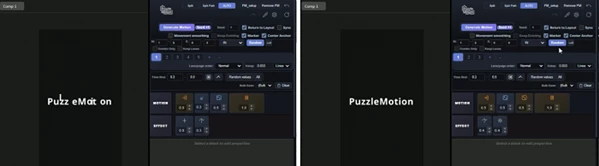
One of the most impressive features inside PuzzleMotion is the AUTO button. Simply select a text layer and press AUTO. The plugin automatically:
- Splits text into characters
- Generates randomized motion blocks
- Applies the entire animation instantly
No setup. No manual dragging. No keyframing. This feature is especially useful for social media typography, kinetic text videos, title sequences, and promotional animations where speed matters.
Visual Block-Based Editor
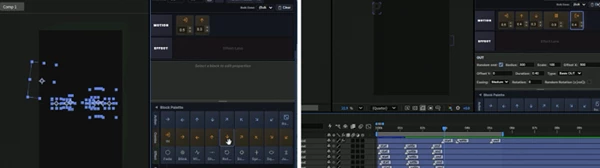
The heart of PuzzleMotion is its drag-and-drop motion editor. Users can place different types of blocks directly onto the timeline:
- Direction blocks
- IN/OUT motion arrows
- Jump animations
- Flip actions
- Effect combinations
The sequence of blocks controls the final animation behavior. This visual workflow makes complex animation easier to understand, especially for creators who dislike technical graph editing.
Works With More Than Just Text
Although PuzzleMotion includes powerful text animation tools, it is not limited to typography. The system can animate:
- Images
- Shape layers
- Video clips
- Null objects
- Logos
- 3D renders
- Motion graphics assets
This flexibility makes it useful for many creative industries, including advertising, YouTube content creation, branding, UI animation, and cinematic editing.
Endless Random Variations
Sometimes the hardest part of animation is finding inspiration.
PuzzleMotion solves this with its built-in randomizer system.
Users can continuously reroll animation styles until they discover a motion sequence that fits the project perfectly.
This creates a fast, creative workflow where experimentation becomes effortless.
For designers working under deadlines, this feature can save enormous amounts of time.
Marker-Based Timing Control
Instead of opening complicated settings panels, PuzzleMotion lets users control playback speed directly inside the Adobe After Effects timeline. Generated markers can simply be dragged to:
- Slow animations down
- Speed them up
- Adjust pacing naturally
- Refine motion timing visually
This makes timing adjustments feel much more intuitive.
Restore Animations Instantly
PuzzleMotion safely stores animation data inside the project itself. Using the eyedropper tool, users can instantly restore:
- Block layouts
- Motion settings
- Previous animation structures
This is extremely helpful for large projects where multiple animation styles need to be revisited later.
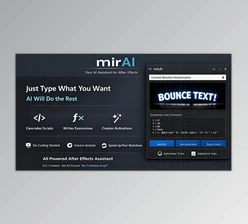
AI Integration With mirAI
PuzzleMotion also integrates with mirAI, allowing users to generate animations using natural language prompts. For example:
“Animate this text from the right side.”
mirAI can automatically generate the proper PuzzleMotion block setup instantly. This combination of AI and block-based animation creates a very modern workflow for motion designers.
Real Creative Uses
PuzzleMotion works especially well for:
- YouTube intro animations
- TikTok motion graphics
- Promotional typography
- Logo reveals
- Explainer videos
- Social media ads
- UI motion previews
- Music visualizers
- Presentation animations
- Fast client revisions
Because the system is so fast, creators can produce more animation variations in less time, which improves both creativity and workflow efficiency.
Pro Tips For Better Results
Keep Motion Simple
Keep it simple when creating animations. Too many motion blocks on each element can look messy instead of clean.
Use Random Variations As Inspiration
Use the random animation function to get inspiration for your projects. Even if not all animations created are perfect, they can introduce new ideas to your projects.
Combine Manual Tweaks With AUTO
Although the AUTO button can create amazing animations instantly, taking a few moments to manually adjust animations can make them look more professional.
Use Marker Timing For Cinematic Motion
Slow the marker animations slightly to make your motion design look more cinematic.
Save Favorite Motion Styles
Once you create a great motion design, click the eyedropper to save it for reuse later on.
Final Thoughts
PuzzleMotion brings something very unique to the world of motion design software.
Instead of editing animations in After Effects, users create visual motion design blocks that create their animations. This process is much faster and more enjoyable than the standard editing of animations within After Effects.
This software could be of great use to anyone creating motion graphics for YouTube, TikTok, social media, or even their presentations. As such, if you are a motion designer or even a content creator who works with After Effects regularly, PuzzleMotion will save you time and allow you to create more animations for your projects.