Downloadable Files
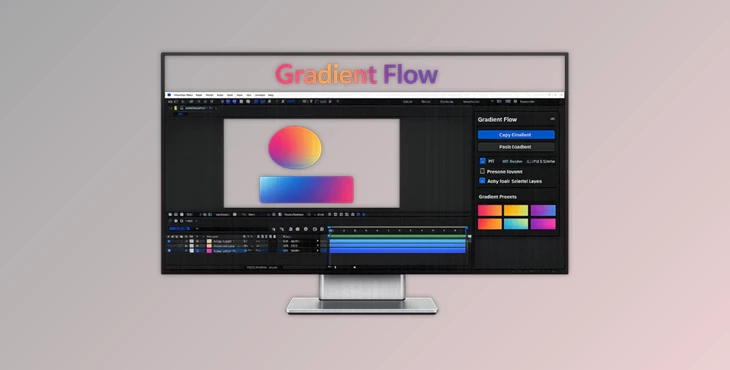
You can download the Gradient Flow product for free at the end of this page.
Make Gradient Workflows Faster
Creating gradients in After Effects should feel creative — not repetitive. But when you constantly rebuild the same gradients across multiple layers, projects quickly become slower and harder to manage. That’s exactly where Gradient Flow becomes incredibly useful.
This smart After Effects extension allows you to instantly copy and paste gradients between shape layers and solid layers with just a few clicks. Instead of manually adjusting colors, angles, positions, and layouts over and over again, you can transfer everything instantly while keeping your entire design visually consistent.
For motion designers, UI animators, branding artists, and content creators, this means faster workflows, cleaner projects, and far less frustration during revisions.
What Is Gradient Flow?
Gradient Flow is a workflow extension for After Effects that allows you to copy and paste gradients between your project’s various layers.
You can copy gradients from one layer and instantly paste it onto another layer in your composition.
Gradient Flow supports the following layer types:
Shape layers
Solid layers
Specifically, Gradient Flow allows you to copy and paste the following gradient types:
- Fill gradients
- Stroke gradients
Gradient Flow also allows you to select multiple layers and paste gradients onto them. This makes it incredibly useful for projects such as brand animations where multiple elements have to feature the same gradient styles.
Where can I use Gradient Flow?
- Motion graphics packages
- UI animations
- Brand identity videos
- Social media animations
- Explainer videos
- Commercial motion design projects
Why This Workflow Matters
In professional motion design projects, gradients are everywhere. Titles, buttons, icons, backgrounds, overlays, and animated shapes often share similar visual styles. Without a dedicated workflow tool, matching those gradients manually can become extremely time-consuming.
Imagine updating a client’s brand colors across 40 animated elements. Normally, you would need to open every gradient editor individually and adjust settings one by one. With Gradient Flow, the update can happen in seconds. This improves projects in several ways:
- Faster revisions
- Better visual consistency
- Cleaner branding
- Reduced human error
- More time for animation and creativity
The result is a smoother production process and more polished final visuals.
Meet Gradient Flow
Gradient Flow is built specifically for speed-focused motion designers who want a smarter workflow inside After Effects.
Its interface is intentionally minimal and easy to understand, making it accessible for both beginners and experienced animators.
The extension focuses on one major goal: removing repetitive gradient work from your pipeline.
Features
Instant Gradient Copy & Paste
Copy gradients from one layer and apply them instantly to another layer without rebuilding anything manually. This dramatically speeds up production, especially in large compositions with multiple design elements.
Multi-Layer Support
Paste gradients onto multiple selected layers at the same time. This feature is incredibly useful for branding projects, interface animations, or template-based workflows where many elements must share the same visual identity.
Fill, Stroke, or Both
Choose exactly what you want to transfer:
- Fill gradients only
- Stroke gradients only
- Both together
This level of control allows for more flexible design experimentation without affecting unrelated properties.
Preserve Layout Mode
One of the most powerful features inside Gradient Flow is Preserve Layout Mode. Instead of replacing the entire gradient structure, this mode transfers only the colors while keeping the target layer’s original layout intact.
This is perfect when:
- Shapes have unique gradient directions
- Different compositions need consistent colors
- You want stylistic consistency without destroying custom layouts
It keeps projects visually unified while preserving creative flexibility.
Full Mode
Full Mode copies the complete gradient appearance exactly as the source layer. This includes:
- Colors
- Positions
- Scale
- Angle
- Overall layout
It’s ideal when you need perfectly identical results across multiple elements.
Clean and Responsive UI
The extension uses a simple and distraction-free interface designed for fast professional workflows. Everything feels immediate and responsive, helping artists stay focused on design instead of technical setup.
Real-World Creative Applications
Faster Branding Updates
When clients request color changes late in production, Gradient Flow can instantly update dozens of elements without rebuilding gradients manually.
Cleaner UI Animations
UI designers can maintain perfectly consistent gradients across buttons, cards, icons, and animated interface elements.
Better Social Media Motion Graphics
Content creators working on fast-paced social media edits can quickly test different color styles and visual directions without slowing down production.
More Efficient Team Workflows
In collaborative environments, gradient consistency becomes much easier to maintain across different artists and project files.
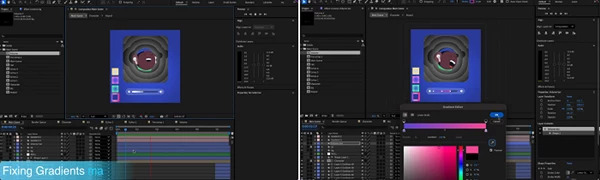
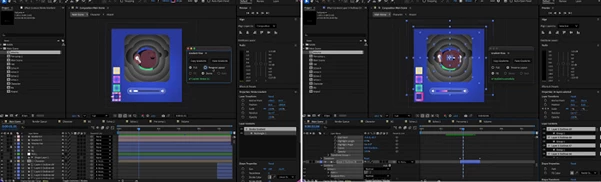
Professional Tips for Better Results
Use the preserve layout mode for design systems using unique gradients
If you are creating a design system that features brand project elements with unique gradient layouts, use the preserve layout mode to maintain those layouts while editing the brand colors.
Build gradient libraries
Gradient Flow allows you to save gradients you create into a gradient library. These gradients can be applied to other projects to maintain visual consistency.
Combine Gradient Flow with motion templates
Create motion templates that incorporate Gradient Flow to dramatically speed up the design process for your clients.
Test multiple gradient designs rapidly
Use the features Gradient Flow offers to rapidly test different gradient designs for a project without deviating from the design’s visual direction.
Final Thoughts
After Effects features many helpful tools to enhance the design process for motion graphics designers. Gradient Flow is one such tool that eliminates a repetitive design task that takes up a lot of time.
By using Gradient Flow, you can design faster and with fewer errors. Additionally, the tool allows you to maintain visual consistency throughout your After Effects projects, which is ultimately the goal for most motion graphics designers.
Whether you are creating UI animations or motion graphics for social media and brand identities, Gradient Flow will help improve your After Effects workflows.

Files Password : gfxplugin.com OR 123456