Downloadable Files
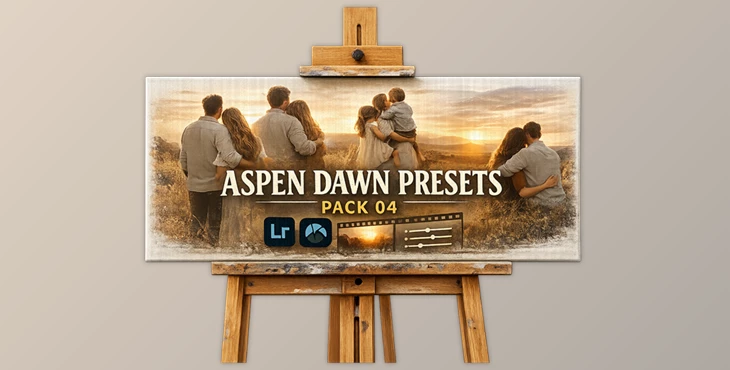
You can download the Aspen Dawn Presets Pack for free at the end of this page.
Give Your Photos a Cinematic Morning Glow
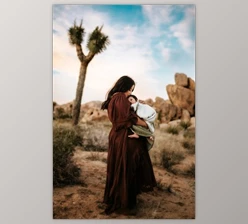
Editing photos can be somewhat overwhelming, especially if you’re trying to ensure that your edits come with a certain atmosphere to them. The Aspen Dawn Presets Pack was made for photographers looking to create edits that feature a soft, cinematic atmosphere with minimal effort from the photographer.
These editing presets can be used for a variety of photography genres. Whether you’re editing portraits, landscapes, travel content, or lifestyle content, these editing presets will instantly transform your flat RAW files into visually striking edits with a professional look.
Additionally, the pack also features a black-and-white editing preset that will allow you to create timeless edits that feature a monochrome filter with film-like contrast.
What Are Lightroom Presets and Why Are They Useful?
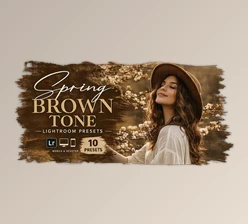
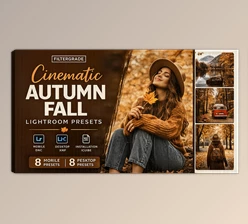
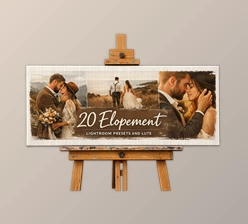
Lightroom presets allow users to instantly apply a set of editing features to their edited content. These editing features include color correction, contrast adjustments, exposure, and more. Presets are often used by photographers to maintain a specific look and feel across their entire photo collection.
The Aspen Dawn Presets Pack includes the following features:
- 8 color editing presets
- 1 black-and-white editing preset
- Works with Lightroom 7.3+
- .XMP file format for RAW editing
- Editing tutorial video
- Installation instructions
These features will save editing photographers and content creators time in editing their content.
Why These Features Improve Your Results
Using presets designed specifically for RAW images gives photographers more flexibility and better image quality during editing. RAW files preserve more detail in highlights and shadows, allowing the presets to create cleaner color transitions and more natural cinematic tones.
The included editing video is also extremely helpful for beginners because it demonstrates how to fine-tune the presets after applying them. This makes the final image look more personalized and professional instead of overly filtered.
A Professional Preset Collection for Modern Creators
Aspen Dawn Presets Pack was built for Adobe Lightroom (and Adobe Camera Raw). This editing suite works on both desktop and mobile devices.
Lightroom Mobile is also compatible with this editing suite. However, users will need to have access to a desktop or laptop with an Adobe subscription to download and install the presets on their mobile devices.
Features
Cinematic Color Presets
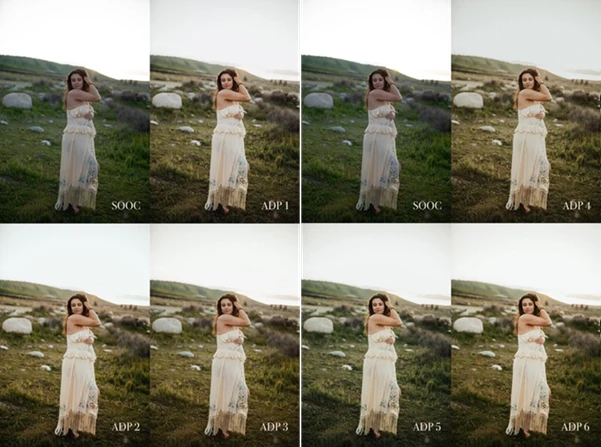
The 8 included color presets are designed to create soft cinematic tones, warm highlights, balanced skin colors, and atmospheric shadows.
These presets work especially well for:
- Portrait photography
- Travel photography
- Outdoor landscapes
- Lifestyle content
- Social media photography
For example, a simple sunrise portrait can instantly gain richer golden tones and smoother skin rendering, while outdoor travel shots can appear more immersive and emotional.
Elegant Black and White Style
The included monochrome preset adds depth and dramatic contrast without making photos look overly harsh. It creates a timeless film-inspired appearance that works beautifully for emotional portraits and artistic compositions.
Easy Workflow for Beginners
Many photographers struggle with complicated editing workflows. This preset pack simplifies the process by offering ready-to-use styles that can be adjusted quickly depending on lighting conditions.
Even users with limited editing experience can create polished content in minutes instead of spending hours learning advanced color grading techniques.
Mobile Editing Support
Creators who edit content for Instagram, TikTok, or travel blogs can also use these presets inside Lightroom Mobile. This allows fast editing directly from mobile devices while maintaining a professional visual identity.

Professional Tips for Better Results
Start With Well-Exposed RAW Images
Because the Aspen Dawn Presets Pack uses presets created to work with RAW files, photographers should start with well-exposed RAW files to extract the best performance from the editing features within the editing suite.
Adjust Exposure After Applying the Preset
Due to the variety of lighting conditions in which photographers take their photos, users should adjust the exposure setting of their content after applying the editing presets to even out the lighting in their edits.
Use Consistent Lighting Across Photo Sets
If photographers use these editing presets to edit a set of photos taken at the same time, they should use similar lighting conditions to ensure that the editing presets will create a consistent editing style for their photo set.
Combine Presets With Subtle Grain
Applying a small amount of grain to the editing presets within RAW editing software like Lightroom will allow photographers to edit their content to include a more natural and professional look, especially to their portrait and travel content.
Final Thoughts
The Aspen Dawn Presets Pack is an excellent editing suite for photographers of all experience levels looking for a cinematic editing preset collection that does not use a complicated editing workflow. Its features, benefits, and editing presets will assist both beginner and professional photographers with editing their content to create a visually striking edit in minimal time.
Whether you edit portraits, travel content, or even content for social media platforms, the Aspen Dawn Presets Pack will improve the editing experience for you and give your content that extra touch of polish.

Files Password : gfxplugin.com OR 123456