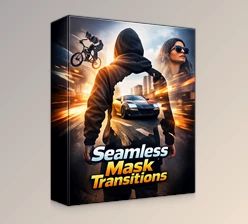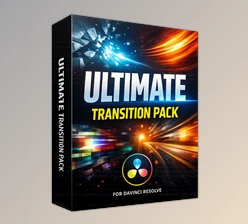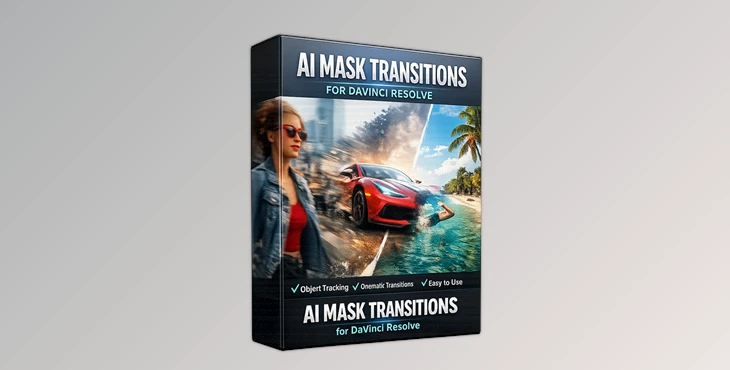
Downloadable Files
You can download AI Mask Transitions for DaVinci Resolve for free at the end of this page.
Create Smooth and Cinematic Mask Effects Easily
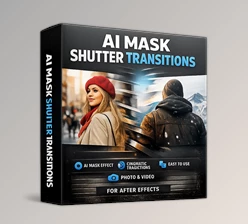
Video transitions are one of the most important elements in video editing. The perfect video transition can change the entire feel of a scene in your video. AI Mask Transitions for DaVinci Resolve make it easy for editors to create smooth mask transitions in their videos.
Use these transitions to enhance your cinematic, YouTube, social media, and travel videos instantly.
What Are AI Mask Transitions?
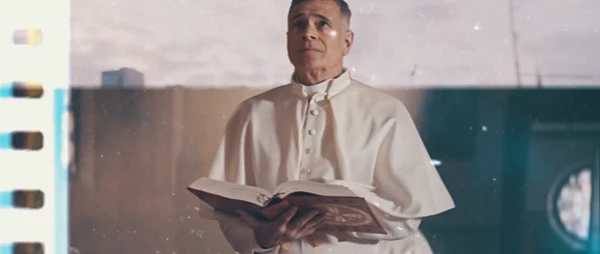
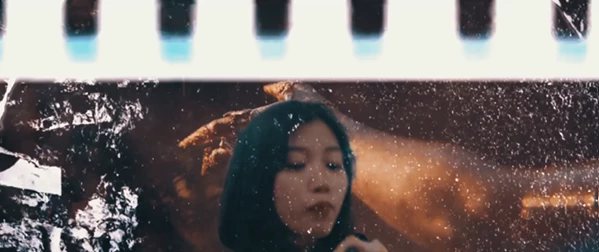
AI mask transitions are creative transitions that use intelligent masking effects to blend scenes naturally and artistically. Instead of using simple cuts or basic fades, these transitions create movement and depth by revealing the next shot through animated masks and handcrafted textures.
The biggest advantage of this style is how natural and cinematic the final result feels. For example:
- Smoothly transitioning between portrait shots in a fashion video
- Creating dynamic movement in travel montages
- Adding professional scene changes to music videos
- Enhancing storytelling in cinematic edits
Because the transitions work with both photo and video content, editors can use them in almost any type of project.
A Professional Editing Tool for DaVinci Resolve
AI Mask Transitions for DaVinci Resolve is a high-quality transition package specially designed for DaVinci Resolve 19 and higher. The package includes ready-to-use transitions that help editors save time while achieving unique visual results.
The workflow is simple and beginner-friendly, making it suitable for both professional editors and casual creators.
Features
No Plugins Required
AI Mask Transitions for DaVinci Resolve do not require any additional editing software or plugins to enhance your editing projects. This editing software will work seamlessly with DaVinci Resolve and allow editors to add these creative transitions directly to their projects.
Designed for DaVinci Resolve 19+
This editing tool is optimized for DaVinci Resolve 19 and higher versions of the editing software. Editors can expect great performance with the most recent versions of DaVinci Resolve.
Works with Photo and Video
AI Mask Transitions for DaVinci Resolve can be used on any type of editing project, including but not limited to:
- Cinematic videos
- Promotional videos
- Social media videos
- Photo slideshows
- Photography projects
- Cinematic editing projects
Compatible with Any FPS and Resolution
Whether your project is:
- 24fps cinematic footage
- 30fps YouTube content
- 60fps action footage
- Full HD
- 4K
- Vertical social media format
The transitions adapt smoothly without quality loss.
Easy to Use Workflow
AI Mask Transitions for DaVinci Resolve features a simple editing workflow that editors can use to quickly add these transitions to their editing projects. Editors of all skill levels can use these transitions.
Detailed Video Tutorial Included
AI Mask Transitions for DaVinci Resolve also comes with a detailed video tutorial that explains every step of the editing process. This user-friendly tutorial will help editors who are just starting with DaVinci Resolve to get used to the editing software quickly.
Fully Handcrafted Textures
The handcrafted textures add a premium artistic feel to every transition. These details create more organic movement and make edits feel less artificial and more cinematic.
High-Quality Professional Results
The transitions are carefully designed to deliver clean motion, smooth blending, and visually impressive scene changes suitable for professional production work.
Real Creative Uses
Use this editing tool to create special effects in the following editing projects:
- Travel videos
- Fashion videos
- Wedding videos
- Sports videos
- YouTube videos
- Instagram reels
- Music videos
- Advertising projects
The cinematic mask transitions will make your videos stand out and captivate your viewers’ attention.
Professional Tips for Better Results
Match Transition Movement with Camera Motion
For more natural results, try using transitions between clips that have similar camera movement or subject direction. This creates smoother visual flow.
Use Color Grading Consistently
Consistent color grading between scenes helps mask transitions blend more naturally and feel cinematic.
Avoid Overusing Transitions
Creative transitions are most effective when used strategically. Combining simple cuts with mask transitions creates a cleaner and more professional pacing.
Combine with Sound Design
Adding whoosh effects, ambient sounds, or cinematic impacts can dramatically improve the feeling of the transitions and make edits more immersive.
Test Different Speeds
Sometimes adjusting the transition duration slightly can better match the rhythm of your music or scene pacing.
Final Thoughts
AI Mask Transitions for DaVinci Resolve is a powerful editing tool that will help editors of all skill levels create cinematic and smooth video transitions for their editing projects. With so many benefits that come with this editing tool, including the handcrafted textures, compatibility with all DaVinci Resolve versions, and professional editing results, you can’t go wrong adding this editing enhancement to your editing projects.
Whether you are editing for social media, YouTube, your clients, or even for your own projects, these editing transitions will help to enhance your videos in a way that is smooth, creative, and visually impressive.
For editors looking for an editing tool that can provide these benefits, AI Mask Transitions for DaVinci Resolve is definitely worth exploring.

Files Password : gfxplugin.com OR 123456