Downloadable Files
You can download Colourlab Ai for free at the end of this page.
Speed Up Your Color Grading Workflow
Colour grading can take up to hours to complete when editing video clips with professional color grading software. You spend hours correcting white balance, exposure, contrast, and working to balance your color grading timelines.
Colourlab Ai changes the game in color grading. This software will significantly reduce the time it takes to balance your color grading timelines through its AI technology. This software gives you real-time color grading with an ultra-fast performance that will make the color grading process one that you look forward to in each editing session.
What Is Colourlab Ai?
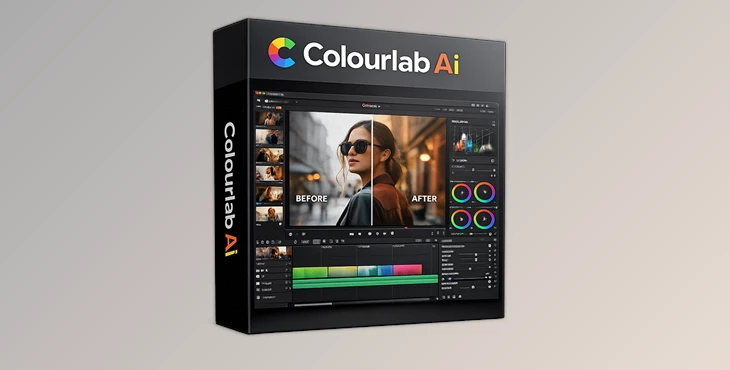
Colourlab Ai is an AI-assisted application that will automatically balance your footage to save you time and give you professional color grading results. Colourlab Ai can be used both as an application and as a plugin to other editing programs.
This software is useful for those who work with video footage in the following fields:
- Film editors
- Commercial colorists
- Daily color grading and DITs
- YouTube creators
- Film restoration
- HDR editing
Why Automated Color Matching Matters
Maintaining color consistency throughout your editing project can be a challenge. When filming a project with several cameras, it’s common to see color variations across different angles of the same subject.
Colourlab Ai’s automated color matching will analyze your project and balance the footage from all of the different angles of your subject in a matter of seconds. This significantly reduces the amount of time it will take for your color grading project to be completed and ensures that every angle appears to be professionally graded.
Colourlab Ai Pro is a software that was built for professionals in the post-production and film editing space. This software can handle cinematic, commercial, streaming, and broadcast footage in addition to balancing colors for thousands of projects with ease.
All of the color grading and editing will happen on your machine’s local network. This is crucial for those editing in high-end film and television production studios who must maintain the rights to their footage.
Meet Colourlab Ai Pro
Colourlab Ai Pro is built specifically for high-end production environments where speed and accuracy are critical.
It combines AI automation with advanced professional color management tools, making it suitable for cinema, commercial, streaming, and broadcast workflows.
The software processes everything locally on your machine, meaning your media never leaves your device. This is extremely important for studios and professionals handling sensitive client footage.
Features
AI Sequence Matching
Automatically match entire timelines in seconds. Instead of manually balancing every clip, the AI analyzes neighboring shots and creates a visually consistent sequence instantly. This is incredibly useful for documentaries, music videos, commercials, and fast-paced editing projects.
Auto Balance
One-click color correction removes unwanted color casts and creates technically accurate footage almost instantly. This gives creators a strong neutral base before applying creative looks or cinematic grades.
Auto White Balance
Mixed lighting situations are often difficult to fix manually. Colourlab Ai uses advanced visual analysis to intelligently correct white balance with high precision. This helps footage look more natural and professional without endless slider adjustments.
Match Any Reference Image
You can use any still image, frame, or reference shot as a color target. Want your footage to match a cinematic movie look? Simply import a reference frame and apply the visual style across your timeline. This feature is extremely useful for:
- Commercial productions
- Music videos
- Fashion edits
- Film emulation workflows
- Social media content branding
Real-Time Performance
Colourlab Ai 3.5 delivers significantly faster processing speeds, allowing creators to work in real time instead of waiting for heavy rendering processes. This makes experimentation much faster and more creative.
Professional Color Space Support
The software supports major professional workflows, including:
- ACES
- DaVinci Wide Gamut
- HDR workflows
- Rec. 709
- JPLog2
- 40+ camera color spaces
This ensures compatibility with modern cinema cameras and professional post-production pipelines.
Film Emulation Tools
The Pro version includes advanced film emulation and texture simulation tools. These features help recreate authentic cinematic grain, color response, and analog texture for a more organic film-like image.
Real-World Workflow Advantages
A professional colorist working on a streaming series may need to process thousands of clips every week. Manually balancing every shot could take days. With Colourlab Ai:
- Entire timelines can be balanced automatically
- Matching between cameras becomes faster
- Technical corrections happen instantly
- Creative grading receives more attention
- Delivery deadlines become easier to manage
Even independent creators benefit massively. A solo filmmaker editing wedding films, YouTube videos, or documentaries can achieve cleaner and more cinematic results without needing years of advanced grading experience.
Pro Tips for Better Results
Ensure that your footage has good exposure before starting the color grading process. Colourlab Ai will perform best with footage that has decent exposure settings.
Use strong reference images when color matching. The better the reference image, the better the software will understand the colors to balance your project.
Use the AI features, but include some of your own color grading skills. Colourlab Ai will save you time on the technical aspects of color grading, but your own skills will be needed for the creative aspects of color grading.
Group similar lighting together before using the AI color matching feature. This will allow the software to produce the best results when balancing your project colors.
Use the film emulation tools to enhance the color grading project with a film-like texture and grain. This feature is best used subtly so as not to overpower your project.
Final Thoughts
Colourlab Ai is a piece of software that was built to significantly reduce the amount of time it takes for color grading professionals to complete their projects.
Automation of color balancing, color matching, and white balance would save color grading professionals significant amounts of time.
Whether you are working on YouTube videos, documentaries, commercials, or even thousands of projects for the film and television industry, Colourlab Ai will make your color grading process significantly faster, neater, and more efficient. The features included in this software package will make it a worthy addition to the color grading tool kits of even the most professional color grading editors.

Files Password : gfxplugin.com OR 123456