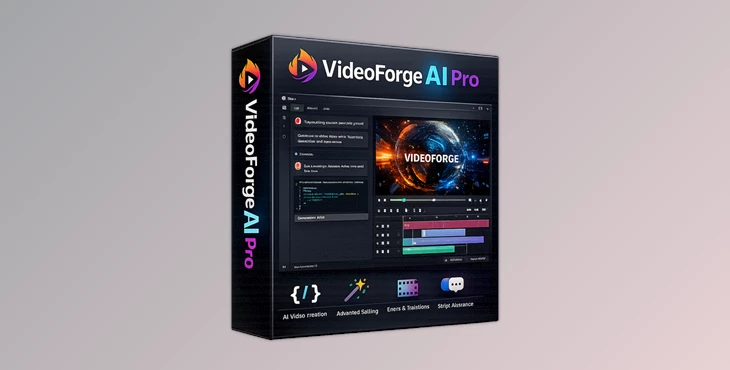
Downloadable Files
You can download VideoForge AI Pro for free at the end of this page.
Turn Old Footage Into Crisp 4K Video
Low-resolution videos can be a challenge when creating professional projects. For projects that rely on editing, whether it be for cinematic videos, anime content, YouTube videos, or even social media content, improving the quality of the video can often be the most challenging aspect of the editing process. VideoForge AI Pro can be of great use to editors dealing with such challenges.
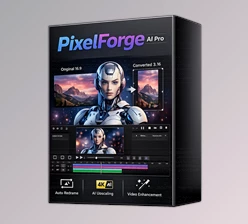
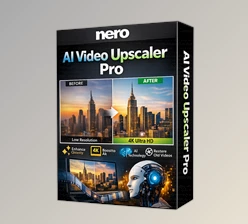
VideoForge AI Pro is an offline AI software that can upscale old videos to 4K resolution, all directly on your GPU. With a simple interface and a range of batch tools, this software is a great addition to any editing software collection for content creators looking to achieve faster results with professional quality.
What Is AI Video Upscaling?
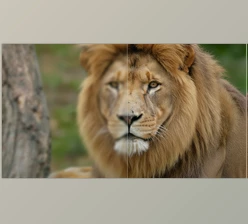
AI video upscaling is a process that uses artificial intelligence to increase the resolution of a video. This process ensures that videos appear much sharper and with improved quality compared to using traditional means of upscaling.
AI upscaling can be of great use for projects that involve:
- Restoring old videos
- Improving AI-generated videos
- Improving anime or illustration videos
- Creating YouTube videos or utilizing 4K displays
- Cleaning up social media videos
- Archiving old videos
All of these purposes allow editors to gain significant benefits from upscaling their videos using artificial intelligence.
Meet VideoForge AI Pro
VideoForge AI Pro is a fully offline AI-powered video enhancement software for Windows. It uses advanced Real-ESRGAN AI models to upscale videos while maintaining natural details and smooth playback. Unlike many online services, this software works completely locally on your GPU. That means faster rendering, better privacy, no upload limitations, and full control over your projects.
The software is especially helpful for creators working with large AI-generated video projects from tools like Seedance, Kling, animation pipelines, cinematic edits, or stylized content creation.
Features
Smart AI Models for Different Styles
One of the strongest parts of VideoForge AI Pro is its dual AI model system.
Photo / Realistic Model
Designed for:
- Real-life footage
- Human faces
- Film scenes
- Landscapes
- Cinematic projects
This model focuses on preserving natural textures and realistic detail without making footage look overprocessed.
Anime / Illustration Model
Optimized for:
- Anime scenes
- Stylized AI art
- Digital illustrations
- Animated content
- Cartoon visuals
This model helps maintain clean edges, smooth lines, and artistic textures that traditional upscalers often destroy. Because each model is specialized, the final result looks far more natural and visually accurate.
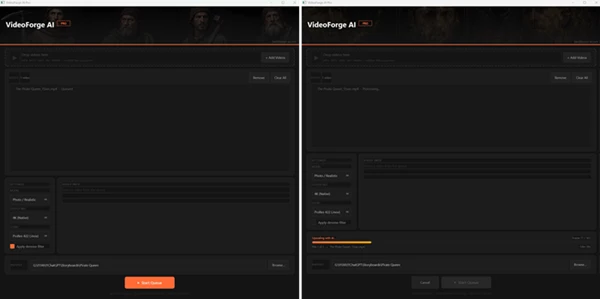
Batch Queue Processing
Instead of processing videos one by one, VideoForge AI Pro allows users to queue multiple videos and process them automatically overnight. This is extremely useful for:
- YouTube creators
- AI filmmakers
- Editors handling multiple clips
- Social media content pipelines
- Long-form projects
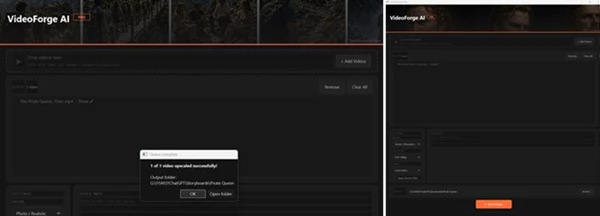
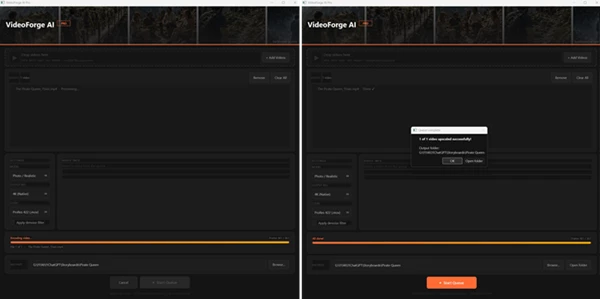
Each file shows a live status:
- Waiting
- Processing
- Finished
This creates a smoother and more professional workflow, especially for large projects.
Flexible Output Resolution
The software supports multiple export sizes:
- Native 4K
- Full HD 1080p
- HD 720p
- Custom resolutions
This flexibility allows creators to prepare content for:
- YouTube
- TikTok
- Instagram Reels
- Client delivery
- Professional editing workflows
- Large-screen displays
Portrait and landscape formats are both supported, making it easier to optimize content for modern platforms.
Professional Export Formats
VideoForge AI Pro supports several professional video codecs:
- H.265 (HEVC)
- H.264 (AVC)
- ProRes 422 (.mov)
This gives editors better compatibility with professional software such as:
- DaVinci Resolve
- Adobe Premiere Pro
- Final Cut Pro
ProRes support is particularly valuable for creators who want high-quality intermediate files for advanced color grading and editing.
Built-In Noise Reduction
The optional HQDN3D denoise filter helps clean noisy or compressed footage before AI upscaling begins. This improves:
- Sharpness
- Clarity
- Texture reconstruction
- Overall AI enhancement quality
Noisy footage often creates unwanted artifacts during upscaling, so pre-cleaning can dramatically improve final results.
Fully Offline Workflow
Many AI video tools rely heavily on cloud rendering. VideoForge AI Pro avoids that completely. Benefits include:
- No subscriptions
- No internet dependency
- Better privacy
- Faster local rendering
- No upload waiting time
- Unlimited processing freedom
For professionals working with sensitive footage or large files, this is a major advantage.
Real-World Creative Uses
VideoForge AI Pro can improve many different types of projects.
AI Cinematic Videos
Creators using AI video generators can upscale low-resolution outputs into cleaner cinematic footage suitable for editing and publishing.
Anime & Stylized Content
Anime edits and illustration-based motion projects maintain cleaner outlines and sharper visuals after enhancement.
YouTube Restoration Projects
Old archive footage or compressed videos can be restored for modern HD and 4K viewing.
Social Media Content
Short-form creators can quickly improve visual quality for TikTok, Instagram, and YouTube Shorts.
Professional Editing Pipelines
ProRes exports allow easy integration into advanced editing and color-grading workflows.
Tips for Better Results
Use the correct AI models
Ensure you use the correct model for your type of videos. Choose the realistic model for videos of people and landscapes, and use the anime model for videos of illustrations or cartoons.
Clean up videos before upscaling
If your videos have a lot of noise or compression, use the built-in denoise filter to ensure that the AI can upscale the videos effectively.
Use 4K only if you need it
4K resolution is best for viewing on large screens. For social media videos, use 1080p HD so your videos take up less storage space.
Process videos overnight
Add all the videos to a batch queue and let the software process them while you sleep.
Use ProRes for editing
If you want to edit the videos after upscaling, make sure you use the ProRes 422 (.mov) format so the quality is retained during editing.
Final Thoughts
VideoForge AI Pro is a great program for editors looking to upscale old videos to 4K using AI technology. The features included in this software provide a range of benefits for editors with different types of projects and videos.
From those who work with cinematic footage to those with anime edits and AI videos, VideoForge AI Pro can elevate the quality of your editing projects. With the features available for editors with different demands and capabilities, VideoForge AI Pro is a software that can be of use to a variety of editors and producers within the video editing space.