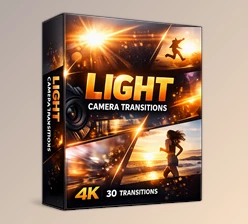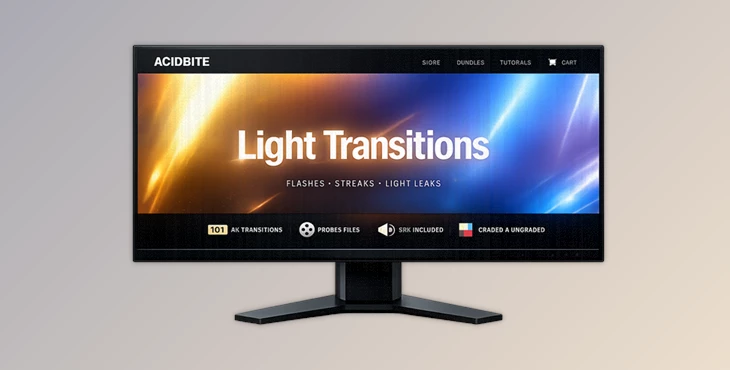
Downloadable Files
You can download Light Transitions for free at the end of this page.
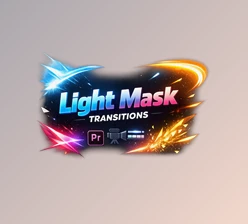
Add Cinematic Energy with Light Transitions
Fast cuts and creative edits may seem flat without the proper transition effects. Light Transitions offers dynamic, slow-shutter light effects that will enhance your creative editing projects instantly.
Ideal for all types of editing projects, from music videos to commercials to YouTube and travel videos, these transitions will connect your scenes smoothly to create a more stylish edit that viewers will remember.
What Are Light Transitions?
Light Transitions are animated visual effects used between clips to create smoother scene changes and stronger visual impact. Instead of using basic cuts or simple fades, these effects introduce movement, glow, light streaks, and abstract motion that guide the viewer’s eye naturally from one shot to another.
They are commonly used in:
- Music videos
- Fashion edits
- Sports montages
- Commercial advertisements
- Travel films
- Social media reels
- Cinematic trailers
These transitions improve pacing and make edits feel more cinematic because they add rhythm, motion, and atmosphere between scenes. A well-placed light transition can completely change the emotional feel of a sequence and make even simple footage look more expensive and professional.
Meet the Light Transitions Collection
The Light Transitions pack includes more than 100 ultra-fancy slow-shutter transition effects in multiple visual styles and forms. Designed for professional editors and content creators, this toolkit makes it easy to add high-end cinematic movement to your projects.
With 101 high-quality 4K PRORES QuickTime files, both graded and ungraded versions, plus custom sound effects for every asset, the package gives editors flexibility and speed inside any workflow.
The included mobile version also makes it practical for creators to edit directly on smartphones or tablets.
Features
101 Premium 4K Transition Assets
This collection features 101 professionally-designed transitions in 4K resolution. All of the transitions are in the PRORES QuickTime format for the best quality and compatibility with your editing software. This makes the pack suitable for:
- Adobe Premiere Pro
- After Effects
- DaVinci Resolve
- Final Cut Pro
- Mobile editing apps
Two Different Visual Looks
The pack includes both graded and ungraded versions of the effects. This allows editors to either use the ready-made cinematic style immediately or color grade the transitions manually to match a project perfectly. This flexibility is especially useful for filmmakers who want visual consistency across different scenes.
Shapes Transitions
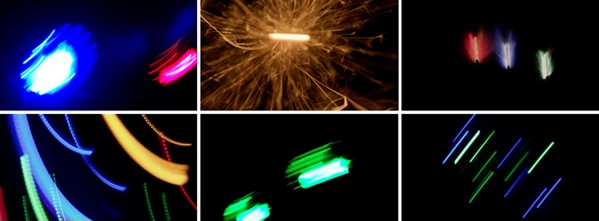
These effects include colorful motion streaks, abstract flashes, and directional light movement in many forms. They create energetic transitions that work beautifully in modern edits and fast-paced sequences. Perfect for:
- Fashion videos
- Gaming edits
- Sports content
- Creative montages
Pyro Effects
The pyro category introduces explosive flashes and fiery transition elements that add intensity and dramatic impact. These work especially well for:
- Action trailers
- Intense cinematic scenes
- High-energy edits
- Beat-synced music videos
Lights Effects
These transitions focus on subtle cinematic lighting and movement. Instead of overwhelming the scene, they create smooth and natural visual flow between clips. They are ideal for:
- Documentary edits
- Lifestyle videos
- Travel films
- Wedding projects
Colored Lights
Dynamic, colorful lighting inspired by futuristic visuals and glowing environments helps create a stylish atmosphere. Some effects resemble sci-fi portal lighting, neon motion, or holiday-style cinematic glows. These are excellent for:
- Cyberpunk edits
- Night footage
- Music visuals
- Experimental projects
Unique Sound Effects Included
Every transition comes with its own custom SFX. This saves time searching for audio elements separately and helps transitions feel more impactful and synchronized. Good sound design often makes transitions feel significantly more cinematic and professional.
Detailed Tutorial Included
The included tutorial helps beginners quickly understand how to use the transitions effectively. Even editors with limited experience can achieve polished results in minutes.
Real Creative Uses
One of the best things about Light Transitions is how flexible the assets are in real editing situations. For example:
- A travel creator can use subtle light leaks between scenic shots for a dreamy cinematic flow.
- A music video editor can combine pyro flashes with beat drops for dramatic pacing.
- A sports editor can use fast, colorful streaks to increase energy during action moments.
- A social media creator can quickly upgrade short-form reels with stylish transitions that grab attention instantly.
These effects are especially useful because they reduce the amount of manual compositing work normally required to create cinematic transitions from scratch.
Pro Tips for Better Results
Match Transitions to Music
Ensure that your transition effects match the music to create a more engaging viewer experience.
Don’t Overuse Intense Effects
Use pyro and other intense effects sparingly when editing your projects. Combining subtle lights with other effects will provide a better editing experience.
Blend Colors Carefully
Editing in the ungraded versions of the effects will allow your project to seamlessly blend the colors of your transitions with your footage.
Use Motion Blur Strategically
Combine these transitions with motion blur within your editing software for smoother transitions between scenes in your video project.
Layer Multiple Effects
Additionally, editors can combine these transitions with other editing effects to create a richer visual experience for your project.
Final Thoughts
Light Transitions - The ultimate solution for professionals and enthusiasts alike who want professional cinematic results without the hassle of having to create their own special effects from scratch. This transition pack features a variety of 4K assets that are perfect for creating smooth transitions in your projects. With a variety of sound effects and mobile-compatible assets, this is a must-have for professional editors as well as those who simply want to create professional-looking videos for social media or other platforms.
Add professional cinematic and pyro-inspired transitions to your videos to create a smooth visual experience that demonstrates your understanding of professional editing techniques and tools. Perfect for adding to short videos for social media, music videos, commercials, and cinematic videos, these transitions will allow you to create professional-looking videos with ease.

Files Password : gfxplugin.com OR 123456