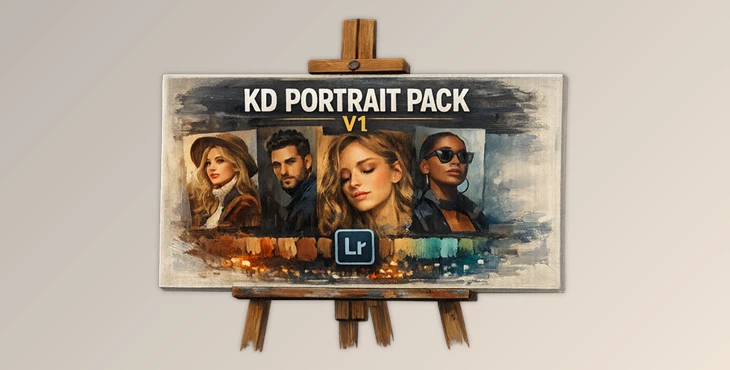
Downloadable Files
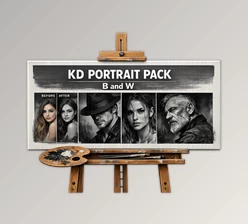
You can download the KD PORTRAIT PACK for free at the end of this page.
Bring Your Portraits to Life
Portrait photography is all about emotion, mood, and the personality of the individual who is featured within the portrait. While many portrait photographs have the perfect composition, they might not feature the correct amount of cinematic touch.
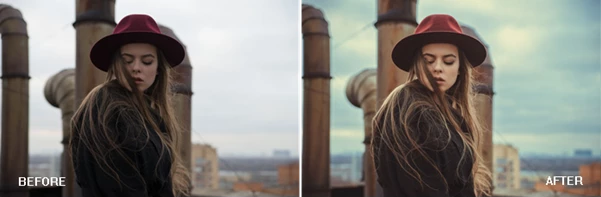
KD PORTRAIT PACK of Lightroom presets will help photographers and content creators alike produce stylish and professional portraits with a few clicks of the mouse. Whether you are into fashion or lifestyle photography, editing for social media, or creating your own photography edits, these presets will improve your edits and enhance your photography.
Beginners can produce professional portraits using these presets without spending hours editing their portraits.
What Makes Portrait Presets So Useful?
Lightroom presets are pre-configured editing settings designed to apply a consistent visual style to your photos. Instead of editing every image from scratch, you can apply a preset and instantly achieve a refined look.
With KD PORTRAIT PACK, you get multiple portrait-focused styles, including:
- KD Portrait V 1
- KD Portrait V 4
- KD Portrait V 5
- KD Portrait V 7
- KD Portrait V 8
- KD Portrait V 9
- KD Portrait V 10
- KD Portrait V 12
- KD Portrait V 14
- KD Portrait V 15
- KD Portrait V 16
These presets are especially useful for:
- Fashion photography
- Instagram portraits
- Outdoor lifestyle shoots
- Studio portraits
- Moody cinematic edits
- Warm and soft skin tone enhancement
A Professional Portrait Editing Toolkit
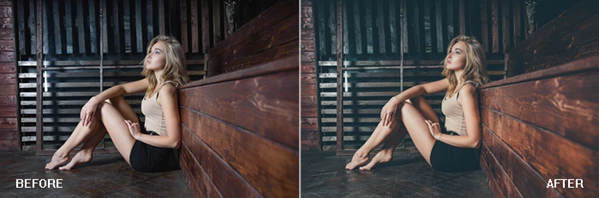
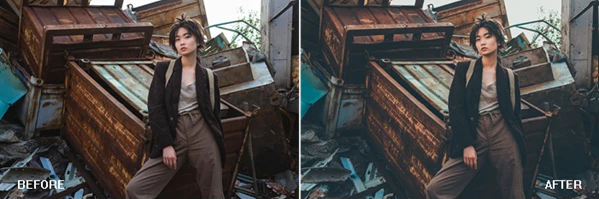
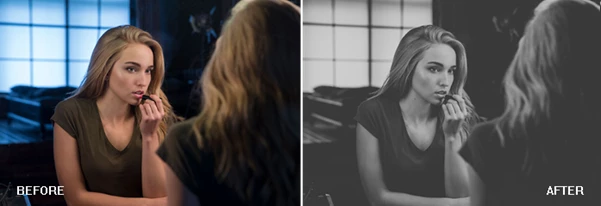
KD PORTRAIT PACK is designed for creators who want faster editing with visually impressive results. The presets can dramatically improve the overall feeling of a portrait while still keeping the subject natural and expressive.
Features
Multiple Portrait Styles
The pack includes 11 different presets, each offering a unique atmosphere and tone. Some presets create warm cinematic looks, while others focus on soft contrast, vibrant colors, or clean professional finishes.
Fast Editing Workflow
Instead of manually adjusting exposure, contrast, shadows, highlights, and color grading, creators can apply a preset instantly and continue fine-tuning only if needed.
Beginner-Friendly
The presets are easy to use, even for people with limited Lightroom experience. Simply import the preset, apply it to a photo, and make small exposure adjustments if necessary.
Better Social Media Visuals
Consistent color grading helps Instagram feeds, portfolios, and photography pages look more cohesive and professional.
Flexible Results
Because every image is different, the presets work best when combined with small exposure corrections depending on lighting conditions and camera settings. One important note mentioned by the creator is that each preset may require slight exposure adjustment depending on how the picture was originally shot. This is completely normal and helps achieve the best final result.
Real Creative Uses
Many photographers use portrait presets to speed up client work and maintain visual consistency across entire photo collections. For example:
- A fashion photographer can quickly apply cinematic tones to an outdoor shoot.
- A content creator can make Instagram portraits feel more polished and modern.
- Wedding and lifestyle photographers can create warm emotional visuals with softer highlights and natural skin tones.
- Influencers can keep a unified editing style across all social media content.
This type of workflow not only saves time but also helps develop a recognizable visual identity.
Pro Tips for Better Results
Start with a Good Photo
Presets work best when the original image already has decent lighting and focus. A strong base photo always produces better editing results.
Adjust Exposure First
Since lighting conditions vary from photo to photo, adjusting exposure before or after applying the preset can dramatically improve the final image.
Don’t Overedit Skin
Portrait presets should enhance skin tones naturally. If the effect feels too strong, reduce the preset intensity slightly for a more realistic result.
Experiment with Different Versions
Each preset in the pack creates a different mood. Try several versions on the same photo to discover which atmosphere fits your subject best.
Use Consistent Editing
If you are editing a photo series or social media feed, using similar presets across all images creates a more professional and visually connected style.
Final Thoughts
The KD PORTRAIT PACK from FotoLab is a collection of Lightroom presets that will allow photographers of all skill levels to quickly and easily edit their portraits and produce the same professional-looking results.
Whether you edit portraits for clients, social media, fashion, or your own photography, these editing presets will allow photographers to create cleaner colors and a more cinematic look to their portraits.
With such fast results and a simple editing process, this set of Lightroom presets for portrait editing from FotoLab is a helpful tool for photographers looking to enhance their editing software.

Files Password : gfxplugin.com OR 123456