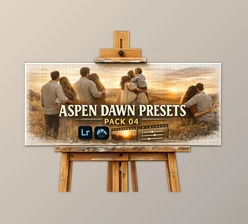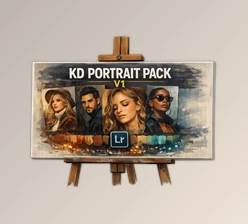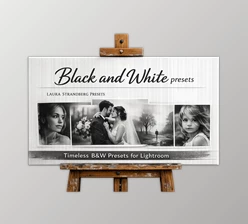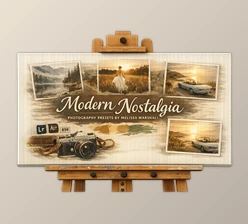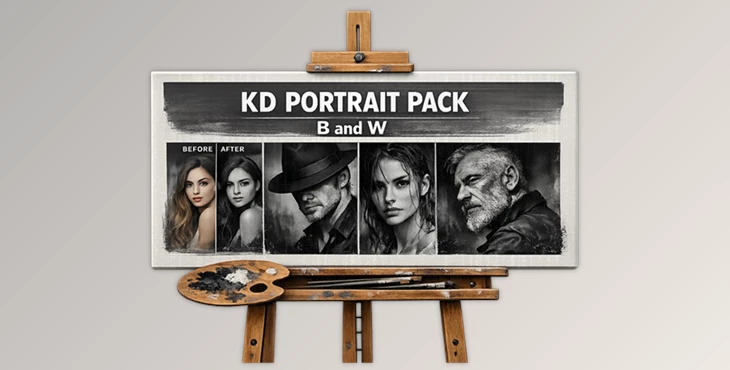
Downloadable Files
You can download PORTRAIT PACK for free at the end of this page.
Turn Portraits Into Timeless Black & White Photos
Black and white portrait editing never goes out of style. Often, removing the color from a portrait can allow people and portraits to exude more emotion and appear more cinematic.
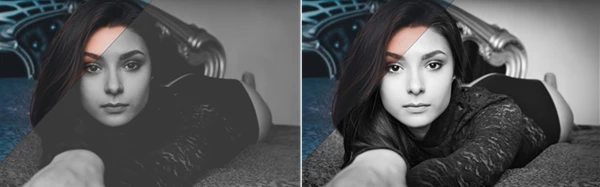
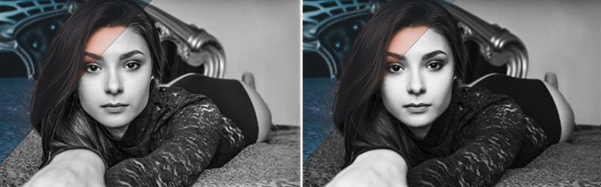
The PORTRAIT PACK was created to give your portraits a professional look in black and white with minimal effort. From fashion to lifestyle portraits, these presets will give your portraits a unique touch that will add to the artistic look of your portfolio.
Why Black & White Portrait Editing Feels So Powerful
Black and white portraits focus on the elements of the portrait that do not use color to distract from the subject of the portrait. Often, a great black and white photo preset can give your portraits a more cinematic look.
Photographers often use black and white editing for the following genres of photography:
- Fashion portraits
- Moody lifestyle photography
- Studio headshots
- Street photography
- Editorial content
- Fine art portrait projects
Using black and white editing presets saves photographers time while ensuring that all edited images within a collection have a consistent look and feel.
Meet PORTRAIT PACK
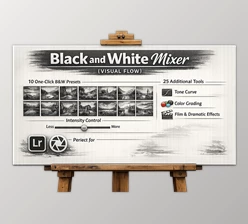
The PORTRAIT PACK | B & W contains 11 preset files in the Lightroom editing software. Each of these presets features editing adjustments specifically for portraits that will leave the skin looking clean and balanced in black and white photography.
Each preset offers a slightly different mood and tonal style, allowing creators to experiment with dramatic shadows, soft contrast, bright highlights, or classic cinematic looks. Because every image is captured under different lighting conditions, some presets may require small exposure adjustments depending on how the original photo was shot.
Features
11 Ready-to-Use Presets
The pack includes 11 different black and white presets that can instantly transform portraits into professional-looking edits.
Fast Editing Workflow
Instead of building monochrome grading manually, photographers can apply a preset in one click and continue refining the image much faster.
Portrait-Focused Look
The presets are designed specifically for portraits, helping preserve skin detail, facial contrast, and lighting depth.
Different Black & White Styles
Some presets create dramatic cinematic shadows, while others provide softer and cleaner grayscale tones for natural portraits.
Lightroom Compatibility
The presets are made for Lightroom workflows, making them simple to use for photographers, creators, and social media editors.
Real Creative Uses
A fashion photographer can use the presets to create elegant editorial portraits with strong contrast and dramatic lighting. Lifestyle creators can apply softer black and white tones to Instagram portraits for a timeless and emotional atmosphere. Street photographers can enhance shadows and textures to make urban portraits feel more cinematic and artistic.
Simple Tips For Better Results
Start With a Good Photo
Presets work best when the original image already has decent lighting and sharp focus.
Adjust Exposure After Applying
Since every image is different, a small exposure correction can help the preset look more balanced and natural.
Use Contrast Carefully
Too much contrast can remove skin detail. Small adjustments usually create cleaner professional results.
Focus on Emotion
Black and white portraits become stronger when expressions, shadows, and composition are the center of attention.
Experiment With Different Presets
Each preset creates a different mood, so testing multiple options can help you find the perfect cinematic style for each portrait.
Final Thoughts
PORTRAIT PACK is a simple but effective preset collection for photographers and creators who want fast, stylish, and professional monochrome portrait editing.
The included presets help save editing time while giving portraits a timeless cinematic feeling that works across many photography styles. For anyone interested in cleaner black and white grading, emotional portrait tones, and faster Lightroom workflows, this pack can become a very useful addition to the editing process.

Files Password : gfxplugin.com OR 123456