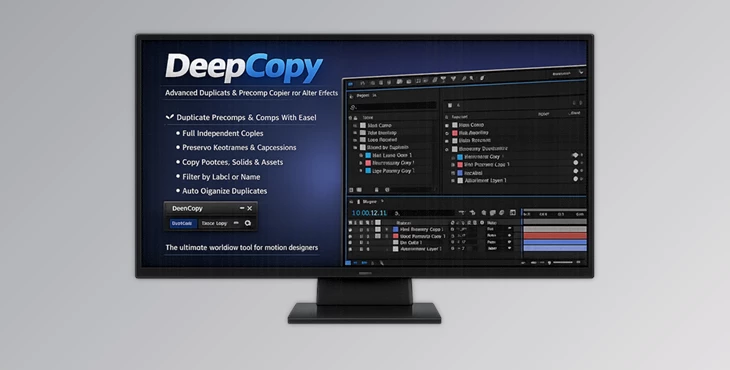
Downloadable Files
You can download the DeepCopy plugin for free from the end of this page.
Why Normal Duplication in After Effects Becomes a Problem
If you work in After Effects, you may have found that the duplicated compositions sometimes have issues with the nested components of those compositions still being linked to the original composition within the project.
This can be frustrating and make editing projects quite complex. This tool offers a solution to this problem. Instead of having to manually duplicate compositions within After Effects, DeepCopy can automate the entire duplication process to create independent copies of those projects. This can save time when working on more complex projects within After Effects.
What Is DeepCopy and Why Does It Matter?
DeepCopy is a powerful plugin for After Effects created to allow users to create separate copies of their compositions within After Effects. The main benefit of using DeepCopy is that the duplicated compositions will remain independent from the original composition projects.
Therefore, users can edit the duplicated compositions without affecting the original projects. This is especially valuable in projects such as:
- Motion graphics packages
- YouTube intro variations
- Client revision workflows
- Broadcast graphics
- Template production
- Multi-language animation projects
Meet DeepCopy
This product is built specifically for artists who constantly duplicate and modify compositions inside After Effects. The plugin focuses on speed, structure, and reliability while keeping the process extremely simple.
Its shortcut-driven workflow makes duplication almost instant, even in large projects with deeply nested compositions.
Features
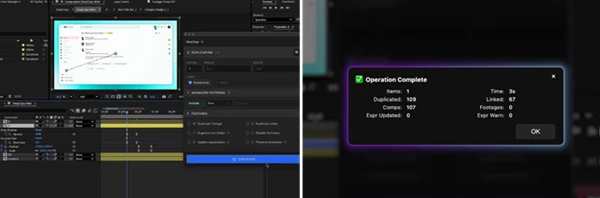
One-Click Duplication
One of the strongest parts of DeepCopy is its fast shortcut-based duplication system. You can duplicate directly from:
- Timeline Panel
- Project Panel
This removes unnecessary steps and makes the workflow feel natural during editing sessions. For creators working under deadlines, this can significantly reduce repetitive tasks.
Independent Nested Compositions
This tool duplicates nested precomps properly so they no longer remain linked to the original compositions. This is extremely important for:
- Versioning projects
- Creating alternate edits
- Client revisions
- Language localization
- Animation variations
You gain complete editing freedom without worrying about accidentally changing older versions.
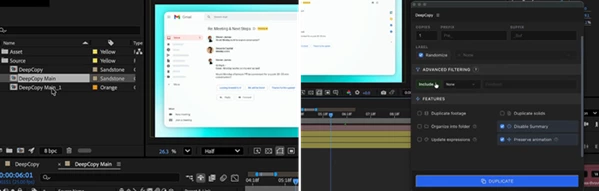
Smart Filtering System
The plugin includes advanced filtering tools that help you duplicate only the elements you actually need.
Filtering Options Include:
- Label color filtering
- Name matching
- Include or exclude specific comps
- Start/end/contains text matching
This level of control becomes very useful in large commercial or broadcast projects with hundreds of layers and compositions.
Preserve Animation and Expressions
A major advantage of DeepCopy is that it preserves:
- Keyframes
- Expressions
- Parenting
- Timing
- Animation behavior
This means duplicated compositions behave exactly like the original setup. You avoid broken animation structures and spend less time fixing technical issues after duplication.
Automatic Folder Organization
Large After Effects projects can quickly become messy. DeepCopy automatically organizes duplicated assets into structured folders, including:
- Compositions
- Solids
- Assets
- Related elements
This keeps the Project Panel cleaner and improves navigation speed during production.
Compact Interface
The plugin also includes a compact mode for users who prefer a minimal interface. Since most actions work through shortcuts, you rarely need to keep large panels open while working. This creates a cleaner workspace and faster editing experience.
Professional Tips for Better Results
Create Naming Systems Early
Before duplicating compositions, establish a consistent naming structure. For example:
- Intro_V1
- Intro_V2
- Intro_ClientA
Combined with DeepCopy’s smart naming system, this keeps projects extremely organized.
Use Label Colors Strategically
Assign colors to important composition groups before duplication. This allows DeepCopy’s filtering system to work more efficiently and helps avoid duplicating unnecessary elements.
Keep Master Templates Clean
Use DeepCopy with clean master compositions. A well-organized original structure leads to much cleaner duplicated projects and faster revisions later.
Perfect for Template Creators
If you sell motion graphics templates or create reusable animation systems, DeepCopy can dramatically simplify version management. Independent duplicates reduce project corruption risks and make template delivery more professional.
Final Thoughts
This tool was created with a specific problem in After Effects - the duplication of projects - and it has proven to be an excellent solution for this problem. Instead of spending time and effort working around the limitations of After Effects’ existing duplication feature, DeepCopy allows for the duplication of projects to be automated within After Effects.
For motion designers and editors who work on complex projects on a daily basis, this can help to speed up their productions and increase their overall productivity. Whether users work on motion graphics projects, editing projects, or any other type of After Effects project, DeepCopy will make the duplication process less frustrating and irritating to use.

Files Password : gfxplugin.com OR 123456