Downloadable Files
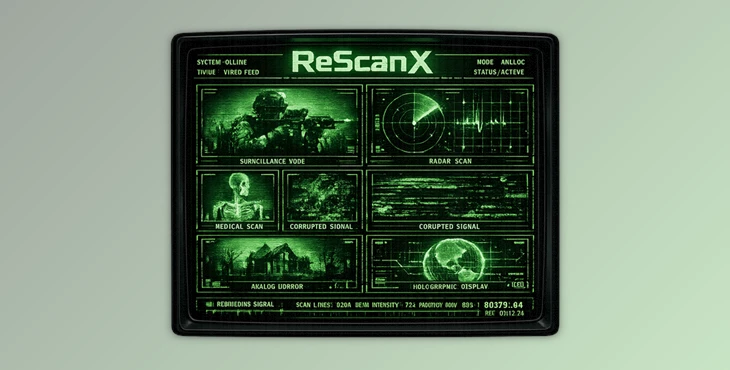
You can download the product ReScanX for free at the end of this page.
A Different Kind of Visual Effect
Modern video effects usually sit on top of footage like filters. But ReScanX works differently. Instead of simply adding distortion or glow, it reconstructs the image from scratch using scan behavior, contour analysis, phosphor response, beam simulation, and electronic display logic. The result feels more like a signal being rebuilt than footage being edited.
Whether you want a haunted surveillance monitor, a futuristic scan display, a glowing terrain map, or an unstable broken signal aesthetic, ReScanX gives you a flexible system to create visuals that feel cinematic, designed, and emotionally intentional. This makes it especially exciting for creators who work on music videos, sci-fi sequences, title animations, trailers, branded visuals, and experimental motion graphics.
What Makes ReScanX Different?
This product analyzes the footage before applying any kind of visual effect. It can study the following features of the footage:
- Edges
- Contrast
- Gradients
- Silhouettes
- Surface depth
Based on this analysis, ReScanX rebuilds the image from scratch using scan logic. This ensures that even with such distorted visuals, your subjects and important features will still remain readable. This is why ReScanX produces cinematic visuals rather than the generic visuals from other glitch effect plugins.
Features
Eight Completely Different Reconstruction Modes
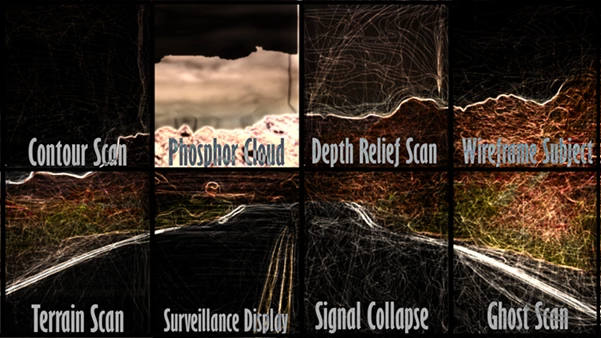
ReScanX offers eight completely different reconstruction modes that can be used to create a variety of visuals for your footage.
Contour Scan
Use this reconstruction mode for visuals that involve silhouettes and graphic features.
Terrain Scan
This is ideal for creating dimensional visuals and features for your footage.
Phosphor Cloud
Perfect for creating soft, glowing visuals for your project.
Surveillance Display
Use this mode to create visuals of monitor screens and sci-fi visuals.
Signal Collapse
Use this mode for unstable visuals that mimic signal collapse errors.
Depth Relief Scan
Use this mode to create cinematic visuals with deep focus for your project.
Ghost Scan
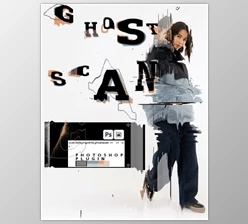
Use this mode to create visuals of afterimages and haunting features.
Wireframe Subject
Use this mode to create abstract visuals for your project. These reconstruction modes will allow you to quickly switch from one kind of visual to another without having to rebuild the visual effect from scratch.
Built for Motion Designers and Editors
Faster Workflow With Saved Looks
Creating complex scan visuals manually usually requires:
- Glows
- Masks
- Distortions
- Noise layers
- Overlays
- Tracking
- Blend modes
And managing all of that across revisions becomes frustrating. ReScanX replaces that complicated workflow with a single reconstruction engine that can save and reload looks instantly. This improves:
- Consistency across shots
- Faster revisions
- Easier experimentation
- More reliable rendering
For editors working under deadlines, this is a major advantage.
Real Creative Applications
Music Videos
This tool is excellent for futuristic or experimental music visuals. Ghost Scan and Signal Collapse can create emotional breakdown moments, while Depth Relief Scan delivers polished electronic beauty.
Trailer and Title Design
The plugin can transform ordinary footage into cinematic monitor graphics, sci-fi scans, or premium title sequences without needing a full compositing pipeline.
Portraits and Fashion Visuals
Depth Relief Scan and Contour Scan work especially well for faces and fashion shots because they preserve structure while adding stylized dimension.
Horror and Psychological Projects
Ghost Scan and Signal Collapse create eerie persistence and unstable visuals that feel unsettling without becoming visually messy.
Technical Interfaces and HUD Graphics
Surveillance Display mode is ideal for:
- Security screen simulations
- Tactical interfaces
- Monitoring systems
- Digital control aesthetics
Why The Results Feel More Professional
Readability Comes First
A common problem with stylized effects is losing the subject completely. ReScanX avoids this by prioritizing image structure before adding bloom, overlays, or instability. That means:
- Faces stay recognizable
- Products remain visible
- Movement keeps clarity
- Details feel intentional
This balance between style and readability is one of the biggest reasons the plugin stands out.
Smart Workflow Tips
Start With The Right Mood
Instead of building everything manually, begin with a reconstruction mode that already matches the emotional tone of the shot. For example:
- Use Depth Relief Scan for cinematic portraits
- Use Surveillance Display for technical scenes
- Use Ghost Scan for memory-like visuals
This saves a huge amount of time during experimentation.
Add Distortion Last
One of the best techniques when using ReScanX is to build the clean scan structure first. After the image already feels convincing:
- Add bloom
- Increase phosphor softness
- Introduce collapse
- Apply instability
- Layer signal drift
This creates much more believable results than adding heavy distortion immediately.
Protect Important Subjects
Use contour strength and targeting controls carefully so the main subject remains readable. This is especially important for:
- Faces
- Products
- Hero objects
- Performance footage
Small adjustments here dramatically improve the final quality.


Performance and Compatibility
Works in After Effects and Premiere Pro
A single purchase supports both:
- Adobe After Effects
- Adobe Premiere Pro
This makes it easy to move projects between editing and finishing workflows.
Hardware Recommendations
This tool is intentionally compute-heavy because of its advanced reconstruction system.
Minimum Setup
- 4-core CPU
- 16GB RAM
- SSD storage
Recommended Specifications
- 8-core CPU or stronger
- 32GB RAM
- Fast NVMe SSD
- Dedicated GPU
A higher-end computer will provide a smoother experience with ReScanX.
Why Creators Love ReScanX
It Can Replace Entire Effect Chains
This product can replace a hundred other visual effect plugins that are used for creating glitch and scan visuals. All you have to do is choose one of the eight reconstruction modes and adjust the settings. You will save a lot of time. The outcome of your project will be intentionally designed rather than randomly distressed.
Final Thoughts
This tool is more than just an effect plugin for glitch visuals. It is a complete scan-based visual effect system built for designers and editors who are looking for cinematic and professional-looking scan visuals. The fact that it can transform any footage into scan visuals while maintaining the readability of the most important elements makes it extremely versatile.
From haunted visuals to futuristic designs, titles, and more, ReScanX gives designers and editors the power they need to create scan visuals that will stand out from the crowd. For motion designers, editors, trailer creators, and all visual experimenters, ReScanX will prove to be a tool that pays for itself over time.

Files Password : gfxplugin.com OR 123456