Downloadable Files
You can download the product Quick Groups for free at the end of this page.
Make Scene Organization Feel Effortless
Managing complex scenes inside Blender can easily become messy when an artist is working with dozens of objects at the same time. That is where Quick Groups becomes incredibly useful.
Quick Groups allows artists to speed up the scene organization process significantly and provide a much cleaner workflow within the software using regular Blender instances. This tool allows artists to create groups, enter edit mode, and have their projects organized - all without slowing down their creative process.
The best part about Quick Groups is the fact that it feels as natural as the native scene organization features of Blender itself. Artists can focus on the creative aspects of their work instead of having to deal with scene organization.
What Makes Grouping So Important?
Grouping allows artists to work more efficiently within their scenes. As the projects that they create become more complex, the importance of having the objects in their scenes organized becomes even more important. Quick Groups allows artists to easily group their selected objects into instance-based groups.
Some of the ways in which artists can use Quick Groups include:
- Grouping all of the objects in a detailed piece of furniture
- Grouping environmental scenes like trees or rocks
- Grouping scenes used for animation projects
- Grouping the scenes in large architectural projects
All of the groups that are created with Quick Groups are based on regular instances of Blender, meaning that the groups can be used even without installing the Quick Groups add-on. This makes it easy for artists to share their projects with others. By using Quick Groups, artists can save time, their scenes will be less cluttered, and they will have more confidence in their abilities to produce large projects.
Why Quick Groups Feel So Efficient
Faster Workflow With Simple Shortcuts. One of the strongest features of Quick Groups is its intuitive shortcut-based workflow.
Features
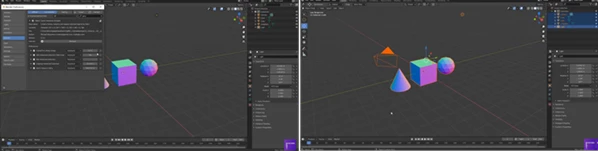
- Ctrl + G → Create an instance group from selected objects
- F9 → Adjust the last operation, choose group center, and rename the group
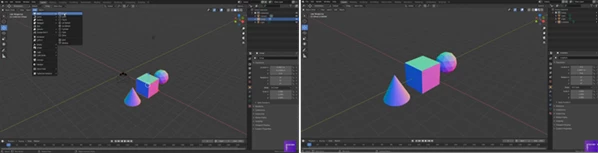
- Tab → Enter group edit mode instantly
- Tab with nothing selected → Return to the main scene
- Ctrl + Alt + G → Ungroup objects
- Ctrl + Shift + G → Access advanced options like making single-user instances or changing instances
These shortcuts make the workflow feel extremely fluid and responsive, especially during heavy production work.
Non-Destructive and Flexible
Because the tool works with native Blender instances, your workflow remains clean and non-destructive. Artists can:
- Reuse grouped assets efficiently
- Edit grouped objects without breaking scene organization
- Share projects without dependency issues
- Keep memory usage optimized in larger scenes
This approach is especially useful for environment artists, motion designers, and architectural visualization creators.
Real Project Benefits
In real production scenarios, small workflow optimizations can save hours of work. Imagine creating:
- A city scene with repeated buildings and props
- A forest containing hundreds of duplicated assets
- Product visualization scenes with reusable object collections
- Animation projects with organized character accessories
Quick Groups helps simplify all of these tasks while keeping the editing process fast and comfortable.
Pro Tips for Better Results
Keep Naming Organized
After creating a group, use the F9 panel immediately to assign clear names. Proper naming becomes extremely valuable in larger scenes.
Use Groups for Repeating Assets
If an object appears multiple times in your project, grouping it early can improve scene organization and speed up future edits.
Combine With Blender Collections
Using Quick Groups alongside Blender Collections creates a highly professional workflow for complex productions.
Enter Edit Mode Frequently
The fast Tab-based edit mode encourages non-destructive adjustments without interrupting your workflow rhythm.
Final Thoughts
Quick Groups is a lightweight tool that can help any Blender artist to have more control over their scenes. It is especially beneficial for those who work on more complex projects than others.
Rather than changing how Blender artists organize their scenes, Quick Groups finds the areas that are used every single day in their work and makes them even better. This means that the product enhances the experience of Blender from the very beginning. For those who work with complex scenes and projects, Quick Groups will become a tool that is regularly used each day on their projects.

Files Password : gfxplugin.com OR 123456