Downloadable Files
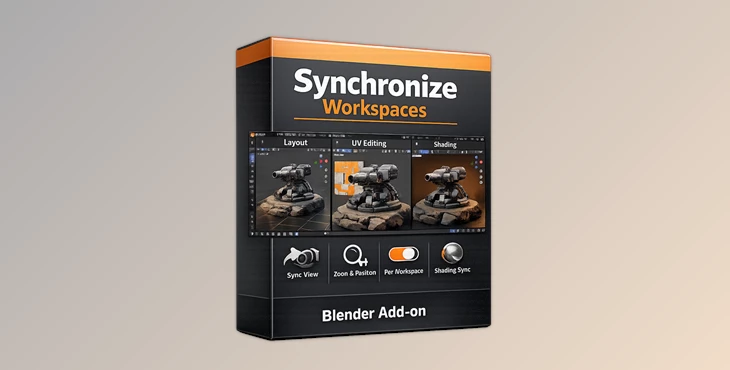
You can download Synchronize Workspaces for free from the end of this page and improve the way you work inside Blender with smoother workspace switching and synchronized viewport navigation.
Stop Losing Your View Every Time You Switch Workspaces
If you use Blender regularly, you are probably very aware of how frustrating it can be to switch workspaces but lose your view into the project. It is one thing to look at your project from a different angle in another workspace, but losing your current view and having to reposition your workspace takes away from your overall workflow.
Synchronize Workspaces was made to fix this exact problem with a simple and intelligent solution. After using this plugin for a while, it is nearly impossible to go back to the previous way of viewing Blender’s workspace.
What Is Synchronize Workspaces?
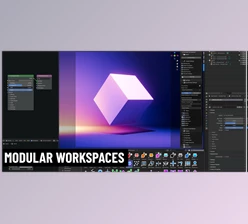
Synchronize Workspaces is a lightweight add-on for Blender that automatically keeps the viewport position synced while switching between workspaces. Normally, in Blender, every workspace can have its own independent viewport orientation and zoom level.
This means artists constantly need to manually restore their camera angle or navigation position. With this add-on, the transition becomes seamless. For example:
- Modeling in one workspace
- Switching to shading
- Moving to sculpting
- Checking animation layouts
Your viewport remains consistent during the entire process. That creates a smoother workflow and helps artists stay focused on creativity instead of navigation corrections.
Why This Improves Your Workflow
Faster Navigation
Instead of repositioning the viewport repeatedly, you instantly continue working from the exact same perspective.
Better Focus During Projects
When working on detailed models, environments, or technical scenes, maintaining the same camera angle helps you stay visually consistent.
Cleaner Creative Flow
Small interruptions reduce momentum. This add-on removes one of those constant workflow interruptions inside Blender.
More Comfortable Workspace Switching
Artists who frequently jump between Layout, Modeling, Sculpting, Shading, and UV Editing workspaces will immediately notice the time savings.
Features
Seamless Workspace Synchronization
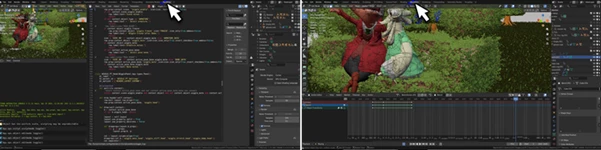
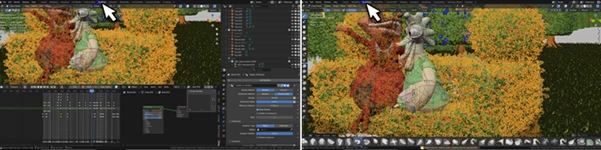
The add-on synchronizes the largest 3D View inside the workspace automatically. A sync icon shows which viewport is currently synchronized.
Lightweight and Simple
No complicated setup process is required. The tool focuses on doing one job efficiently and cleanly.
Smooth Blender Integration
The add-on works naturally within Blender’s existing workspace system, making it feel like a native feature.
Ideal for Multi-Workspace Artists
Perfect for users who constantly switch between:
- Modeling
- Sculpting
- Shading
- Animation
- Scene Assembly
- Asset Review
Real Workflow Examples
Hard Surface Modeling
Imagine working on a mechanical object while constantly switching between modeling and material preview workspaces. Instead of finding the same angle every time, your exact view stays preserved.
Character Sculpting
Sculptors can maintain the same facial close-up while moving between sculpting and texture painting workspaces.
Animation Scene Setup
Animators reviewing camera compositions can switch layouts without losing scene orientation. These small workflow improvements become incredibly valuable during long projects.
Professional Tips for Better Results
Keep Your Main Workspace Clean
Since the add-on synchronizes the biggest 3D viewport, organizing your workspace layout properly helps maintain consistent behavior.
Use Consistent Workspace Structures
Keeping similar viewport sizes across workspaces creates smoother synchronization performance.
Combine With Navigation Shortcuts
Using Blender navigation shortcuts together with this add-on makes workspace switching feel almost instant.
Great for Multi-Monitor Setups
Artists using multiple monitors can especially benefit from synchronized navigation across different workflow layouts.
Final Thoughts
Synchronize Workspaces is one of those Blender tools that solves a surprisingly common frustration with a very elegant solution. It does not try to overload Blender with unnecessary features. Instead, it improves a small but important part of the creative workflow that artists deal with every single day. For Blender users who regularly switch between workspaces, this add-on can make the entire experience feel smoother, faster, and far more comfortable. Once you get used to synchronized viewport navigation, it quickly becomes difficult to work without it.

Files Password : gfxplugin.com OR 123456