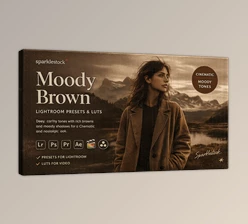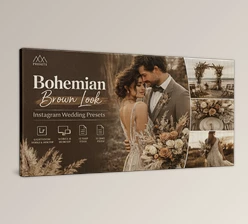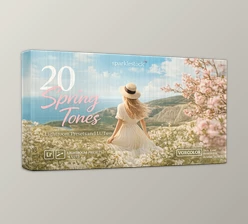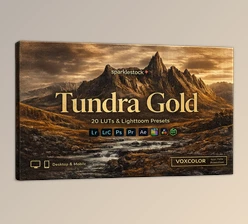
Downloadable Files
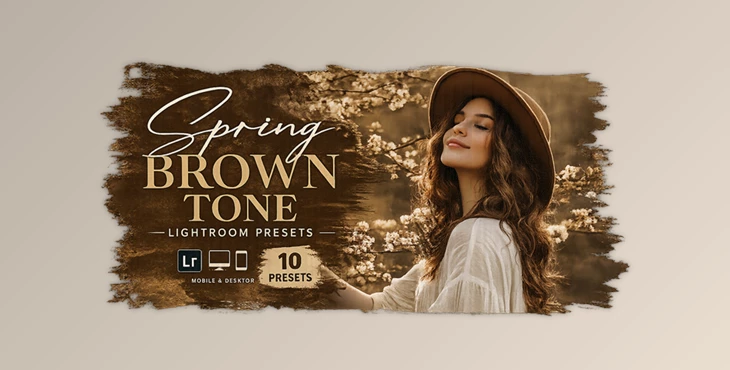
You can download Spring Brown Tone Lightroom Presets for free at the end of this page.
Give Your Photos a Warm Cinematic Look
Photography is not just about taking pictures of the world around you. It is also about creating certain feelings with your audience through your photographs.
The tone of your photograph can instantly change the mood and the level of emotion that your audience feels when viewing your photograph. Spring Brown Tone Lightroom Presets will give your photographs a soft, warm, brown aesthetic that is perfect for a variety of photography genres.
Whether you are into portrait, lifestyle, travel, or even social media photography, these Lightroom Presets will make it incredibly easy for you to create a consistent visual style with the click of a button. The earth tones in these Presets will give your photography an elegant and cozy look that is both modern and stylish.
If you are looking to add more professional looks to your Instagram or photography portfolio, then these Presets are definitely worth a try.
What Are Lightroom Presets and Why Are They Useful?
Lightroom Presets are a great tool for photographers who want to save time editing their photographs. Presets contain a variety of editing settings that allow your photographs to automatically feature features like color grading, exposure, shadows, highlights, contrast, and more. You can instantly apply these presets to the digital library of your favorite photographs to save time and effort editing each picture individually.
For instance, portrait photographers may use presets to edit their portraits to feature warm tones on their subject's skin for a more natural look. Alternatively, travel photographers might use presets that edit their travel pictures to feature earth tones to give their photos a more cinematic look.
With Presets, photographers can edit their photographs in record time without sacrificing the quality of the edits. They can focus more on taking great photographs instead of editing them.
A Creative Editing Tool for Mobile & Desktop
Spring Brown Tone Lightroom Presets are professionally designed for photographers who want stylish, warm brown aesthetics with minimal effort. The presets work smoothly on both desktop and mobile devices, making them ideal for beginners and professionals alike.
These presets are carefully tested to produce high-quality results on RAW and JPEG images while keeping the editing process simple and non-destructive.
Features
One-Click Professional Editing
Apply cinematic brown tones instantly with a single click and transform ordinary images into visually striking photographs.
Mobile & Desktop Compatibility
The presets support Adobe Lightroom Mobile, Lightroom Desktop, and Photoshop Camera Raw, giving users complete editing flexibility across devices.
Works on RAW and JPEG Images
You can edit professional RAW files or everyday JPEG photos while maintaining beautiful color balance and sharp details.
Fully Adjustable Effects
Every preset can be customized easily depending on lighting conditions, skin tones, or creative preferences.
Professional Color Grading
The warm spring-inspired tones create elegant highlights, soft shadows, and natural depth that improve the overall visual atmosphere.
Beginner Friendly Workflow
Even users with little editing experience can achieve polished and professional-looking results within seconds.
What’s Included in Spring Brown Tone?
- 10 Premium Lightroom Presets
- XMP Format Presets for Lightroom Desktop & Camera RAW
- DNG Format Presets for Lightroom Mobile
- User Manual for Easy Installation
Real Creative Uses for These Presets
These presets are perfect for many photography styles and creative projects:
- Portrait photography with soft, natural skin tones
- Lifestyle and fashion photography
- Instagram content creation
- Outdoor spring photography
- Travel and cinematic storytelling
- Wedding and engagement photos
- Blogger and influencer content
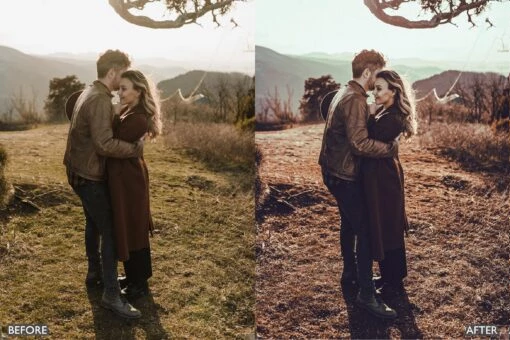
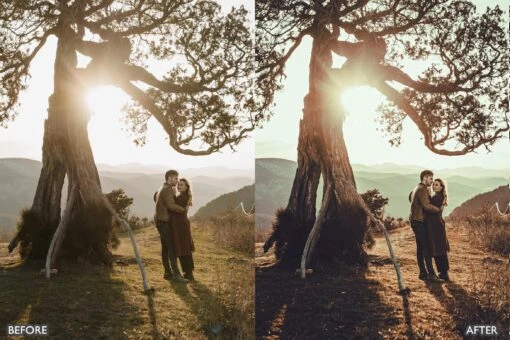
For example, a simple outdoor portrait taken in natural sunlight can instantly look more cinematic and luxurious after applying the warm brown tones from Spring Brown Tone.

Tips to Get More Professional Results
Use Natural Lighting
These presets work beautifully with soft natural daylight. Golden hour lighting can create especially impressive results.
Slightly Adjust Exposure
Every photo is different, so small exposure or white balance adjustments may help create the perfect final look.
Keep Skin Tones Balanced
For portraits, reducing overly strong saturation slightly can make skin tones appear more natural and premium.
Combine With Retouching
The presets handle color grading quickly, allowing you to spend more time on important retouching details and creative composition.
Maintain a Consistent Style
Using the same preset pack across multiple images helps create a clean and professional visual identity for social media or portfolios.
Final Thoughts
Spring Brown Tone Lightroom Presets will make your editing experience faster, easier, and more enjoyable. These presets will allow you to edit your photographs quickly to produce warm, cinematic tones that enhance the visual aspects of your photography.
Whether you are a professional photographer or an enthusiastic amateur who loves to create beautiful content for social media channels, these Presets will make a great addition to your editing software.
If you enjoy creating warm, aesthetic, and modern photography styles, then these Spring Brown Tone Lightroom Presets are definitely worth adding to your editing software collection.

Files Password : gfxplugin.com OR 123456