Downloadable Files
You can download Oscilloscope for free at the end of this page.
Bring Motion to Life with CRT-Style Beam Traces
Often, motion graphics can appear too clean for some audiences. That’s why retro visuals are still among the most popular visual styles in today’s digital world.
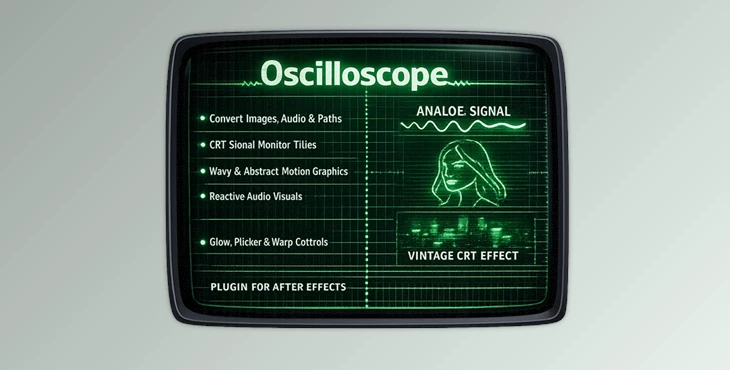
Oscilloscope can bring that same retro aesthetic to your motion graphics by transforming your images, audio clips, paths, and more into glowing beam traces that emulate the look of old oscilloscopes. Use an oscilloscope to create visual effects for signal graphics, neon designs, futuristic designs, and much more.
The tool makes it incredibly easy to create these effects on your project. Oscilloscope will give your motion graphics an organic, energetic, and cinematic look that will draw viewers in and add personality to your project. If you are drawn to retro-futuristic visual effects and designs, Oscilloscope will work wonders for your project.
What Is an Oscilloscope and Why Is It Useful?
At its core, Oscilloscope is a graphics tool that converts different kinds of input signals into animated CRT-style traces. Instead of simply displaying pixels, it simulates the behavior of a real phosphor display with glowing beam movement and signal-driven animation.
This creates visuals that feel dynamic, technical, nostalgic, and artistic all at the same time. You can generate traces from:
- Images and picture edges
- Audio waveforms
- Vector paths
- Built-in test signals
This flexibility makes Oscilloscope useful for many creative workflows, including:
- Music visualizers
- Retro title sequences
- Sci-fi interface graphics
- Signal-based animations
- Experimental motion art
- Transparent CRT overlays
- Abstract looping animations
The biggest advantage is realism. Features like phosphor fade, beam flicker, and curvature simulate authentic analog behavior, making the final output feel far more immersive than standard digital effects.
Features
Signal Sources
Oscilloscope allows for several types of signal sources for your visuals:
- Test signal
- Picture signal
- Audio signal
- Path signal
This gives you more control over your designs and allows you to incorporate signal-based designs to be part of your motion graphics.
Smart Gain and Threshold Controls
The tool includes detailed controls for shaping the incoming signal before rendering the beam. Available controls include:
- Picture gain
- Picture threshold
- Audio gain
- Path gain
These settings help define how sensitive the trace becomes and how much detail appears in the final beam path. For example, increasing the picture threshold can isolate stronger image edges, while gain adjustments can create more aggressive or softer motion responses. This directly improves clarity and visual impact in complex compositions.
Advanced Trace Construction
Oscilloscope provides deep control over how the beam path is generated and sampled. Key controls include:
- Signal resolution
- Steps per loop
- Beam point density
Higher density creates smoother and more continuous traces, while lower density can create stylized or abstract results. This level of precision is especially useful for looping animations and high-resolution motion graphics.
Authentic Beam Timing
Real CRT displays are all about persistence and motion timing, and the Oscilloscope recreates that beautifully. You can control:
- Trace frequency
- Phosphor fade time
Fast scan frequencies create energetic visuals, while longer phosphor fade produces smooth glowing trails that feel cinematic and atmospheric. This helps the animation feel more natural and believable instead of being mechanical and digital.
Realistic Beam Appearance
Oscilloscope features control over the appearance of the beam traces. You can control the following settings:
- Beam width
- Brightness
- Intensity flicker
- Curvature gain
- Transparent output
These settings will allow you to move from subtle beam traces to more intense neon-style effects. The transparent output allows for easily combining the Oscilloscope’s beam traces with other footage in your project.


Professional Tips for Better Results
- Use high-contrast images to create picture signals. These will result in a more readable signal for your motion graphics.
- Do not use too fast a scan frequency and too long a phosphor fade. Use a balance between the two to create smooth visuals that do not become too overwhelming for the viewer.
- Add some flicker to your motion graphics for a more realistic signal. Use subtle flicker instead of extreme flicker to achieve the best result.
- Experiment with path signals for your motion graphics. They can be used to create logo reveals and abstract designs.
- Use the transparent output of your motion graphics to allow them to be layered over other elements of your project. This can be used for music videos and more.
Final Thoughts
An oscilloscope will help you transform your visuals into analog motion graphics that are filled with energy and atmosphere. With its signal-based animations and realistic visuals, Oscilloscope offers you a unique way of making motion graphics with retro characteristics that will stand out among your competitors in the motion graphics industry.
Whether you are creating music visuals, sci-fi motion graphics, abstract art, or retro titles, Oscilloscope will give you impressive control over the outcome of your project. For anyone who loves cinematic glow effects and analog designs in their motion graphics, Oscilloscope is definitely worth exploring for your next project.

Files Password : gfxplugin.com OR 123456