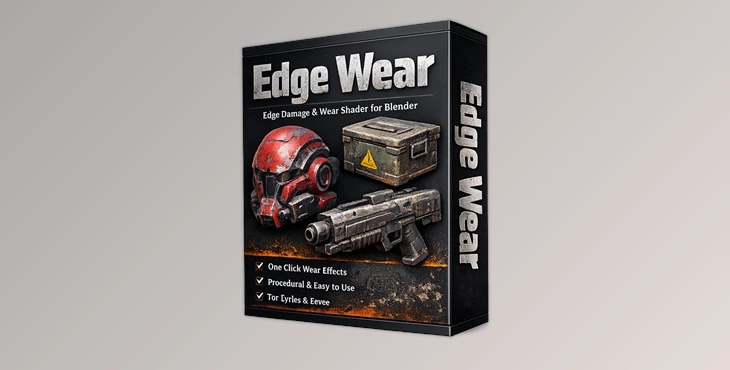
Downloadable Files
You can download the Edge Wear product for free at the end of this page.
Bring Perfect Materials to Life
Every 3D artist has struggled with the fact that perfectly clean materials usually look rather fake. There is a certain amount of realism to be had by showing the damage that time and use can inflict on your digital assets. A few common forms of damage include chipped paint, paint peeled from the object’s surface, scratches, and dirt on the object’s edges.
This tool is a procedural shader tool for Blender that was designed to solve that problem. With the click of a button, any material in your project can be transformed from sterile to realistic with ease. No manual texture painting is required to produce these realistic effects. The best part of Edge Wear is that it is the fastest way to produce realistic edge damage on your object. Simply select your object and then click the “Make Edge Wear” button, and the procedural shader is automatically created.
What Is Edge Wear and Why Does It Matter?
This product is a procedural shader that can automatically generate realistic forms of damage on the edge of your 3D models. The effect uses the Pointiness attribute of Blender to find the edges of your model and apply damage to them. All of the features of Edge Wear are procedural, which allows you to edit the parameters of the damage in real time while viewing your model in the viewport. With Edge Wear, you can:
- Add chipped paint to your models
- Add worn corners to your props
- Add scratches to plastic and metal models
- Speed up the creation of your game or cinematic materials
All of these features will help you to create models with the realism required for game and film production.
Features
The primary feature of Edge Wear is the one-click procedural network setup. When you click on the “Make Edge Wear” button, the entire procedural network of nodes is automatically created for you. No baking your maps, no setting up the shader nodes, no preparation of your models. This saves a tremendous amount of time for your 3D artists.
Geometry-Aware Edge Detection
One of the strongest features of Edge Wear is its intelligent edge detection system. Using Blender’s Pointiness attribute, the shader can identify exposed edges across:
- High-poly models
- Low-poly meshes
- Retopologized assets
- Subdivided geometry
The system includes four fully adjustable controls:
- Mask Radius
- Scale All
- Edgewear Size
- Mask Power
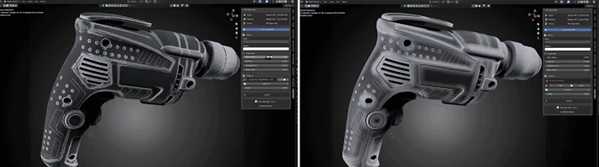
These settings update live in the viewport, giving artists immediate visual feedback while adjusting the material. The result feels natural because the wear appears exactly where physical damage would happen in the real world.
Dual-Color Peeled Paint System
This tool includes a powerful two-layer paint workflow. Artists can define:
- The original surface color
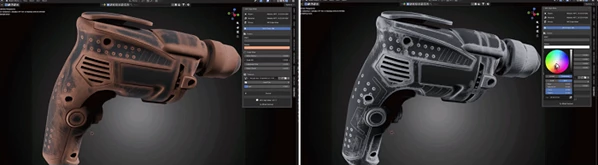
- The underlying exposed color
As edges become damaged, the peeled layer automatically appears underneath. This creates convincing paint chipping without requiring hand-painted masks. This feature works especially well for:
- Industrial props
- Sci-fi assets
- Vehicles
- Mechanical surfaces
- Vintage objects
The transitions feel soft and believable instead of artificially generated.
Custom Mask Texture Support
For artists who want additional control, Edge Wear supports custom wear masks. You can load your own textures and instantly integrate them into the procedural network. The addon automatically:
- Converts textures to Non-Color
- Creates Mapping nodes
- Exposes X/Y/Z rotation controls
- Preserves the existing node chain
This makes experimentation extremely fast while keeping the workflow clean and non-destructive.
Smart Procedural Scratch System
The addon also includes a built-in scratches network powered by procedural Noise Texture and Scatter nodes. The scratch behavior has already been carefully tuned for realistic results, including optimized values for:
- Noise Scale
- Roughness
- Lacunarity
Instead of overly perfect computer-generated scratches, the effect creates subtle hand-rubbed surface damage that feels physically believable. This can instantly add depth and realism to plastic, painted metal, and hard-surface materials.
Real Examples Where Edge Wear Shines
Hard-Surface Product Visualization
Clean product renders often feel too artificial. Edge Wear helps add subtle realism to plastic edges, painted coatings, and surface imperfections that make products feel tangible.
Game Asset Production
For environment artists and prop creators, procedural edge wear speeds up texturing dramatically. Instead of baking multiple masks manually, artists can iterate directly in Blender. This is especially useful for:
- Weapons
- Industrial props
- Crates
- Vehicles
- Sci-fi environments
Cinematic Rendering
In cinematic close-ups, small imperfections become extremely important. Edge Wear adds believable surface storytelling that helps render the feel grounded and realistic under dramatic lighting.
Pro Tips for Better Results
Keep the Effect Subtle
One of the biggest mistakes with this tool is overdoing it. Real materials usually show damage gradually, especially on modern objects. Small scratches and soft edge breakup often look more convincing than aggressive paint destruction.
Combine Multiple Roughness Levels
Try varying the roughness between worn and protected areas. Even tiny roughness differences can dramatically improve realism when light hits the surface.
Use Custom Masks for Storytelling
Adding custom masks can help create directional wear patterns that match how an object would realistically be handled. For example:
- Horizontal scratches for dragged metal
- Vertical wear for hanging objects
- Corner damage for handheld props
These details make assets feel more believable.
Test Under Different Lighting
Always preview the material under multiple HDRIs or lighting setups. Edge wear often looks very different depending on reflections and contrast. Good lighting reveals the subtle procedural detail much better.
Final Thoughts
This product can make procedural shaders in Blender significantly faster. This tool allows your artists to create realistic materials with a click of the mouse instead of spending hours creating the procedural nodes manually. The non-destructive, flexible nature of this tool ensures that your models remain editable with the parameter changes that you choose to apply in the viewport of Blender.
Whether you are creating game assets, film projects, 3D product visualizations, or any other type of hard-surface 3D model, Edge Wear will help your materials to appear more realistic and natural. With its release under the GPL-3.0 license, Edge Wear will always remain free to use by the Blender community.

Files Password : gfxplugin.com OR 123456