Downloadable Files
You can download the product GstarCAD for free at the end of this page.
A Fresh CAD Experience for Modern Designers
When it comes to creating complex technical drawings, speed and stability in the design software are crucial for designers to maintain their work pace. GstarCAD delivers on these demands with its redesigned interface and improved performance.
Whether you are an AutoCAD designer looking to switch to a more affordable CAD solution or a new designer looking to enter the industry with a powerful software package, GstarCAD will provide you with an experience that is both comfortable and effective from the very start of your learning process.
What is GstarCAD and Why Is It Useful?
GstarCAD is a professional computer-aided design (CAD) software program that allows users to create 2D and 3D technical drawings. The software works with the industry-standard DWG and DXF file formats.
GstarCAD is ideal for architects, engineers, technical designers, and anyone looking for professional software with strong drafting capabilities.
Real-World Uses of GstarCAD
- GstarCAD software can be used to:
- Create architectural drawings
- Design mechanical components
- Create civil engineering drawings
- Create electrical and plumbing designs
- Convert point cloud data to drawings
- Manage large technical design projects
These software capabilities allow designers to significantly improve their efficiency and reduce the amount of time they spend on design projects.
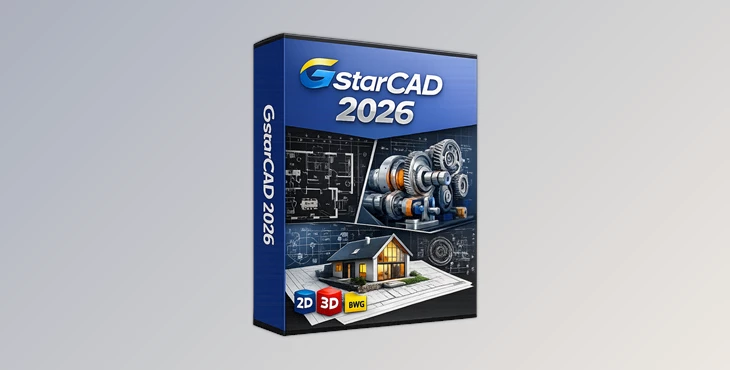
Meet GstarCAD 2026
Faster, Smarter, and More Powerful Than Ever, GstarCAD 2026 features a completely reconstructed user interface with a more modern look and feel, as well as enhanced performance that will allow the software to run even more efficiently on a wide variety of computer systems. The software is available for Windows, macOS, and Linux computers.
Features
Native DWG Compatibility
GstarCAD works natively with DWG and DXF formats, ensuring full compatibility with AutoCAD workflows and eliminating file conversion issues.
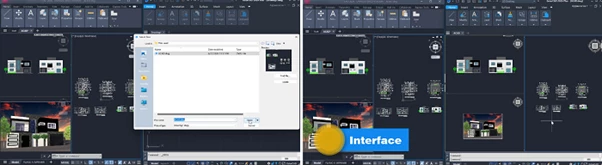
Familiar Interface and Commands
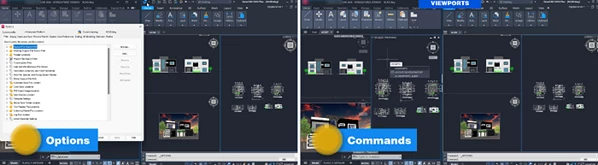
Users can choose between Classic and Ribbon interfaces while continuing to use familiar commands, shortcuts, templates, printers, blocks, and Lisp programs.
Powerful Performance
Thanks to optimized algorithms and multi-core processing technology, GstarCAD delivers smooth performance even when handling highly detailed technical drawings.
Parametric Constraints
The enhanced Parametric Constraints system now includes:
- Dimensional Constraints
- Parameters Manager
- User Variable Management
These tools give designers precise control over object dimensions and proportions, improving accuracy and flexibility during revisions.
DWG Compare
The DWG Compare feature highlights drawing differences using revision clouds, making design revisions easier to track and manage across project versions.
Drawing Merge
This powerful tool simplifies project organization by allowing users to:
- Analyze drawings in batches
- Split and merge drawings
- Manage Xrefs efficiently
- Export drawing lists into .lst files
Point Cloud Integration
Integrated with the Undet Point Cloud plugin, GstarCAD allows users to import and manage point cloud data directly inside the software.
Advanced Point Cloud Capabilities
- Seamless laser scanner and drone data import
- Flexible visualization modes
- 360° panoramic viewing
- Wall and plane extraction tools
- Accurate 2D and 3D CAD generation
This dramatically improves workflows for surveying, architecture, construction, and renovation projects.
Innovative Productivity Tools
GstarCAD includes more than 100 innovative drafting tools, such as:
- Area Table
- Auto Layer
- Viewport to Layout
- AutoXlsTable
- Batch Plot
- Batch Purge
- PDF Import
- Data Extraction
These tools automate repetitive processes and help users complete projects much faster.
Professional Tips for Better Results
Organize Layers Early
Using Auto Layer and clean layer structures from the beginning makes large projects easier to manage and edit later.
Use DWG Compare for Revisions
Instead of manually checking project updates, use DWG Compare to instantly identify modifications and avoid costly mistakes.
Optimize Large Projects with Xrefs
For massive architectural or engineering projects, external references help maintain smoother performance and cleaner project organization.
Combine Point Clouds with CAD Drafting
Using point cloud data directly inside GstarCAD can significantly accelerate renovation and reconstruction projects while improving measurement precision.
Customize Your Workspace
Take advantage of the familiar interface customization options to build a workflow that matches your drafting habits and speeds up productivity.
Final Thoughts
GstarCAD successfully combines familiarity, speed, compatibility, and innovation into one professional CAD platform. Its modern interface, powerful drafting engine, and advanced workflow tools make it an excellent choice for designers and engineers who want professional results with greater efficiency.
From DWG compatibility to advanced point cloud integration, GstarCAD delivers practical tools that genuinely improve real-world design workflows. Whether you are working on architecture, engineering, manufacturing, or construction projects, this software offers a fast and reliable environment for professional CAD creation. If you are searching for a modern CAD solution that feels familiar while offering smarter tools and better performance, GstarCAD is definitely worth exploring.

Files Password : gfxplugin.com OR 123456