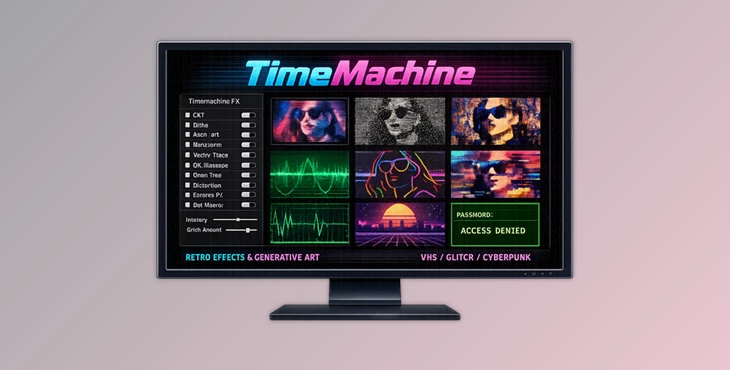
Downloadable Files
You can download the product TimeMachine for free at the end of this page.
Bring Retro Visuals Back to Life
There is something timeless about retro graphics. The glow of CRT monitors, the distortion of VHS tapes, the rough beauty of ASCII art, and the imperfect charm of analog displays still inspire artists, editors, and motion designers today. Modern visuals often feel too clean and predictable, which is why creators constantly search for ways to add personality and texture back into their work.
Time Machine is designed exactly for that purpose. It transforms ordinary footage into nostalgic, experimental, and highly stylized visuals using a powerful collection of retro simulation and generative art engines. Whether you want authentic CRT distortion, glitch aesthetics, vector display looks, or abstract generative visuals, this plugin gives you everything in one professional toolkit.
What Is TimeMachine and Why Is It Useful?
At its core, TimeMachine is an advanced retro stylization and generative art plugin for After Effects and Premiere Pro. Instead of relying on multiple plugins or complicated workflows, it combines numerous retro-processing systems into one deeply customizable effect suite.
This makes it much easier for creators to build visuals inspired by:
- VHS tapes
- CRT televisions
- LED displays
- Old computer terminals
- Arcade machines
- Analog signal distortion
- Experimental glitch art
- Vector graphics systems
The real advantage is flexibility. You can create subtle nostalgic textures or completely transform footage into abstract generative art. For example:
- Music video creators can build glowing oscilloscope visuals synced to sound.
- Motion designers can generate futuristic HUD interfaces.
- Editors can recreate damaged VHS playback effects for cinematic storytelling.
- Graphic artists can produce stylized ASCII compositions with emojis and multilingual characters.
Because everything is processed in real time inside your editing workflow, experimentation becomes much faster and more creative.
Features
Advanced Dithering Suite
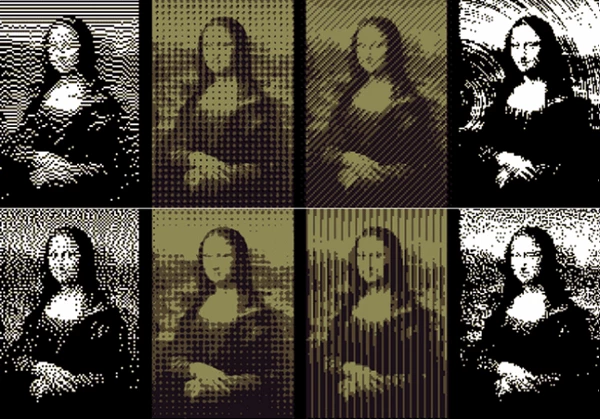
One of the strongest parts of TimeMachine is its professional dithering system. The plugin includes four separate dithering engines:
- Error Diffusion
- Ordered Dither
- Pattern Dither
- Blue Noise
With over 60 presets and extensive customization controls, you can recreate authentic retro image processing styles from vintage computers, handheld consoles, and print graphics. These engines help reduce color information in visually artistic ways, making footage feel more tactile and nostalgic instead of digitally perfect.
Powerful Modulation Engine
The Modulation system introduces animated visual transformation with precise control and easy one-click animation capabilities.
It is especially useful for:
- Abstract motion graphics
- Dynamic transitions
- Experimental generative visuals
- Music-driven animation
Instead of static retro effects, modulation allows visuals to evolve organically over time.
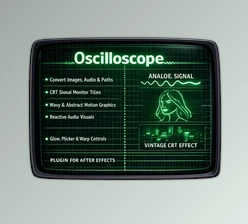
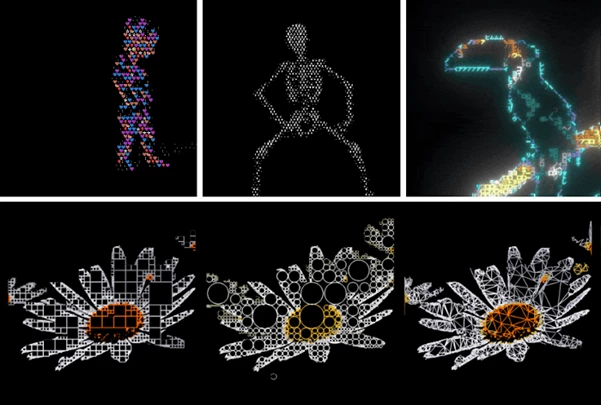
Oscilloscope Visual Generator
The Oscilloscope engine converts footage into glowing traced lines similar to vintage vector displays. This works beautifully for:
- Music visualizers
- Retro HUD interfaces
- Sci-fi terminals
- Neon signal aesthetics
- Wireframe-style compositions
The glowing signal's appearance instantly gives projects a futuristic analog personality.
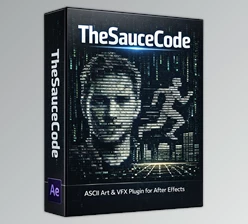
Power Grid ASCII Art System
Power Grid modernizes classic ASCII art generation with far more flexibility and creative control. Unlike traditional ASCII systems, it supports:
- Thousands of Latin characters
- East Asian character sets
- Full emoji support
This allows creators to move beyond simple terminal aesthetics and create highly graphic and abstract compositions.
Quad-Tree Processing
Quad-Tree breaks images into dynamic block structures based on image complexity. Instead of standard pixelation, the frame becomes structurally reorganized, producing visuals that feel computational, abstract, and unpredictable. This feature works especially well for:
- Experimental motion design
- Data-inspired visuals
- Glitch aesthetics
- Abstract digital artwork
Waveform Scanlines
Waveform Scanlines recreate the feeling of scanned radio-image transmission. The result produces striped and signal-based visuals that feel alive and electronically processed.
It is particularly effective for:
- Analog broadcast simulations
- Retro display emulation
- Cyberpunk visuals
- Electronic art styles
Vector Trace Engine
Vector Trace converts footage into contour-based line art and sketch-like visuals.
This creates a hand-drawn or plotter-machine appearance perfect for:
- Technical illustration looks
- Artistic motion graphics
- Experimental animation
- Blueprint-style visuals
RGB Channel Split Controls
One of the most professional features in TimeMachine is independent RGB channel processing.
This allows creators to apply different effects to red, green, and blue channels separately, making it easy to create:
- Misregistration
- Broken screen effects
- Color drift
- Analog display imperfections
- Chromatic displacement
These subtle imperfections dramatically increase realism in retro simulations.
Professional Post Effects Panel
After building the main effect, TimeMachine provides a complete finishing toolkit.
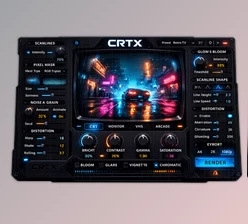
CRT Simulation
Authentic scanlines, phosphor masks, and beam simulation recreate the feeling of real vintage monitors.
Dot Matrix
Perfect for LED signage, scoreboards, and low-resolution display aesthetics.
Chromatic Aberration
Adds edge fringing and optical distortion to remove the overly clean digital look.
Signal Distortion
Simulates analog playback damage such as:
- Tape wobble
- Tracking errors
- Signal drift
- Playback instability
Vibe Glow
A GPU-accelerated professional glow engine specially optimized for retro visuals and neon aesthetics.
Tips for Better Retro Results
Combine multiple visual effects from this product in a project to create even more unique visuals. TimeMachine includes visual effects for CRT, VHS, ASCII art, glitch art, and abstract visuals. Combining visual elements from any of these categories will result in visually interesting projects.
Avoid overprocessing the visuals within TimeMachine. Retro visuals tend to work best if the visuals are subtly altered from the original footage rather than significantly changing the visuals of a project.
Animate the visual parameters within TimeMachine slowly. Retro visuals tend to feature imperfections and analog distortions that are slow rather than sudden in their alterations.
Experiment with reducing the color information within your videos. By lowering the color depth of your projects, coupled with the dithering system within TimeMachine, you will have significantly improved retro visuals within your projects.
Final Thoughts
TimeMachine is much more than a simple visual effects plugin for Adobe After Effects and Premiere Pro. It includes all the tools necessary to create nostalgic visuals, analog distortions, abstract graphics, and even motion design projects.
This tool includes a dithering system, signal simulation tools, ASCII art generators, vector visuals, and professional post effects that make it one of the most flexible and powerful retro visual effects plugins on the market today.
Whether you are working on music videos, motion graphics, editing projects, glitch art, or even abstract digital art, TimeMachine will allow visual creators to take their projects to the next level. For anyone interested in retro visual effects and analog visual projects, TimeMachine is undoubtedly worth exploring.

Files Password : gfxplugin.com OR 123456