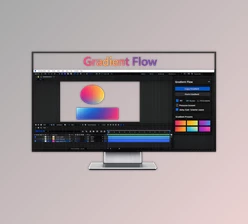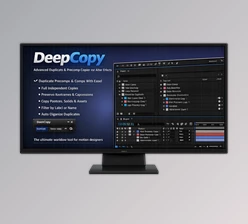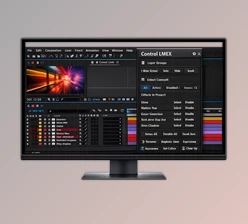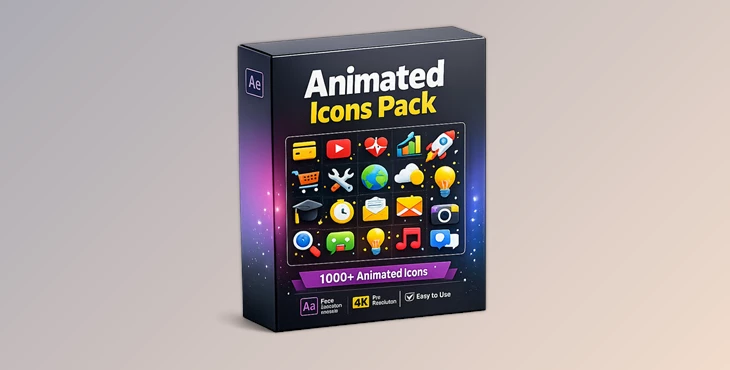
Downloadable Files
You can download the Animated Icons Pack for free from the end of this very page.
Bring Your Projects to Life Faster
Creating eye-catching motion graphics requires a lot of editing and searching through projects to find what you need. That’s where the Animated Icons Pack comes in, incredibly useful for After Effects creators. This remarkable tool will give you a smoother and faster workflow in your editing process.
The Animated Icons Pack was designed to take the guesswork out of editing in After Effects and give you intuitive, fast access to all the features you need to edit your motion graphics projects. Whether you are editing social media promos, YouTube intros, presentations, or branding videos, the Animated Icons Pack will allow you to edit your projects faster while maintaining your design quality.
What Makes the Animated Icons Pack So Useful?
At its core, Animated Icons Pack is designed to simplify motion design workflows. It combines customizable templates, fast navigation tools, and smart controls into one intuitive workspace. Instead of wasting time searching through layers or manually adjusting every setting, users can instantly access important controls with just one click.
This improves workflow in several important ways:
- Faster editing process
- Cleaner project organization
- Easier customization
- Better consistency across animations
- Reduced project complexity
For example, imagine editing a promo video with multiple animated scenes. Normally, finding text layers, changing colors, or adjusting effects could take several minutes for each composition. With this panel, everything becomes accessible from one centralized workspace, saving both time and creative energy.
A Smarter Workflow for Motion Designers
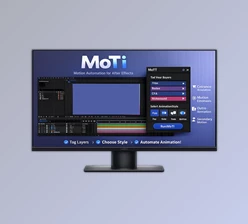
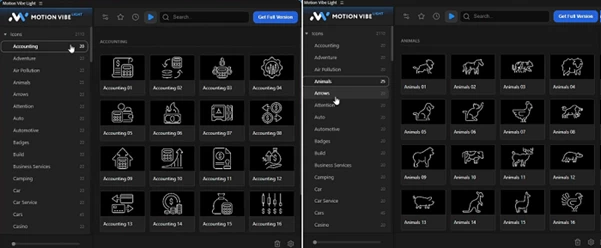
The biggest strength of the Animated Icons Pack is how smoothly it integrates into the editing process. The included Motion Vibe Light panel acts like a creative control center inside After Effects. The interface is clean, responsive, and designed for speed. Even users with limited After Effects experience can navigate projects more comfortably.
This makes the tool especially valuable for:
- Content creators
- Freelance motion designers
- YouTubers
- Social media editors
- Branding agencies
- Video production teams
Features
All Settings in One Panel
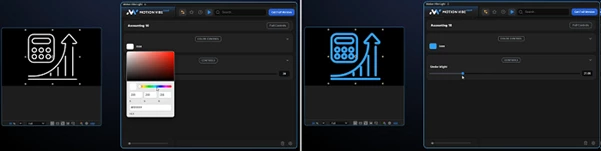
You can control colors, text layers, intensity, and animation settings without leaving the panel. This keeps the workflow focused and efficient.
One-Click Text Layer Access
Finding and editing text becomes extremely fast. Instead of opening multiple compositions, important text layers are accessible instantly.
Smart Search System
Large projects become easier to manage thanks to the built-in smart search functionality. You can quickly locate templates and compositions without wasting time.
Well-Organized Templates
Every template is clearly structured and properly named, making navigation much easier during editing.
Full Creative Freedom
The templates are highly customizable. You can easily personalize colors, styles, intensity, and controls in real time.
Motion Vibe Extension Included
The included extension improves workflow management and keeps important controls centralized inside a professional interface.
One-Click Project Cleanup
Cleaning unnecessary files and organizing projects becomes much faster, especially in large editing sessions.
Video Tutorials Included
Helpful tutorials make the setup and editing process easier for beginners and advanced users alike.
Free Fonts Used
No need to search for expensive typefaces. The project uses free fonts for easier accessibility.
After Effects Compatibility
Compatible with After Effects 2021 and newer versions.
Real Creative Advantages
Using the Animated Icons Pack can noticeably improve the final quality of motion graphics projects. For example:
- Social media ads look cleaner and more polished
- YouTube animations become faster to produce
- Corporate presentations feel more modern
- Branding videos maintain stronger visual consistency
Because editing becomes faster, creators can focus more on creativity instead of technical management.
Professional Tips for Better Results
Keep all animations consistent in their color styles and design elements for a professional final product. Use the smart search system to reduce editing time when working on larger projects.
Customize the templates gradually to maintain balanced animations. Organize your projects early in the editing process. Use the Animated Icons Pack features to produce the simplest motion graphics designs, as these are often the most professional-looking.
Final Thoughts
The Animated Icons Pack is more than just a collection of motion graphics templates for After Effects. However, it is a tool that was created to significantly improve your editing process. From the one-click editing features to the well-organized templates and smart search system, each feature was created to make your editing process faster and more efficient.
This tool will also make editing within After Effects less overwhelming for those just starting to use the software for motion graphics editing. For anyone looking to produce high-quality motion graphics that follow a faster and more professional editing process within After Effects, the Animated Icons Pack will become a valuable addition to your editing process.

Files Password : gfxplugin.com OR 123456