Downloadable Files
You can download Canon Contemporary for Adobe for free at the end of this page.
Bring the Modern Canon Look to Your Photos
A big part of what makes a photo feel special is its color. Sometimes, even a great shot can feel a little flat if the tones and colors lack depth. That’s one of the reasons so many photographers love Canon cameras. Canon files usually have a very pleasing look straight out of the camera — warm skin tones, rich colors, soft highlights, and a natural depth that makes photos feel alive without looking overedited.
Canon Contemporary for Adobe is made to recreate that same feeling inside Adobe Lightroom. Instead of spending a long time manually adjusting colors, you can apply these profiles and instantly give your photos a cleaner, richer, and more polished Canon-style look.
From portrait and wedding photography to travel, landscapes, and even social media photography, this product will give your photos a professional, natural look.
What Is Canon Contemporary for Adobe?
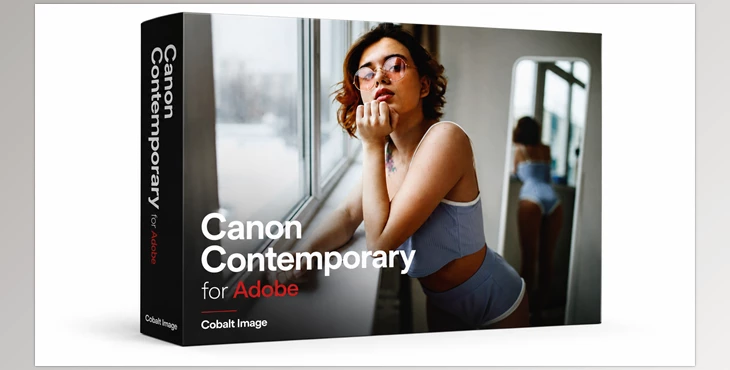
Canon Contemporary for Adobe is a professional color emulation pack built for Lightroom users. In simple words, it recreates the color style of modern Canon cameras inside Adobe software.
But unlike many regular presets that simply add heavy contrast or saturation, this pack focuses on keeping colors believable and balanced. The profiles are carefully designed to match the way Canon cameras actually render tones and light.
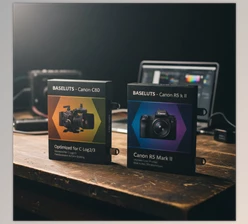
The pack includes color profiles inspired by:
- EOS 5D Mark IV
- EOS R5 Mark II
Each one has its own character, so depending on the mood of your project, you can choose the look that fits best.
Why Canon Colors Are So Popular
Canon cameras have always been known for producing colors that feel soft, rich, and natural at the same time. Skin tones usually look very pleasant, warm colors feel deeper, and highlights stay smooth instead of becoming harsh.
That might sound like a small thing, but during editing, it makes a huge difference. When the base colors already look good, editing becomes much easier and faster.
For example:
- Portrait photographers get more natural-looking skin tones.
- Wedding photos feel warmer and more emotional.
- Landscape images gain depth without looking fake.
- Travel photos look vibrant while still feeling realistic.
The final image feels polished without looking overly edited.
Features
Real Canon-Inspired Color Rendering
The main strength of this pack is how natural everything feels. Instead of dramatic filter effects, the profiles focus on realistic colors with the signature depth Canon cameras are known for.
Photos look cleaner, richer, and more balanced right away.
Inspired by Two Powerful Canon Cameras
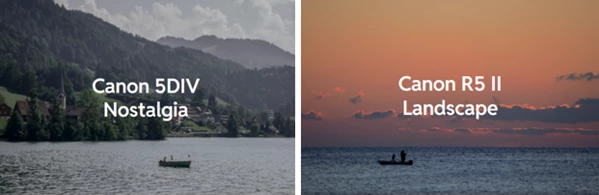
EOS 5D Mark IV Look
This profile brings the classic Canon DSLR feeling that many photographers still love. The colors feel warm, rich, and slightly cinematic, especially in portraits and outdoor photography.
It works beautifully for:
- Portrait sessions
- Weddings
- Lifestyle photography
- Golden hour photos
EOS R5 Mark II Look
The R5 Mark II profile has a more modern feel. It delivers cleaner tones, sharper detail separation, and a more refined digital look.
It’s great for:
- Travel photography
- Commercial work
- Landscapes
- Modern content creation
Better Skin Tones
One thing many photographers struggle with is skin color during editing. Some presets make skin too orange, too red, or simply unrealistic.
Canon Contemporary for Adobe keeps skin tones soft and believable while still adding that professional, polished feeling photographers want.
This alone can save a lot of editing time.
Simple Workflow Inside Lightroom
Another nice thing about this pack is how easy it is to use. Installation is quick, and applying the profiles only takes a few seconds.
Instead of building your color grading from scratch every time, you start with a strong base and only make small adjustments if needed.
For photographers editing hundreds of images, this can make the whole workflow much smoother.

How It Feels in Real Editing
What makes these profiles enjoyable is that they don’t feel like heavy filters. They feel more like improving the natural quality of the image.
After applying them, photos usually gain:
- richer colors
- smoother highlights
- deeper shadows
- cleaner contrast
- a softer cinematic feeling
Even simple photos can suddenly feel more expensive and professional without losing their natural look.
Images shot in natural light especially look beautiful with these profiles because the Canon color style works very well with warm sunlight and soft tones.
Tips for Getting Better Results
Don’t Overedit
These profiles already do a lot of the color work for you. Usually, small adjustments look much better than pushing contrast or saturation too far.
Keeping edits subtle often creates the most professional result.
Match the Profile to the Mood
If you want warmer and more emotional photos, the 5D Mark IV looks beautiful.
If you prefer cleaner and more modern tones, the R5 Mark II profile is a better choice.
Good Lighting Always Helps
Like any professional color profile, these emulations work best when the original photo already has decent lighting and exposure.
Soft daylight and golden hour lighting look amazing with Canon-inspired colors.
Final Thoughts
Canon Contemporary for Adobe is a great choice for photographers who love the look of modern Canon cameras but want it in Adobe Lightroom.
This set of presets features natural, realistic colors to give your photographs a professional look without being too heavy-handed.
If you prefer warm tones and richer colors, this set of presets is one you will likely use in every photo editing session.

Files Password : gfxplugin.com OR 123456