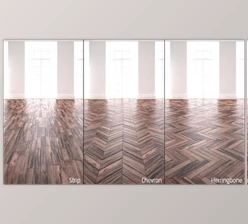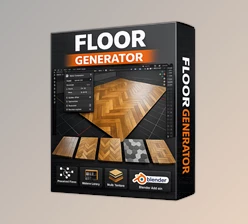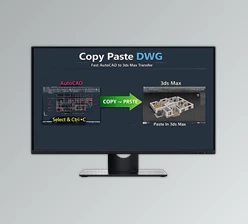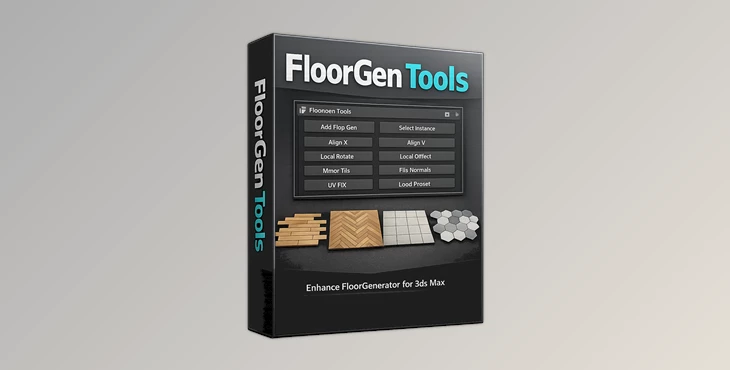
Downloadable Files
You can download FloorGen Tools for free at the end of this page.
Make Floor Creation Faster and Smarter
Creating floors in 3ds Max often involves repetitive tasks. FloorGen Tools will make your floor creation process faster and smarter.
If you already have the FloorGenerator plugin, FloorGen Tools will make FloorGenerator even better by adding new tools to the plugin to solve some of the current issues with the FloorGenerator plugin itself.
Use FloorGen Tools for wooden parquet floors, tiles, or anything else for your architectural projects.
What Is FloorGen Tools and Why Is It Useful?
FloorGen Tools is an advanced helper script designed specifically for the FloorGenerator 2 Plugin in 3ds Max 2013 and newer.
It is important to know that this script is not the FloorGenerator plugin itself. The plugin must already be installed (even the Free version works). The script simply expands its capabilities and improves your overall workflow.
Why Artists Use It
When working on interior visualization projects, artists often need to:
- Create multiple floor variations
- Keep floor instances synchronized
- Adjust local rotations and offsets
- Fix UV mapping issues quickly
- Align floor directions manually
- Mirror surfaces without breaking geometry
Doing these tasks manually can slow down production and create unnecessary mistakes.
FloorGen Tools automates many of these repetitive actions and gives artists much more control over floor generation.
Professional Workflow Enhancement for 3ds Max
FloorGen Tools is built to make floor editing more flexible, faster, and cleaner for professional ArchViz workflows.
Instead of rebuilding floor setups again and again, the script allows you to reuse, align, rotate, mirror, and control FloorGenerator instances more efficiently.
This becomes especially useful in:
- Interior design projects
- Architectural visualization
- Commercial visualization
- Furniture showrooms
- Real estate renders
- Large environment scenes
Features
Add FloorGenerator Modifier to Any Object
You can quickly apply the FloorGenerator modifier to almost any object without rebuilding geometry manually. This speeds up scene preparation dramatically.
One FloorGenerator Instance Management
Managing a single FloorGenerator instance across multiple objects helps maintain consistency throughout your project and keeps editing much easier.
Pick Existing FloorGenerator Instances
Instead of creating new setups repeatedly, you can pick and reuse existing FloorGenerator instances instantly.
This is perfect for large scenes with repeating floor styles.
Select Objects Using the Same Modifier
Finding all objects connected to the same FloorGenerator setup becomes much faster, especially in complex scenes.
This improves organization and editing speed.
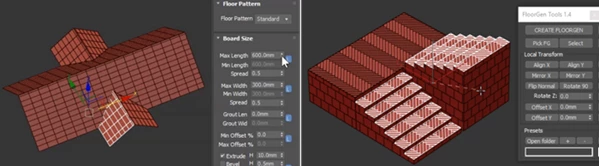
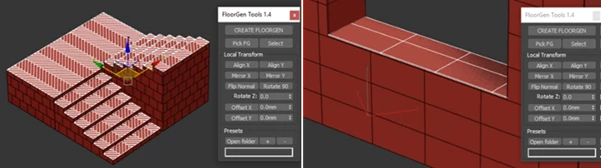
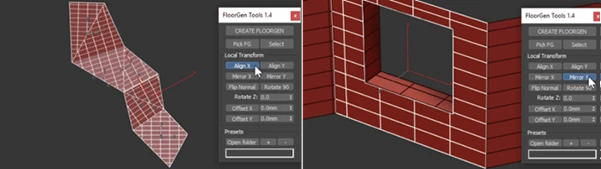
Manual X and Y Axis Alignment
Sometimes, automatic alignment is not enough for realistic flooring patterns.
With manual axis alignment, you gain precise control over floor direction and layout orientation, leading to more natural-looking results.
Mirror and Flip Normals
This feature helps correct surface direction issues quickly without manually rebuilding geometry.
Very useful for fixing mirrored floor patterns or imported geometry problems.
Local Rotate While Keeping Instancing
You can rotate floor sections locally while preserving instancing relationships.
This allows for more variation without losing the efficiency of instances.
Local Offset While Keeping Instancing
Offsetting floor patterns locally adds realism and prevents repetitive visual patterns, while still keeping your instances connected and optimized.
Pick Offset Points
This gives you more intuitive control when positioning floor layouts and adjusting pattern placement.
Custom Presets
You can save your preferred configurations and quickly reuse them across projects.
This is a major time-saver for studios and artists working with recurring styles.
Automatic UV Correction
One of the most useful features.
Automatic UV correction helps maintain clean texture mapping after transformations, offsets, or rotations, reducing manual cleanup work significantly.
Pro Tips for Better Results
Use Presets for Faster Production
If you frequently create similar floor styles, save custom presets to reduce repetitive setup work.
This is especially helpful for commercial projects and client revisions.
Combine Rotation and Offset for Realism
Slight local rotations and offsets can make floors look much more natural and less procedurally generated.
Small imperfections often create more believable renders.
Keep UVs Clean From the Beginning
Even though Auto UV Correction helps a lot, starting with properly scaled textures and clean geometry will always improve final render quality.
Use Instancing Whenever Possible
Keeping objects instanced reduces scene complexity and improves workflow performance in large architectural scenes.
Final Thoughts
FloorGen Tools is an extremely practical enhancement for anyone using the FloorGenerator plugin in 3ds Max.
It simplifies many technical tasks, improves workflow speed, and gives artists more creative freedom while maintaining clean and organized scenes.
From automatic UV correction to advanced instance management and local transformations, the tool helps make floor creation smoother, faster, and far more professional.
If you regularly work on architectural visualization or interior rendering projects, this script can become a very valuable part of your daily workflow.

Files Password : gfxplugin.com OR 123456