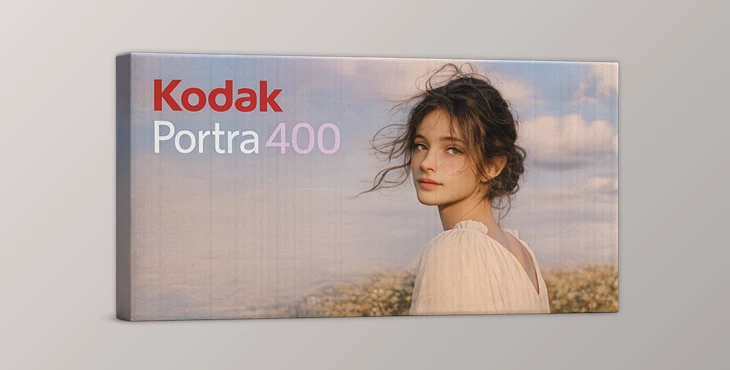
Downloadable Files
You can download Kodak Portra 400 for free at the end of this page.
A Film Look That Feels Natural
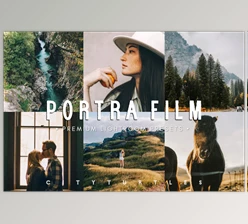
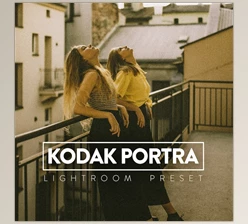
Creating a cinematic look and feel with digital cameras can be so difficult. Most presets for creating a film look go too far with colors or can totally destroy the skin tone in your subject. This is why people are drawn to film simulations like Kodak Portra 400.
With a realistic recreation of the classic Kodak Portra film, you can add a natural look to your digital content. Whether you are creating portraits, travel content, street photography, or any type of lifestyle content, the Kodak Portra 400 film simulation will give your content an organic look and feel that people will love.
Its balanced colors make it perfect for anyone looking for a professional look at no cost to them. Creating a cinematic look and feel with digital cameras can be so difficult. Most presets for creating a film look go too far with colors or can totally destroy the skin tone in your subject. This is why people are drawn to film simulations like Kodak Portra 400.
With a realistic recreation of the classic Kodak Portra film, you can add a natural look to your digital content. Whether you are creating portraits, travel content, street photography, or any type of lifestyle content, the Kodak Portra 400 film simulation will give your content an organic look and feel that people will love.
Its balanced colors make it perfect for anyone looking for a professional look at no cost to them.
What Makes Kodak Portra 400 Special?
Positioned in the middle between Kodak Portra 160 and 800 film, the 400 film gives a more neutral look that can be used in a variety of lighting situations.
The colors will remain realistic in your shoot, ensuring that your subject’s skin tones look beautiful and realistic without any additional editing.
This look is perfect for people who want a natural alternative to editing their digital content.
Real-World Uses
Portra 400 is perfect for the following types of projects:
- Portrait content with natural skin tones
- Wedding and lifestyle photography
- Travel content with cinematic colors
- Street photography with a balanced look
- Social media content with a professional look
- Video projects using DaVinci Resolve or Premiere Pro
The realistic colors will require less color correction after adding the simulation to your digital content.
Professional Film Simulation for Modern Creators
Whether you are using Lightroom, Capture One, Photoshop, or even DaVinci Resolve, the Kodak Portra 400 Film Simulation will work for you.
Features
Neutral and Balanced Film Colors
This simulation reproduces the classic Portra 400 character with balanced saturation and realistic tones. Colors appear vibrant without becoming oversaturated, helping images maintain a natural cinematic feeling.
Multiple File Formats Included
The package includes:
- .CUBE LUTs
- XMP Profiles
- ICC Profiles
- Photoshop Grain Actions
- Film Fading LUT
- Developer Presets
- Product Manual
This allows creators to use the same visual style across different editing software and workflows.
Lightroom and Camera Raw Support
The included XMP profiles make it easy to apply the film look directly inside Lightroom Classic, Lightroom CC, and Adobe Camera Raw with minimal setup.
Capture One ICC Profiles
Different ICC intensity levels give users more control over how strong the film effect appears, making the workflow flexible for various projects and lighting conditions.
Cinematic Video Grading
The included LUT files work perfectly for filmmakers using DaVinci Resolve, Premiere Pro, Final Cut Pro, and other LUT-compatible software.
Additional Film Grain Effects
Photoshop grain actions help recreate the texture and atmosphere of real analog film, adding extra realism to digital images.
Creative Results in Real Projects
Many creators use Portra-style simulations for wedding photography, fashion campaigns, YouTube content, and travel storytelling because the colors feel emotional yet controlled.
For example:
- Outdoor portraits gain a softer skin rendering
- Golden hour photography feels warmer and more cinematic
- Urban photography gets a nostalgic analog atmosphere
- Video footage becomes more cohesive and filmic
The simulation performs especially well in natural daylight, where Portra film characteristics truly shine.

Pro Tips for Better Results
- Work with slight overexposures in your shoot.
- The look is inspired by the classic Kodak Portra film that photographers used for its skin tone rendering capabilities.
- Use the simulation with a clean white balance setting in your editing software.
- Use the film grain simulation with caution, as it will reduce the clarity of your digital content.
- Use the 33%, 66%, and 100% settings in your Capture One editor to find the perfect exposure for your project.
- Use Kodak Portra 400 for all your social media content, as it will give your social media accounts a sleek and professional look.
Final Thoughts
Kodak Portra 400 film simulation has remained one of the most versatile color simulations available to digital creators.
The balanced colors and the realistic skin tones make it perfect for almost any type of digital content today.
Where most other film simulations ask you to drastically edit your digital content, the Kodak Portra 400 allows your digital projects to remain in their natural state - yet look beautiful all the same.
It is perfect for editing portraits, travel content, and even cinematic videos for storytellers looking to share their content with the world.

Files Password : gfxplugin.com OR 123456