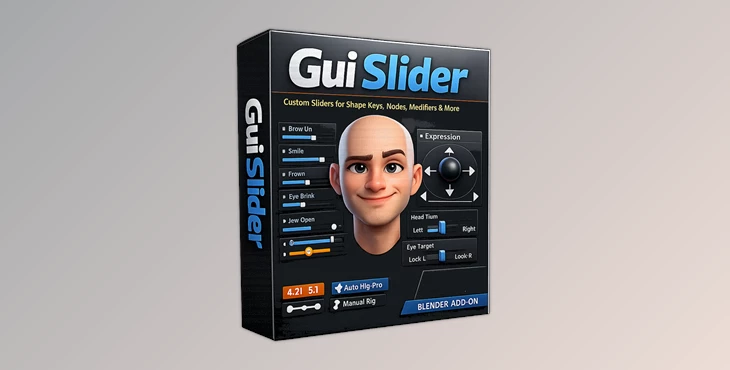
Downloadable Files
You can download the GUI Slider for free at the end of this page.
Bring Your Blender Controls Into One Clean View
If you’ve ever worked on a complex Blender rig, you already know how frustrating it can be to jump between panels just to adjust shape keys, modifiers, or custom properties. Important controls get buried, animation becomes slower, and managing facial rigs can quickly turn into a mess.
That’s exactly where Gui Slider becomes incredibly useful.
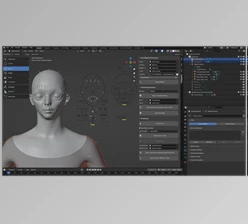
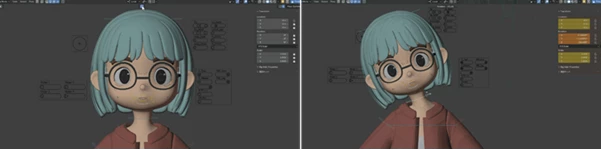
This tool lets you attach clean and customizable slider panels directly to your armature, giving you fast access to all your important parameters right inside the viewport. Instead of searching through menus, everything is available at a glance — faster, cleaner, and much more intuitive.
Whether you use Auto Rig Pro, custom rigs, or multiple armatures in one scene, Gui Slider helps simplify your workflow without forcing you to rebuild your setup.
What Is Gui Slider and Why Is It Useful?
This tool is a Blender tool designed to create visual slider-based controllers for rigs, shape keys, and many other adjustable parameters.
In simple terms, it transforms hidden technical controls into easy-to-use visual sliders directly inside your workspace.
This becomes especially valuable for:
- Facial animation
- Character rigging
- Expression control
- Scene organization
- Fast animation workflows
- Multi-character projects
For example, instead of manually opening shape key panels for eyebrow movement, mouth shapes, or eye blinking, you can control everything from a single slider interface directly in the viewport.
This improves animation speed, reduces mistakes, and makes rigs feel far more user-friendly — especially during complex animation sessions.
A Faster and Cleaner Animation Workflow
One of the biggest strengths of Gui Slider is how quickly it helps artists interact with rigs.
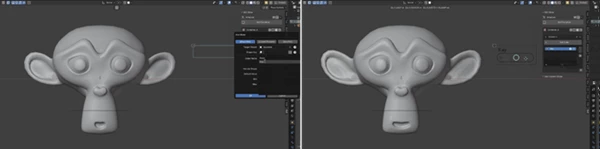
The setup process is beginner-friendly, meaning you can start adding sliders within just a few clicks. Even users without advanced rigging experience can organize complex controls into a clean and professional layout.
The result is a workflow that feels much more visual and interactive.
Instead of technical panels, you get direct artistic control.
Features
Easy Setup
This product focuses heavily on accessibility.
You don’t need deep scripting or rigging knowledge to start building custom slider interfaces. The setup process is simple enough for beginners while still offering enough flexibility for advanced artists.
This makes it especially useful for freelancers, small studios, and solo animators who want faster production workflows.
Quick View Mode
As projects grow, so does the number of controls.
Gui Slider solves this problem with Quick View Mode, allowing you to instantly display all sliders in the viewport. Even large rigs remain easy to manage because controls stay organized and accessible.
The adjustable grid layout also helps artists customize the interface based on personal workflow preferences.
This feature becomes extremely valuable during facial animation, where rapid access to multiple expressions is essential.
Connect to Almost Any Blender Parameter
One of the most powerful aspects of Gui Slider is its flexibility.
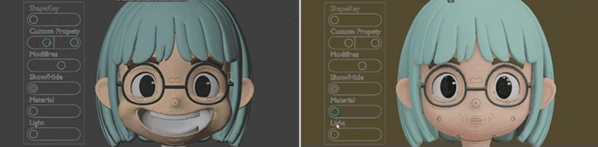
You can connect sliders to:
- Shape Keys
- Custom Properties
- Node Parameters
- Modifier Values
- Constraint Settings
- Visibility Controls
- Camera Settings
- Light Parameters
It even supports boolean, float, and integer properties as long as Blender allows drivers for them.
This opens up massive creative possibilities for technical artists and animators.
For example:
- Create a single slider for lighting intensity
- Control cloth simulation strength
- Toggle modifiers on and off
- Drive facial expressions
- Blend between animation states
Everything becomes centralized and easier to animate.
Customizable Slider Styles
Every artist has a different workflow, and Gui Slider embraces that flexibility.
You can customize:
- Slider style
- Width
- Height
- Scale
- Layout arrangement
The tool includes styles like:
- Capsule Style → Rounded and modern
- Line Style → Minimal and compact
These options help keep interfaces visually clean while matching personal preferences or studio pipelines.
Mirror and Multi-Column Support
Facial rigs often require symmetrical left/right controls.
Gui Slider makes this dramatically easier by allowing artists to create mirrored slider pairs instantly instead of building both sides manually.
Containers also support multiple columns, helping users organize sliders into categories like:
- Eyes
- Mouth
- Brows
- Head Controls
This keeps even large animation rigs organized and efficient.
Joystick Controller
The joystick system is one of the most creative features inside Gui Slider.
Artists can assign shape keys to directional movement, allowing multiple expressions or motions to blend naturally from a single control.
For example:
- Eyebrows move up/down/left/right
- Blend between smile and frown
- Control facial asymmetry intuitively
This creates a much more natural animation workflow compared to adjusting individual sliders separately.
Dual Controller System
This tool also supports layered controls on a single bone.
With Dual Controller mode:
- The main controller handles position movement
- The secondary slider drives shape keys or parameters simultaneously
This is extremely useful for advanced facial rigs and stylized animation setups where multiple actions need to happen together.
The result is cleaner animation and fewer unnecessary controllers cluttering the viewport.
Professional Tips for Better Results
Organize Sliders by Category
Keeping controls grouped logically makes animation much faster.
Try separating:
- Eye controls
- Mouth controls
- Brows
- Secondary expressions
This prevents clutter and improves readability during production.
Use Quick View During Facial Animation
Quick View Mode becomes especially powerful during dialogue animation or expression-heavy scenes.
Keeping all facial controls visible reduces interruptions and helps animators stay focused on performance instead of interface navigation.
Combine Joystick Controls With Shape Keys
Joystick blending creates much smoother and more natural transitions between expressions.
Instead of activating separate shape keys one by one, directional blending creates fluid movement that feels more organic.
Keep Your Layout Minimal
Avoid overcrowding the viewport with unnecessary sliders.
A clean interface improves animation speed and reduces confusion during long sessions.
Sometimes, fewer controls create a much more professional workflow.
Final Thoughts
Gui Slider is the ideal tool for any animator who desires to have a faster, more intuitive rig control experience within Blender.
This tool allows you to bring all of your shape keys, parameters, and other rig elements to the viewport so that you don't have to deal with the unnecessary friction of having to open multiple panels to find what you need.
The slider panels, joystick systems, mirrored controls, and customizable layouts make Gui Slider a great tool for animators of all skill levels within the industry.
If any of your projects include characters or complex Blender rigs, the GUI Slider will allow you to have better organization within your scenes and to animate faster.

Files Password : gfxplugin.com OR 123456