Downloadable Files
You can download Material Image Viewer for free at the end of this page.
Organize Materials and Textures Faster in Blender
Working with large Blender scenes can quickly become messy when dozens of materials and textures are involved. Finding the right material, checking which objects use it, or locating the correct texture file often takes more time than the actual creative work.
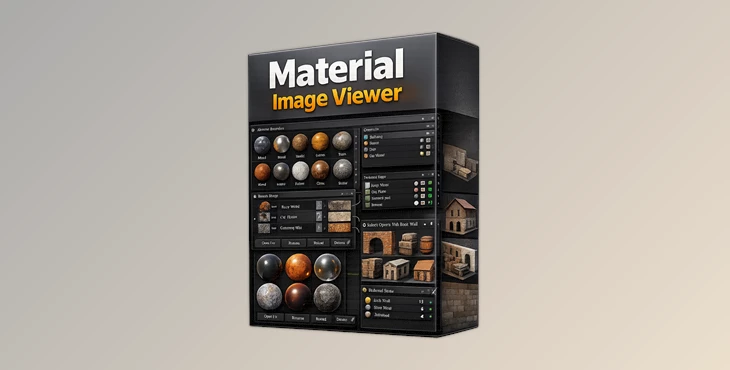
Material Image Viewer is designed to solve exactly that problem. This practical Blender tool gives artists a cleaner and more visual way to manage materials and images inside their projects. Instead of jumping through multiple editors and menus, you can instantly preview, filter, assign, and organize everything from a single workflow.
Whether you are creating game assets, architectural visualizations, product renders, or animation scenes, this addon helps you stay organized and work more comfortably.
Why Material and Texture Management Matters
In professional Blender projects, materials and textures are directly connected to the final visual quality. When scenes become more complex, keeping track of these assets becomes difficult.
A material manager like Material Image Viewer helps artists:
- Quickly identify which objects use a specific material
- Find textures connected to a material
- Replace or assign materials in batches
- Organize image files more efficiently
- Reduce project cleanup time
For example, imagine working on a large environment scene with hundreds of objects and multiple texture sets. Instead of manually checking each object one by one, you can instantly filter materials and images and understand their relationships visually.
This improves workflow speed, reduces mistakes, and makes scene management much more intuitive.
What Makes Material Image Viewer Useful?
Material Image Viewer supports Blender versions 4.2 to 5.0 and is continuously updated for future versions. The addon focuses on making material and image management easier, faster, and more visual for Blender users.
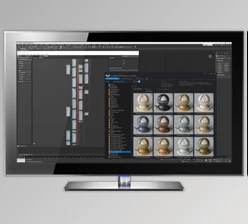
It provides a compact yet powerful panel where artists can preview and manage materials and textures directly inside Blender.
Features
Fast Material Management
The addon includes several tools for handling materials efficiently:
- Select all objects using a material
- Use the eyedropper tool to detect materials from selected objects
- Batch assign materials to multiple models
- Assign materials directly to selected mesh faces
- Rename or delete materials quickly
- Mark materials as Fake User
- Display material usage count
These features are especially useful when optimizing scenes or preparing assets for export pipelines.
Advanced Image Control
Managing texture files becomes much easier with the built-in image tools:
- Filter materials connected to an image
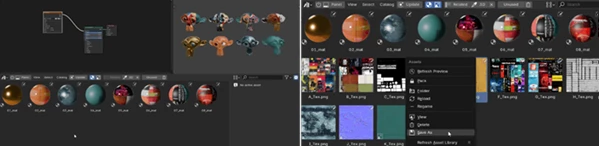
- Open the local image directory instantly
- Save images to different locations with one click
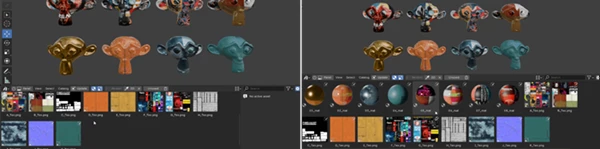
- Large image preview mode
- Rename Blender image names and local files together
- Reload textures instantly
- Pack and unpack images independently
- Switch color spaces quickly
- Preview image resolution
- Delete unused images easily
This creates a cleaner workflow for texture-heavy projects such as product visualization, game environments, and cinematic scenes.
Visual Filtering System
One of the most useful parts of Material Image Viewer is its filtering system.
You can:
- Filter images by material
- Filter materials by image
- Instantly understand asset relationships
- Navigate complex scenes much faster
Instead of searching manually through Blender editors, the addon provides a much more visual and organized workflow.
Quick Viewport Preview Shortcuts
The addon also improves speed while working inside the viewport:
- Press Space on a selected material for quick viewport switching
- Press Space on a selected image for instant image preview
These shortcuts help artists inspect assets without interrupting their workflow.
Real Workflow Benefits
Faster Scene Cleanup
When working with imported scenes or downloaded assets, unused materials and textures can create chaos. This addon helps clean projects much faster by showing usage counts and allowing quick deletion or reassignment.
Better Texture Organization
Texture-heavy projects often contain dozens or even hundreds of image files. Being able to open directories instantly and manage images directly inside Blender saves a huge amount of time.
Easier Asset Management for Teams
For collaborative workflows, organized materials and textures make projects easier to maintain and transfer between artists.
The ability to quickly identify linked materials and images helps avoid missing textures and broken references.
Professional Tips for Better Results
Always keep your materials properly named so you can quickly find them
Use the filtering system before you delete any textures or materials
Use the preview system for textures to ensure they will look as you want in your scene before rendering
Combine the features of Material Image Viewer with the Blender Asset Libraries for the best production pipelines
Final Thoughts
Material Image Viewer is a simple but highly practical Blender add-on.
By using this tool, artists will no longer waste time searching for certain materials or textures. They can manage all of their materials and textures visually and more efficiently from one location in Blender.
Whether you are a Blender newcomer or a professional 3D artist, if you work with complex scenes with textures and models, Material Image Viewer will significantly improve your daily workflow with Blender.

Files Password : gfxplugin.com OR 123456