Downloadable Files
You can download Physical Fog for free at the end of this page.
Add Cinematic Atmosphere to Your Scenes
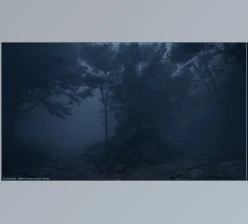
Creating realistic fog in 3D scenes is often one of the hardest parts of environment design. Too much fog can destroy the composition, and too little makes scenes feel flat and lifeless. That’s exactly where Physical Fog becomes incredibly useful.
Whether you are creating subtle mist or dramatic volumetric atmosphere shots for your projects, Physical Fog will allow you to quickly add this element to your scenes instead of spending hours adding it manually.
With Physical Fog, adding a realistic atmosphere to your scenes can be done rapidly with a few clicks of the mouse.
What Is Physical Fog and Why Does It Matter?
Physical Fog is a professional atmospheric system designed to create physically accurate volumetric fog, haze, mist, and cinematic atmosphere directly inside your scene.
Instead of building complicated node systems from scratch, the tool provides ready-to-use controls, presets, and automated fog domains that make the entire process much faster and more creative.
Atmospheric effects are extremely important in visual storytelling because they help:
Add depth and scale to environments
Improve lighting realism
Create a cinematic mood
Separate foreground and background elements
Enhance realism in outdoor scenes
A Complete Cinematic Fog Workflow
Physical Fog combines automation, physical realism, and artistic flexibility into one clean workflow. It allows artists to create anything from soft environmental haze to dense cinematic fog without dealing with complicated technical setups.
The tool is designed for both fast production work and high-quality final renders.
Features
AutoFog – Instant Cinematic Depth
One of the strongest features of Physical Fog is the AutoFog system.
With a single click, you can automatically generate a fog domain that fits your scene. You can also create domains based on selected objects, making local atmosphere creation extremely fast.
This is especially useful for:
Large landscapes
Cinematic flythroughs
Environment renders
Indoor atmospheric lighting
You can even stack multiple fog domains together for:
Ground fog
Horizon haze
Distance atmosphere
Layered cinematic depth
This layering approach creates far more realistic environmental separation and visual richness.
Artistic Controls with Realistic Behavior
The tool balances physical realism with artistic freedom.
You can shape the fog using:
Distance falloff
Height-based density
Wind animation
Global noise breakup
These controls help avoid flat or uniform fog while adding natural atmospheric variation.
For example, wind-driven breakup can make fog feel alive in outdoor scenes, while height shaping is perfect for valley fog or low ground mist.
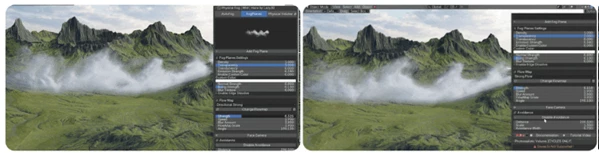
FogPlanes – Lightweight Atmospheric Layers
FogPlanes provide an optimized way to add animated atmospheric cards into scenes.
The system includes 49 presets and supports:
Flowmap animation
Billboard face-camera mode
Collision fade near geometry
Edge dissolve
Custom tint and emission
These lightweight fog layers are ideal for:
Fast scene detailing
Background atmosphere
Real-time cinematic shots
Motion graphics
Stylized scenes
Because they are lightweight, they can add atmosphere without the heavy render cost of full volumetric setups.
Photorealistic Volume Rendering
The volumetric system is based on physically accurate volume coefficients for realistic scattering and absorption.
This creates highly believable light interaction inside fog and smoke.
Key advantages include:
Physically correct scattering
Optimized density scaling
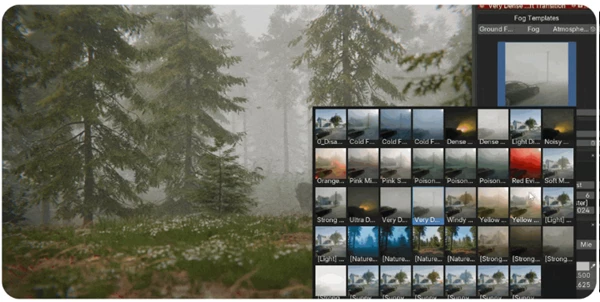
Preset-driven workflow
High-quality Cycles rendering
This is especially valuable for cinematic lighting where god rays, volumetric shadows, and atmospheric diffusion play a major role in the final image quality.
Dynamic Physical Interaction
One of the most impressive features is the dynamic interaction system powered by Geometry Nodes.
Objects can physically move through smoke and fog volumes while the atmosphere naturally reacts and recovers afterward.
This creates highly cinematic effects for:
Character movement
Vehicle passes
Flying objects
Environmental interaction
VFX shots
Instead of static fog, scenes feel responsive and alive.
Pro Tips for Better Results
Layer Your Fog Carefully
Instead of using one dense volume everywhere, combine multiple subtle fog layers.
For example:
Thin ground fog
Mid-distance haze
Soft atmospheric depth in the background
This creates much more cinematic separation.
Use Wind Animation Sparingly
Use the wind to give your fog a slight movement in a way that looks realistic. Avoid using strong wind movements as they will look fake in the final composition.
Use slow wind movements to give the audience the feeling of depth and another layer of cinematic realism to your scene.
Combine Fog with Lighting
Volumetric effects become dramatically better when paired with strong directional lighting.
Sunlight, headlights, neon signs, or spotlights can create beautiful volumetric rays and depth.
Avoid Over-Density
Too much fog can flatten a scene and reduce contrast.
A subtle atmospheric touch often creates the most professional result.
Final Thoughts
Physical Fog makes creating cinematic atmosphere much faster and more enjoyable. There is no need to struggle with the settings for volumetric lighting and fog; all the artist has to do is focus on their project and the atmosphere they want to create.
From subtle environmental haze to dense cinematic fog with physical interaction, the tool provides an excellent balance between realism, speed, and creative control.
If you want your renders to feel more immersive, atmospheric, and cinematic, this workflow can dramatically improve the final result while keeping the process simple and flexible.

Files Password : gfxplugin.com OR 123456