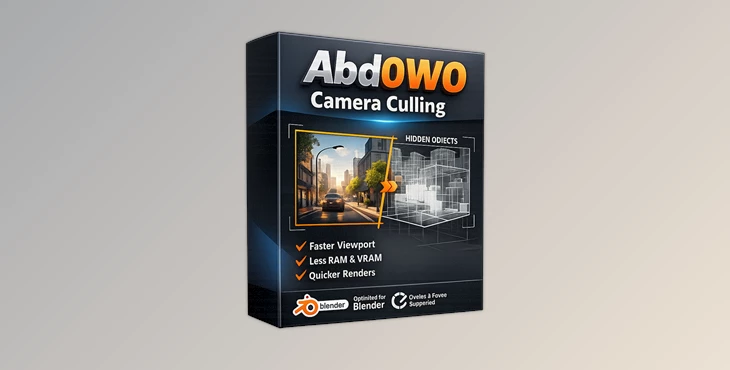
Downloadable Files
You can download Abd0W0 Camera Culling for free at the end of this page.
Keep Your Viewport Clean and Fast
Working in heavy 3D scenes can quickly become frustrating when the viewport starts slowing down, and unnecessary geometry fills the screen. This is exactly where Abd0W0 Camera Culling becomes incredibly useful.
Instead of manually hiding objects or organizing complex visibility settings, this tool automatically hides everything outside the active camera view.
The result is a cleaner workspace, smoother navigation, and faster scene interaction — especially in large production environments. Whether you're building cinematic shots, architectural scenes, or animation projects, having only the visible elements loaded in the viewport makes the entire workflow feel lighter and more focused.
What Is Camera Culling?
Camera culling is a smart optimization technique that hides objects the camera cannot currently see.
In many 3D projects, scenes contain thousands of objects, but only a portion of them actually appear inside the final frame.
Instead of wasting viewport resources on hidden geometry, the tool temporarily ignores objects outside the camera boundaries.
This creates several important advantages:
Faster viewport performance
Cleaner scene visibility
Easier camera composition
Reduced visual distractions
More responsive navigation in heavy projects
For example, imagine working on a massive city environment. Even though hundreds of buildings exist in the scene, the camera may only capture a single street. Abd0W0 Camera Culling automatically hides everything outside that view, helping Blender focus only on what truly matters.
This leads to smoother camera movement, faster editing, and a more comfortable creative workflow.
Abd0W0 Camera Culling - A Smarter Way to Optimize Heavy Scenes
Abd0W0 Camera Culling is designed to simplify scene optimization without changing your existing setup.
The tool works non-destructively, meaning you can enable or disable it anytime without affecting collections, objects, or scene organization.
This makes it ideal for artists who already have structured production pipelines and simply want better viewport performance.
Features
Automatic Camera-Based Visibility
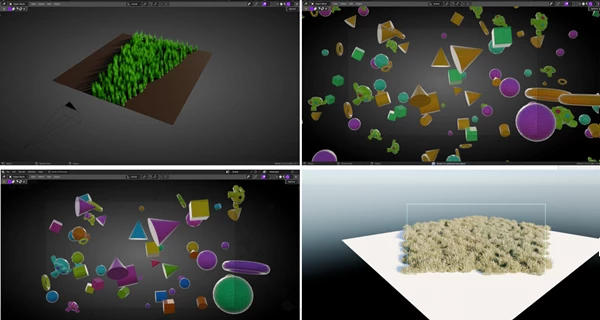
The addon instantly detects which objects are outside the active camera view and hides them automatically.
This keeps the viewport focused only on visible content.
Faster Viewport Performance
Heavy scenes become easier to manage because Blender no longer needs to display unnecessary geometry in real time.
This is especially helpful for:
Large environment scenes
Cinematic projects
Animation workflows
Complex architectural visualizations
Non-Destructive Workflow
Nothing gets deleted or permanently modified.
You can toggle the system on or off whenever needed without breaking scene setups.
Compatible With Existing Collections
The tool works alongside your current collections and scene organization methods, making integration simple and production-friendly.
Real Production Benefits
In practical workflows, even small viewport optimizations can save a huge amount of time across long projects.
For example:
Animators can preview shots more smoothly.
Environment artists can navigate dense scenes faster.
Lighting artists can focus on composition without viewport clutter.
Archviz creators can work with massive scenes more comfortably.
By reducing unnecessary viewport load, artists spend less time waiting and more time creating.
Pro Tips for Better Results
Use Camera Framing Early
Setting up your camera composition early allows the culling system to optimize the scene more effectively throughout production.
Combine With Collection Management
Even though the addon works automatically, organized collections still help maintain clean production workflows.
Great for Animation Playback
If animation playback becomes slow in complex scenes, enabling camera culling can significantly improve responsiveness during previews.
Keep Your Scene Cleaner
A less crowded viewport makes it easier to focus on lighting, composition, and final visual quality.
Final Thoughts
Abd0W0 Camera Culling is a simple but extremely practical tool for Blender artists working on detailed projects.
By automatically hiding geometry outside the view of the active camera, artists can focus on the final shot and have a much cleaner workspace.
Its non-destructive nature and compatibility with existing setups make it easy to integrate into any project. Whether working on animations, environments, or other cinematic projects, this tool will make the daily work of Blender artists more enjoyable.

Files Password : gfxplugin.com OR 123456