Downloadable Files
You can download Gamut Boost for free at the end of this page.
Make Your Footage Feel More Alive
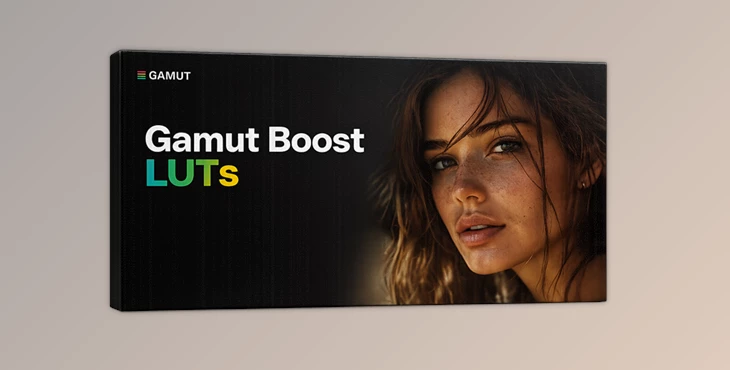
If your footage features colors that are technically correct, but you’re still not satisfied with the way it looks on screen, then you might want to try out Gamut Boost for your editing software.
Gamut Boost will enhance the vibrancy of your footage in a much smarter way than traditional saturation or contrast tools. It will add richness to the colors in the footage while also improving the overall contrast without negatively impacting the color balance of your videos.
The result will be footage that feels more cinematic and visually appealing to the viewer.
What Is Gamut Boost?
Gamut Boost is a professional LUT that can enhance the vibrancy of your footage while at the same time preserving the color information of the original recording.
Gamut Boost does not add too much vibrancy to your footage to avoid creating unrealistic colors. It enhances the vibrancy of your colors in such a way that your footage looks great without looking too processed.
Gamut Boost enhances the following features of your footage:
- Vibrancy
- Contrast
- Color separation
- Highlight and shadow detail
Why Controlled Saturation Matters
One of the biggest problems with heavy color grading is that skin tones quickly become too orange, red, or oversaturated. Gamut Boost avoids this by selectively increasing vibrancy without aggressively shifting hues.
This creates several important advantages:
- Better-looking skin tones
- Cleaner highlights
- More cinematic contrast
- Improved depth in mid-tones
- Stronger overall color balance
For example, travel footage can look more vibrant without neon-looking skies, while portraits remain soft and natural instead of overly processed.
Features
Instant Cinematic Vibrancy
Gamut Boost adds rich and vibrant color to footage while maintaining realistic tones and exposure consistency.
Highlight Protection
Bright areas stay soft and controlled instead of becoming harsh or clipped after color enhancement.
Rich Mid-Tone Contrast
The LUT introduces depth and punch to the image, helping footage feel more dynamic and professional.
Non-Destructive Color Enhancement
Unlike heavy curve adjustments, Gamut Boost preserves natural color relationships and avoids unpleasant hue shifts.
Works With Other LUTs
One of the strongest advantages of Gamut Boost is that it can be combined with other LUTs to create fresh variations and stronger cinematic looks.
Real-World Creative Uses
Travel Videos
Nature, cities, sunsets, and landscapes gain extra depth and vibrant atmosphere without looking artificial.
Commercial Projects
Product shots and branded content benefit from cleaner contrast and more eye-catching visuals.
Social Media Content
Quickly make short-form videos stand out with richer color and stronger visual impact.
Portrait & Lifestyle Footage
Skin tones remain balanced while the environment receives a tasteful boost in vibrancy.
Installation Guide
Final Cut Pro
- Open Final Cut Pro X.
- Go to the Effects Browser.
- Search for Custom LUT under the Color tab.
- Drag the effect onto your clip or adjustment layer.
- In the Inspector Window, browse and import the .cube file.
Adobe Premiere Pro
- Open Adobe Premiere Pro.
- Select your clip or adjustment layer.
- Open the Color Workspace.
- In the Lumetri Color panel, go to the Creative tab.
- Select Browse from the Input LUT menu.
- Import the Gamut Boost .cube file.



Pro Tips for Better Results
Lower the intensity of Gamut Boost slightly in your editing project for a more natural and cinematic appearance.
Try combining Gamut Boost with other LUTs in your editing project.
Gamut Boost is a relatively controlled LUT that enhances vibrancy, contrast, and highlight protection. However, avoid over-processing your footage as this can lead to unnatural color corrections.
Use Gamut Boost on flat footage to restore the vibrancy of colors without losing highlight detail.
Final Thoughts
Gamut Boost is one of those editing tools that will enhance the vibrancy and cinematic look of almost everything you edit.
Whether you edit travel films, YouTube videos, commercials, or even social media content, Gamut Boost will go a long way to giving your editing projects that professional feel.
If you are looking for a quick way to enhance the vibrancy and contrast of your projects without losing the natural look of your subjects, scenes, and footage, then Gamut Boost is an excellent LUT to use in your editing projects.

Files Password : gfxplugin.com OR 123456