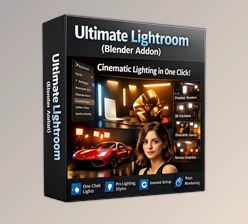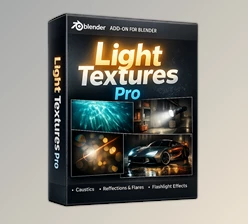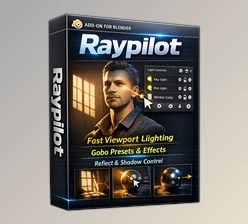
Downloadable Files
You can download Light Master Pro for free at the end of this page.
Bring Artistic Lighting Into Your Workflow
Lighting is one of the most important elements in creating a great render. Depending on the lighting setup for a scene, it can change the entire feeling of the scene and give it dimension and dimensionality.
For artists struggling with complex lighting rigs and setups, Light Master Pro is a tool that can greatly aid the artistic process. This tool allows artists to quickly and creatively place lighting within their scenes.
Artistic lighting is useful for a variety of different render types. Whether you are creating product renders or motion graphics, Light Master Pro will help you drastically reduce the time it takes to add artistic lighting to your projects.
What Is Light Master Pro?
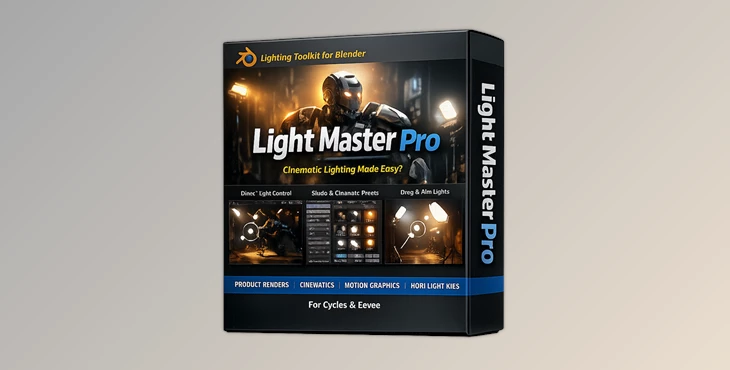
This tool is a lighting addon for Blender that contains over 500 artistic lighting assets that will allow you to instantly improve the quality of your renders.
With Light Master Pro, you have full control over all of the lighting aspects within your scene. From creative lighting patterns to reflections and rays, this tool will allow you to add a variety of lighting features to your scenes that will allow them to become visually engaging for the viewer.
Some of the most common uses for artistic lighting include:
- cinematic rendering
- product visualization
- motion graphics
- abstract visual design
- environment lighting
- stylized animation
- creative photography simulations
The main benefit of Light Master Pro is that all of these lighting elements can be added quickly and easily to your scenes. You do not need to spend a great deal of time setting them up or adjusting their settings.
Why Artistic Lighting Matters
Art lighting allows artists to add features to their scenes that will make their renders visually memorable.
These features can include:
- soft colored reflections that can be added to product renders to make them seem more premium and desirable
- light rays that can add a feeling of atmosphere to your environments
- water caustics that allow for the addition of realistic reflections within scenes with water
- abstract gobos that allow for creative shadow patterns to be added to fashion or editorial scenes
- Each of these features can be added using Light Master Pro and will greatly benefit artists looking to produce visually interesting and memorable renders.
- With Light Master Pro, these lighting effects can be quickly created.
Features
Improve Your Renders Instantly
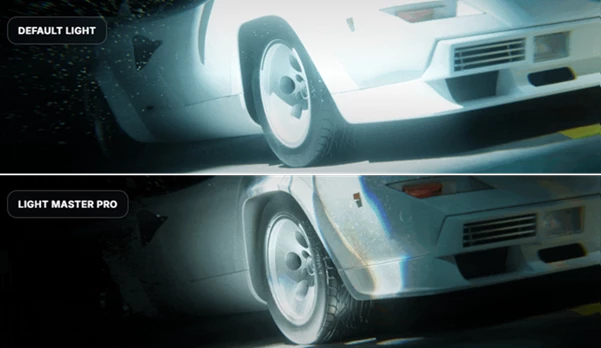
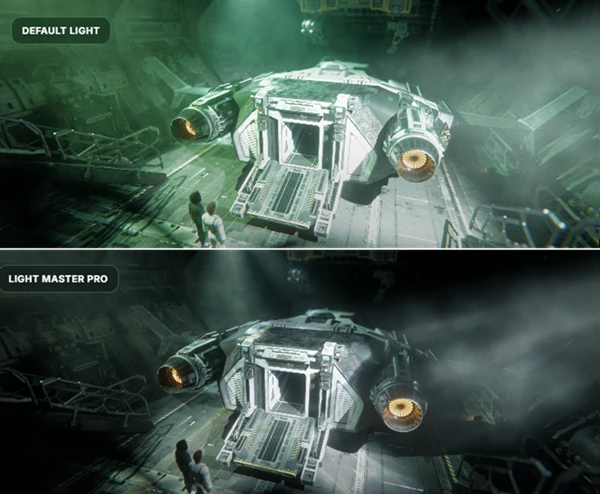
One of the best features of Light Master Pro is how quickly it will allow artists to transform their scenes from standard digital lights to expressive, cinematic visuals using a variety of lighting effects.
Advanced Placement Controls
With Light Master Pro, artists can place their lights faster than ever before, thanks to the placement and aiming controls for each light.
Users can place lights anywhere within their scene viewport. Additionally, they can also aim their lights and adjust their behaviors to achieve the perfect lighting setup for their project.
500+ Ready-Made Lighting Assets
this tool includes over 500 ready-made lighting assets that can be used right away in their projects.
These lighting presets are divided into the following categories:
- Abstract Light
- Caustic Effects
- Colored Lighting
- Flashlight Effects
- Light Reflections
- Rays
- Shadows
- Simple Gobos
- Water Effects
This product also features a lightweight animation system that artists can use to add dynamic movement within any of these lighting presets.
Real Creative Benefits
Faster Workflow, Better Results
One of the biggest reasons artists enjoy using Light Master Pro is the balance between speed and quality.
Instead of:
- Building complicated setups manually
- Searching for custom textures
- Spending hours tweaking lights
Artists can focus more on creativity and composition.
This improves both productivity and final image quality.
Professional Tips For Better Results
Combine Multiple Light Assets
Instead of relying on a single lighting effect, combine multiple assets together.
For example:
- Use soft reflections with subtle rays
- Mix shadow gobos with colored lighting
- Layer abstract light patterns for cinematic depth
This creates more realistic and visually interesting renders.
Keep Lighting Motivated
Another essential tip for producing realistic results with Light Master Pro is to make sure that all lighting elements are motivated within the scene.
In other words, try to think about where each light is coming from within your scene. This will allow it to appear more realistic, even within a stylized scene.
Use Animation Subtly
While the animation system within Light Master Pro is lightweight and helpful to visual projects, it is also important to utilize its animations in a way that enhances the realism of your project.
More subtle animations may work better for visual projects that you wish to have a more cinematic feel to. Flow Maps are perfect for creating such subtle animations.
Experiment With Mood First
Yet another important tip is to experiment with lighting moods and effects before focusing on perfecting the other features of your project.
Adding certain lighting patterns may change the mood of your scene immediately and drastically. This feature allows artists to experiment with lighting effects without too much difficulty.
Final Thoughts
Light Master Pro is a tool that will allow artists to quickly and creatively form lighting within their scenes.
This lighting tool offers artists access to over 500 ready-made lighting assets, a lightweight animation system, and a variety of artistic lighting effects. All of these features will allow artists to create visually stimulating projects without significantly increasing their project complexity.
Whether you are an artist just beginning to explore the world of creative lighting within Blender or you are a professional in the industry, this tool offers a flexible and inspiring tool that will improve your projects.
For anyone whose work depends on lighting and cinematic effects, this tool is definitely worth exploring.

Files Password : gfxplugin.com OR 123456