Downloadable Files
You can download the product Raypilot for free at the end of this page.
✨ A Smarter Way to Control Your Lights
Lighting is one of those things that can instantly elevate a scene — or completely ruin it if not handled properly. If you’ve ever felt overwhelmed by complex lighting setups or struggled to get the exact mood you want, you’re not alone.
That’s exactly where Raypilot comes in. It’s designed to simplify your entire lighting workflow while giving you powerful, precise control right inside your viewport. No clutter, no confusion — just clean, intuitive lighting.
💡 What Is Raypilot and Why It Matters
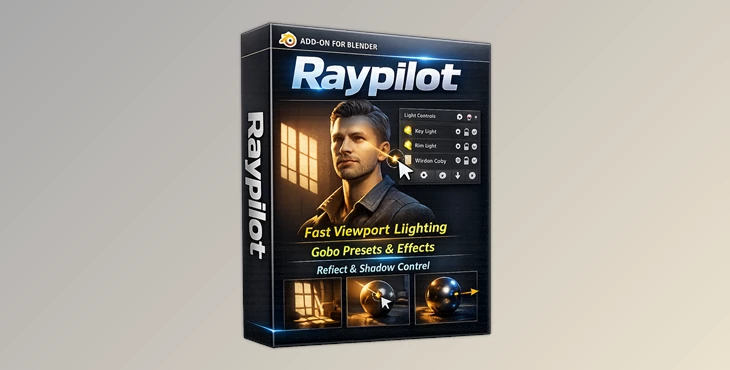
Raypilot is a lighting workflow system for Blender, intended for those who want to have greater control over the lighting design process in their projects.
Raypilot removes the need to navigate the interface to adjust lighting parameters or lighting properties, and offers visual tools to manage the lighting within the viewport of your Blender project. With it, you can:
- Instantly preview lighting changes
- Control shadows and illumination separately
- Quickly isolate and debug lights
- Place lights more intuitively
These features directly improve your results because they remove guesswork. You spend less time fixing mistakes and more time refining the look and feel of your scene, which leads to more realistic and polished renders.
🚀 Meet Raypilot — A Professional Lighting Workflow
Raypilot offers a smarter way to control lighting in Blender for both beginners and professionals looking to fine-tune the lighting in their scenes.
🔧 Features
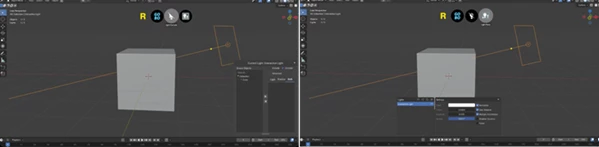
🧰 Floating Toolbar
A custom-rendered toolbar that can be moved and hidden to suit your needs.
- Smooth sprite animations
- Auto-hide toolbar when not in use
- Drag the toolbar to any location on screen - even flip it!
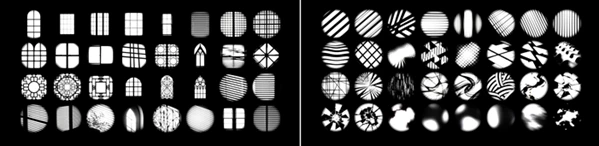
🌗 140+ Gobo Textures
A variety of Gobo textures that can instantly add depth and realism to your scenes.
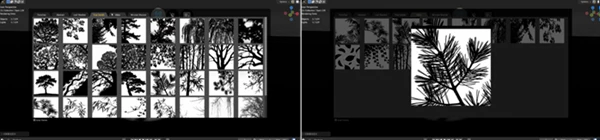
- Categories include abstract, windows, leaves, and trees
- One-click application of textures
- Visual browser to view all textures with live thumbnails
- Hold Alt to view full-sized animated previews of textures
🎯 Reflect Mode (Optional Workflow Tool)
Inspired by professional lighting techniques, Reflect Mode helps you place lights more intuitively by referencing surface interaction.
- Faster and more accurate positioning
- Works naturally with Blender’s transform tools
- Designed to feel like a native Blender feature
Perfect for artists who want precise control without overcomplicating the process.
🌑 Light & Shadow — Separate Control
Take full control over how lights affect your scene.
- Manage objects and exclusions with drag-and-drop
- Separate shadow and illumination control
- Advanced mode for fine-tuned adjustments
This allows for more realistic and creative lighting setups.
🔍 Solo Mode & Light Panel
Handle complex scenes with ease.
- View all lights in one unified panel
- Filter by light type
- Swipe across icons to quickly toggle visibility
- Alt + Click to instantly solo any light
This makes debugging and refining lighting setups incredibly fast.
⚡ EEVEE Integration
Switching render engines? No problem.
Raypilot automatically adapts and displays an EEVEE-specific panel with the settings you actually need — right inside the viewport.
🎨 Real-World Impact
Imagine working on a cinematic interior scene:
- Use Gobos to simulate window shadows
- Quickly isolate lights to fine-tune the mood
- Adjust shadow behavior without affecting illumination
- Place lights faster using Reflect Mode
What used to take hours can now be done in minutes — with better results.
🎯 Pro Tips for Better Results
- Use Gobo textures subtly to add realism to your scenes
- Use Solo Mode and Reflect Mode together to gain greater control over lighting in your scenes
- Use separate shadow control to have more realistic lighting without harshness
- Keep the toolbar hidden to maintain your scene’s focus
- Use light exclusions to create more creative lighting designs in your scenes
These simple tips will make a dramatic impact on the quality of your scenes.
✅ Final Thoughts
Raypilot brings clarity and control to one of the most challenging parts of 3D design — lighting. It removes complexity without limiting creativity, helping you work faster while achieving more professional results. If you care about clean workflow, better lighting, and faster iteration, this is a tool worth trying. Once you get used to it, it’s hard to go back.

Files Password : gfxplugin.com OR 123456