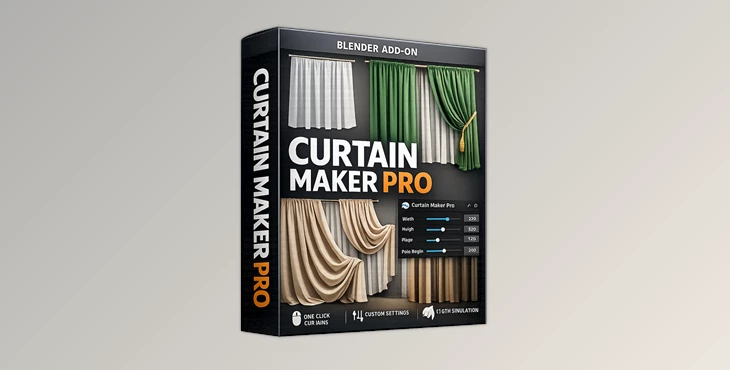
Downloadable Files
You can download the product Curtain Maker Pro for free from the end of this page.
✨ A Quick Introduction That Sparks Curiosity
Have you ever tried to model curtains in Blender? Maybe you’ve found it takes a bit of time to get them looking the way you want. Well, Curtain Maker Pro makes this process much easier!
This add-on will allow you to create curtains in just a few seconds, whether you're creating interior scenes or entire architectural scenes.
🎯 What Is It and Why It Matters?
Curtain Maker Pro is a procedural way of adding curtains to your scenes within Blender. It can automatically create curtain meshes for you while allowing you to adjust their shape. Imagine having to create a living room scene.
With Curtain Maker Pro, you can instantly create curtains that look realistic without any effort on your part. Simply adjust the width of the curtains, the type of folds you want them to have, and the type of fabric the curtains appear to be made of.
Why does this improve the rendered images?
Well, because curtains are used to create a sense of realism in most scenes. Their interaction with the lighting in the scene can add to the sense of realism of the entire scene.
🚀 Meet the Tool: Curtain Maker Pro
Curtain Maker Pro simplifies one of the most time-consuming parts of interior visualization—creating natural-looking curtains. It removes the technical barriers and replaces them with intuitive controls and smart presets.
Features
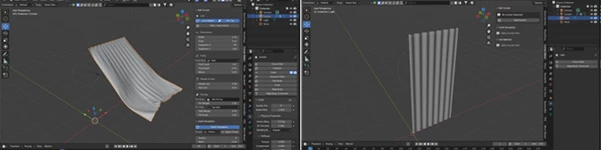
- One-click curtain creation: Add curtains directly from Blender’s N-panel with zero setup.
- Fully adjustable folds & shapes: Control width, drop length, fold style, fold count, depth, header, and hem to match any design.
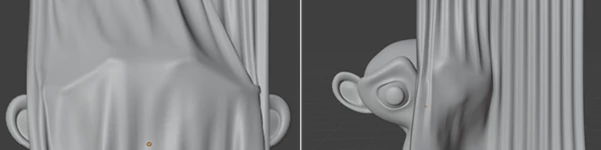
- Dynamic cloth simulation: Choose from built-in presets like sheer, cotton, velvet, blackout, or pleated fabrics for realistic physics behavior.
- Material presets included: Instantly apply fabric looks such as silk, velvet, cotton, or sheer without manual shading work.
- Performance friendly: Optimize tessellation, preview settings, and collision controls to keep your scene smooth and responsive.
Real-World Use Cases
- Architectural visualizations of elegant curtains
- Cozy bedroom and living room interiors
- Enhancing the realism of lighting in window scenes
- Adding depth to commercial architectural renders
For example, using a velvet cloth type will work well in a luxury interior that you are visualizing, while sheer curtains will be useful for creating soft lighting in a commercial building during the day.
💡 Pro Tips for Better Results
- Start simple with the default settings
- Use the curtain presets according to your scene lighting
- Use the subtle randomness settings to create more realistic curtains
- Lower the tessellation to optimize for performance during use of the tool
- Combine with good lighting in your scene for the best results
🔥 Final Thoughts
Curtain Maker Pro is a free add-on that will significantly impact the way you create interiors and architectural scenes in Blender. It will save you time and effort that would have otherwise gone into creating curtains manually. For those looking to create realistic interiors and architectural scenes, Curtain Maker Pro is definitely worth trying!

Files Password : gfxplugin.com OR 123456

![Download [Blender] Archipack PRO 2.6.0 (Blender 3.x)](https://dls3.gfxplugin.ir/Download_Files/20586/SearchSmall/banner.png)