Downloadable Files
You can download the product One-Click Pbr Pro for free at the end of this page.
✨ A Faster Way to Build Stunning Materials
If you’ve ever spent some time connecting nodes in Blender to make a material, you are definitely not alone. It’s a repetitive process that can get in the way of creativity. One-Click Pbr Pro was made to eliminate this tedious process.
This tool makes it easier for users to avoid getting sidetracked by the technical requirements of building PBR materials and to remain immersed in the creative part of the process.
🎯 What Is It and Why Does It Matter?
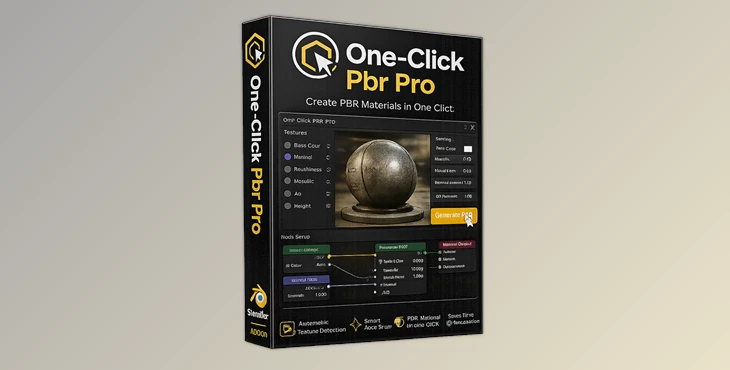
One-Click Pbr Pro is a Blender plugin that will allow you to automatically create PBR materials for your projects.
Why is this important?
PBR materials are essential for achieving realistic surfaces in 3D projects. Whether you're working on a game asset, a product visualization, or an animation scene, properly configured textures make all the difference.
Real-world examples:
- A game developer importing dozens of texture sets for assets can save hours of setup time.
- A product designer can instantly preview realistic materials without manually wiring nodes.
- An environment artist can quickly test multiple surface variations like wood, metal, or fabric.
By automating the technical side, this tool helps you:
- Reduce human error in node setup
- Maintain clean and consistent materials
- Speed up iteration and experimentation
And ultimately, better workflow = better results.
🚀 Meet One-Click Pbr Pro
One-Click Pbr Pro is built to simplify your Blender workflow while keeping everything clean, professional, and efficient. Instead of manually connecting each texture map, the add-on does everything for you—accurately and instantly.
🔑 Features
⚡ One-Click Import
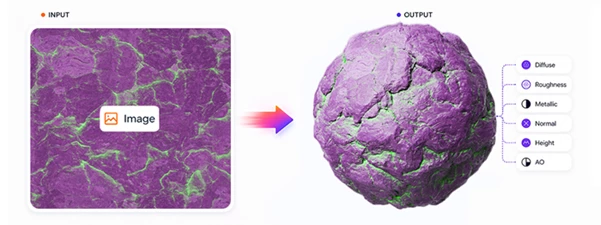
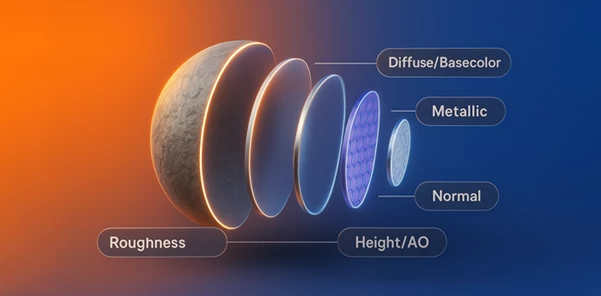
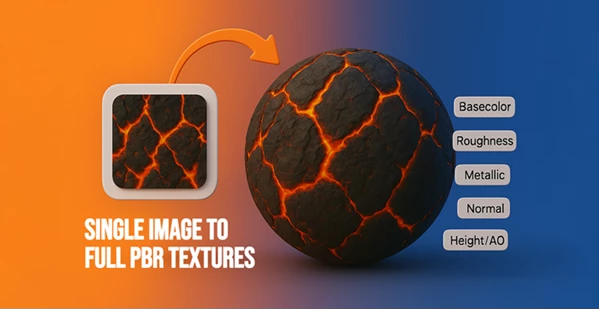
Load full PBR texture sets (Base Color, Roughness, Normal, Metallic, etc.) in seconds with perfectly connected nodes.
🎨 Clean Material Structure
Creates a well-organized Principled BSDF setup that’s easy to understand and edit later.
🔄 Pro Functions
Supports advanced maps like:
- Opacity
- Emission
- Height
- Ambient Occlusion
This gives you more control and realism without extra effort.
🖼️ Drag & Drop Ready
Simply drag your textures into Blender—the add-on handles the rest automatically.
⚙️ Advanced Controls
Fine-tune your materials with built-in adjustments:
- Scale
- Brightness
- Contrast
- Metallic
- Roughness
🚀 Productivity Boost
Perfect for:
- 3D artists
- Game developers
- Visualizers
It eliminates repetitive work and speeds up your entire pipeline.
💡 Pro Tips for Better Results
- Use high-quality texture sets to ensure your final result will be realistic for the product you are designing.
- Pay close attention to the roughness settings for your project. This affects how your product reflects light.
- Use ambient occlusion and normal maps together to add further detail to your project.
- Ensure your materials have proper names for easy identification in large projects.
- Do not limit the possibilities of the product you are making. Try creating different textures to find the best look for your project.
🎉 Final Thoughts
One-Click Pbr Pro was made to significantly reduce the time spent on creating textures manually. It allows users to focus on the most important part of the 3D design process - creativity. Whether you are a game developer or a visualizer, this tool will make your life significantly easier and allow you to create products faster without losing quality. Give it a try for yourself and see just how much easier your Blender projects can be with One-Click Pbr Pro!

Files Password : gfxplugin.com OR 123456