Downloadable Files
You can download Cityscape Pro for free at the end of this page.
✨ A Faster Way to Build Urban Worlds
Imagine being able to transform a 2D site plan into a 3D environment in just a few clicks. That’s exactly what Cityscape Pro is designed to do. With this powerful tool, you no longer have to spend hours on the modeling of roads, terrain, and vegetation.
This tool will save you time and allow you to focus on the next step of your project. Ideal for anyone looking to build urban environments quickly and easily, this tool streamlines the modeling process and makes it accessible even to those without much experience in 3ds Max.
🧩 What Is It & Why It Matters
At its core, Cityscape Pro is a parametric modeling tool for 3ds Max that helps you generate urban environments using a non-destructive workflow.
🔹 What does that mean in practice?
- You can create roads and pavements with presets instead of modeling from scratch
- Turn 2D plans into clean 3D geometry instantly
- Add terrain, lakes, and snow with simple spline selections
- Generate realistic grass without heavy memory usage
🔹 Why does it improve your results?
Because it removes repetitive manual work:
- You spend less time modeling → more time refining details
- Changes are easy → no need to rebuild everything
- Results are cleaner → better renders and presentations
Think of it as upgrading from hand-drawing every brick to using smart procedural tools that adapt instantly.
🚀 Meet the Tool: Cityscape Pro
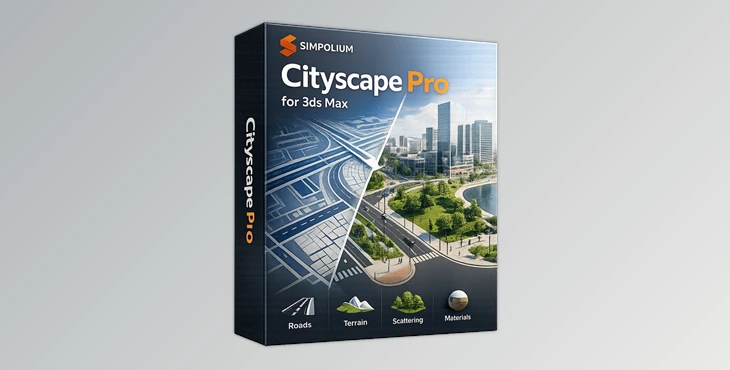
Cityscape Pro is a complete solution for modeling urban environments inside 3ds Max (2020–2026), compatible with most render engines. It simplifies complex workflows and makes large-scale scene creation accessible—even for users without advanced modeling experience.
🔧 Features
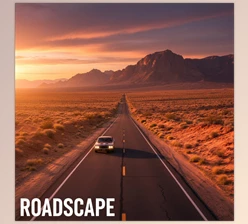
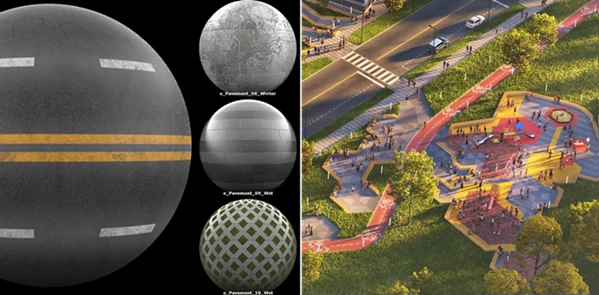
- Parametric Roads & Pavements: Create roads in your scene in a matter of seconds. There are over 70 different material presets available to suit almost any purpose.
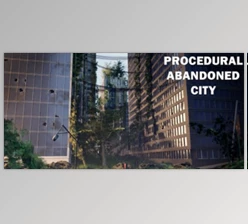
- Curbed Areas from 2D Plans: By drawing a 2D plan of the area that you want to model into 3D, Cityscape Pro will automatically translate that into 3D. This is a great starting point for any architectural project.
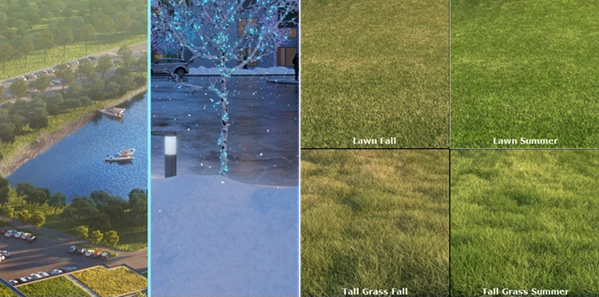
- Terrain, Water & Snow: Add terrain to your scene by simply drawing a spline to represent the area of terrain. You can also add lakes and snow to your scene with these features.
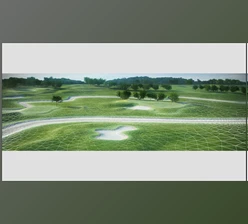
- Supergrass System: Add realistic grass to your scene. The Supergrass system was built to generate grass without taking up much of your machine’s memory.
- Non-Destructive Workflow: Make changes to your environment at any time without having to model the elements again. This is ideal for those who receive feedback on their projects from a client.
- High Performance: Cityscape Pro has been built to handle the most detailed city-scale projects. The modeling system will generate clean geometry for your scenes.
💡 Pro Tips for Better Results
To get the most out of your modeling software, consider these tips:
- Start with a simple project and add details once the base of the environment is created.
- Use pavement and material presets to create a varied environment.
- Model your terrain, roads, and grass separately to have better control over the project.
- Use the Supergrass system for specific areas of focus in your environment rather than applying it to the entire project.
- Use the non-destructive workflow to continually make changes to your project.
These tips can significantly improve your modeling experience with Cityscape Pro.
🎯 Final Thoughts
Cityscape Pro is a tool that will change the way you approach the modeling of your 3D environments. By automating certain processes and eliminating the need to spend time on modeling certain features of your scenes, you can dedicate your time and energy to other aspects of your project.
If you’ve ever spent significant time creating certain features of your projects from scratch, then this product can change your process entirely. Give this tool a try and explore what it can do for your 3D projects. You’ll be amazed at the time that you can save!

Files Password : gfxplugin.com OR 123456