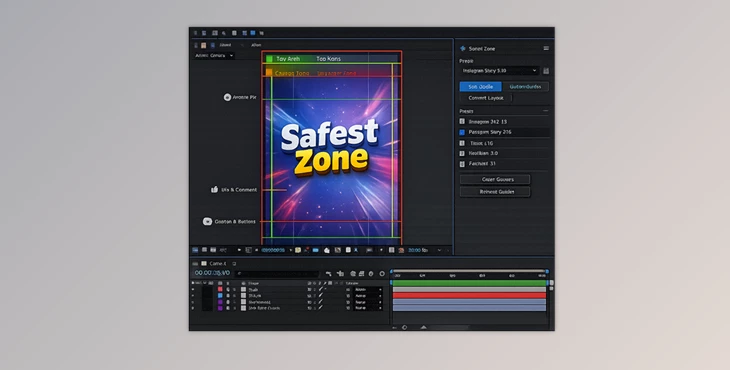
Downloadable Files
You can download Safest Zone for free at the end of this page.
✨ A Smarter Way to Design with Confidence
If you’ve ever experienced text getting cut off or elements of your design covering your design within social media videos, then you know the frustrations all too well. Safest Zone was built precisely with this problem in mind.
This tool gives motion designers a way to visualize safe areas within their compositions so that important elements stay visible when shared across platforms.
🎯 What Is Safest Zone & Why It Matters
At its core, Safest Zone is a tool that helps you define and apply “safe areas” in your compositions—zones where important elements like text, logos, and key visuals remain visible across different platforms.
Real-World Use Cases
- Designing Instagram Reels where captions won’t cover your text
- Creating YouTube thumbnails with properly framed titles
- Building ad creatives that stay readable across placements
- Preparing client-specific layouts with strict branding rules
Why It Improves Your Work
By keeping critical elements inside safe zones:
- You avoid costly revisions
- Your designs look more professional
- Content performs better across platforms
- You save time by eliminating guesswork
🚀 Meet the Tool: Safest Zone
Safest Zone is a powerful tool that will enhance your motion design workflow if you are looking for additional speed, accuracy, and flexibility within your projects.
🔧 Features
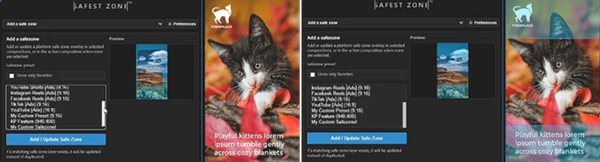
Ready-Made Social Presets
Access built-in safe zones for popular platforms instantly—no need to manually calculate dimensions.
Quick Preview & Apply
Browse layouts, preview them clearly, and apply them directly to your composition in seconds.
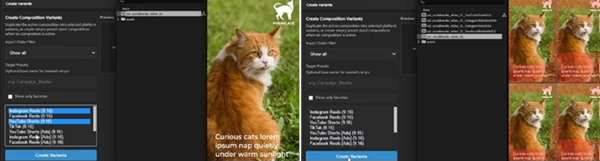
Generate Multiple Variants
Create multiple versions of a composition with different safe zones automatically—perfect for campaigns and A/B testing.
Custom Safe Zones
Turn your own shape layers into reusable presets for unique client requirements or unusual formats.
Bulk Styling & Updates
Change color, opacity, lock state, or guide settings across multiple compositions at once—saving hours of manual work.
💡 Pro Tips for Better Results
- Ensure that important design elements are centered within your compositions, as this will provide better compatibility with social media platforms.
- Use the multiple variants to create different versions of your compositions for social media campaigns.
- Use the custom safe zones to quickly create presets for clients who have specific brand requirements so that you can significantly speed up your design process with each new client project.
- Ensure that your safe areas use the same color and opacity so that your design workspace remains clean and easy to read.
🎬 Final Thoughts
Safest Zone removes the frustration associated with designing motion content without ensuring that all important elements stay visible on social media platforms. By using this tool, you can work faster within your projects with improved accuracy in your design outcomes.
Whether you are creating content for social media platforms, advertisements, or YouTube, Safest Zone will ensure that your designs remain safe, clean, and ready for any social media platform. Give it a try and see how this tool can make your motion design process even smoother!

Files Password : gfxplugin.com OR 123456