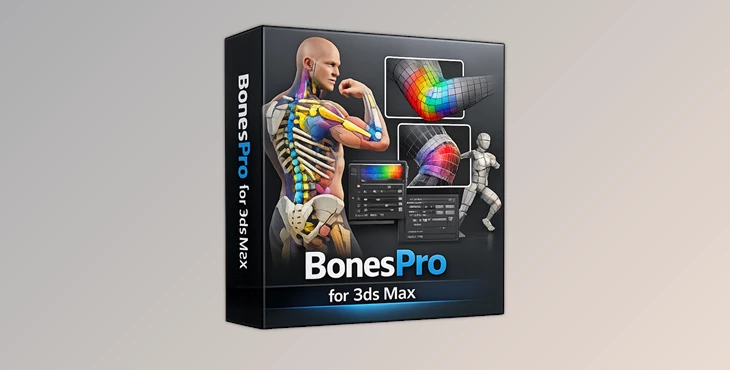
Downloadable Files
You can download the BonesPro product for free at the end of this page.
✨ Introduction – Make Skinning Simple and Fun
If you’ve worked on 3D characters in 3ds Max, then you’ll know how difficult and time-consuming skinning can be. It is one of the most technical processes in game and film production. BonesPro makes skinning fast and easy to achieve professional results with minimal frustration.
🎯 What Is Skinning & Why It’s Challenging
Skinning is the process of binding a 3D mesh to a skeleton so that it deforms correctly during animation. While the concept is simple, achieving natural movement is often difficult. Traditional skinning requires:
- Manual adjustment of bone influences
- Fixing deformation issues like collapsing joints
- Repetitive fine-tuning
Why BonesPro Improves Results
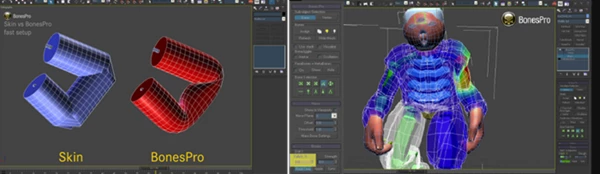
- ✔️ Smooth, elastic deformations
- ✔️ Prevents mesh from clipping or tearing
- ✔️ Saves time on setup and adjustments
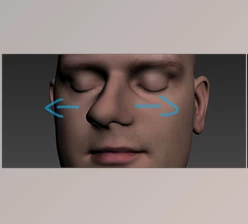
For example, when animating a character bending their arm, the mesh should deform to allow for realistic skin movement.
🚀 BonesPro – A Professional Skinning Tool
BonesPro is a professional skinning tool for 3ds Max by Autodesk. It will allow you to create characters that deform well with minimal effort. It is ideal for 3ds Max character rigging artists and animators.
🔧 Features
⚡ Speed & Efficiency
- 👉 Fast way to assign skeleton bones to mesh points.
- 👉 Ability to rig and skin a 3D character much faster than traditional skinning methods.
💎 High-Quality Deformations
- 👉 Smooth and elastic deformation that stays true to the character’s mesh.
- 👉 No collapsing joints or broken vertices.
🧠 Hypodermic Deformers (MetaBones & ParaBones)
- 👉 Add deformers inside the mesh to simulate bones pressing against the mesh.
- 👉 Use MetaBones to create enhanced joint deformation around key body areas.
- 👉 Use ParaBones to simulate a ribcage or even move objects within the skin.
🎛 Flexible Control & Fine-Tuning
- 👉 Override deformation forces for specific mesh vertices.
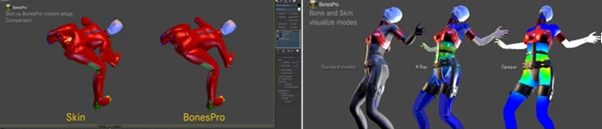
- 👉 Use visual mesh deformation tools within 3ds Max.
- 👉 Allows non-destructive mesh deformation.
🎬 Secondary Motion Effects
- Inertia: Adds delay to simulate weight and mass
- Oscillation: Creates independent motion like breathing or trembling
👉 Example: Add subtle chest movement to make characters feel alive.
🤝 Teamwork & Pipeline Integration
- API access via MAXScript and C++
- Convert to standard Skin modifier
- Proxy plugin for collaboration without licenses
👉 Example: One artist handles skinning, while others animate without needing BonesPro installed.
🎯 Pro Tips for Better Results
✔️ Use MetaBones for Joints
Place them around the elbows and knees to improve deformation quality.
✔️ Start Simple
Use automatic influences first, then refine only where necessary.
✔️ Add Secondary Motion
Small details like breathing or jiggle effects greatly enhance realism.
✔️ Use Visual Tools
Always monitor deformation forces to better understand your mesh behavior.
✔️ Experiment Creatively
ParaBones can be used for more than realism—try unique effects like moving shapes under the surface.
🎉 Final Thoughts – Why BonesPro Stands Out
BonesPro makes skinning fast and easy while producing professional-quality deformation results. It gives you:
- More time to create great 3D characters
- More time to focus on your creativity
Perfect for 3ds Max animators and riggers creating characters for the film, game, and animation industries.

Files Password : gfxplugin.com OR 123456