Downloadable Files
You can download the product Light Volume for free at the end of this page.
🎬 A Fresh Way to See Light
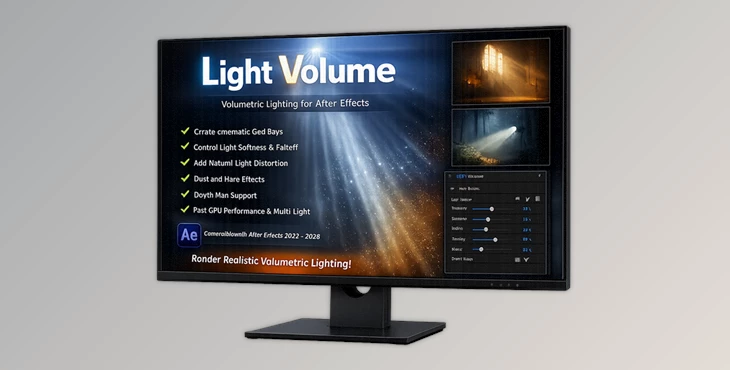
If you’ve ever wished that the lights in your After Effects compositions were as real as the objects in your composition, then you'll want to take a look at Light Volume. It transforms your composition lights into volumetric lights that can be seen within your 3D environment.
With features like soft glowing lights, the ability to see falling off lights, and even the addition of floating dust particles, Light Volume adds a new dimension to your compositions and makes them feel alive in a way that they never have before.
💡 What Is Light Volume & Why It Matters
Light Volume transforms your composition lights into volumetric lights that can be seen in your 3D composition.
🌍 Real-World Uses
- Creating cinematic light rays in motion graphics
- Enhancing product renders with atmospheric lighting
- Simulating foggy or dusty environments
- Adding depth to flat compositions using light interaction
🚀 Why It Improves Your Work
Instead of having to spend hours creating these lighting effects within your projects, Light Volume will allow you to:
- View natural light within your projects
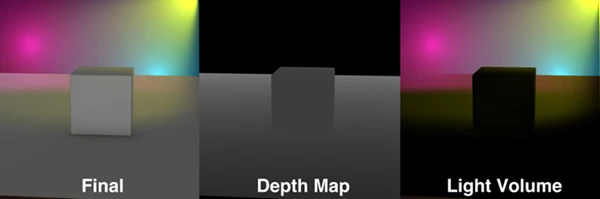
- Add depth maps for more realistic lighting
- Create soft lighting effects that look good in your projects
- Add dust particles only to the lights in your projects
All of this will allow you to create visually immersive projects while spending less time and effort than you would have otherwise had to invest in these effects.
🛠️ Meet the Tool: Light Volume
Light Volume is a new tool that allows you to easily create volumetric lighting within your projects while having full control over the different lighting settings.
🔧 Features
🌟 Shape Light in Space
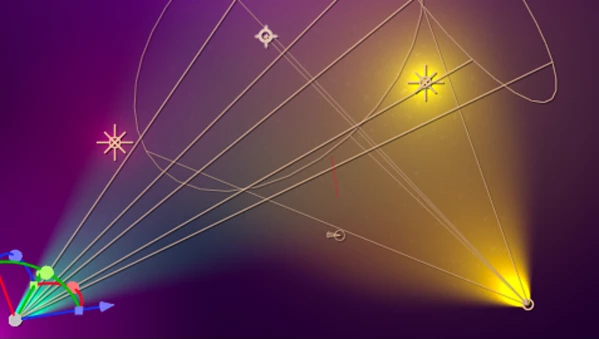
- Render composition lights directly into 3D space
- Supports both point lights and spotlights
- Adjust softness, falloff, and source size with precision
👉 This gives you full control over how light spreads and fades.
🌈 Color the Space with Light
- Lights don’t just illuminate—they fill the environment with color
- Helps create mood, atmosphere, and visual storytelling
🌫️ Light Distortion & Dust
- Add subtle distortion for natural blending
- Generate dust particles only in bright areas
👉 These small details make scenes feel organic instead of artificial.
🧭 Depth Map Support
- Use depth maps to limit where light appears
- Prevents unwanted light spill and improves realism
⚡ GPU Acceleration
The lights can be rendered using your GPU for faster rendering of your projects. This will allow you to render multiple lights in your projects without sacrificing the performance of your computer.
🎥 Real Project Examples
Here are some of the types of projects that have used Light Volumetric:
- A music video using volumetric lights on the stage
- Product photo with volumetric lighting
- Cinematic opening using volumetric lights for sun rays
These types of projects normally take hours of work. With Light Volumetric, they can now be completed in minutes.

🎯 Pro Tips for Better Results
- Use subtle softness in your lights
- Use depth maps for more realistic lighting
- Do not overuse the dust in your projects
- Use multiple lights to create more depth in your projects
- Add a slight distortion in your projects for the lights to naturally blend with the rest of your composition
Think of light as part of the environment in which your project takes place.
🚀 Final Thoughts
Light Volume is a tool that you should pay attention to. It offers a new way of seeing the lights within your After Effects projects. If you want your projects to have the cinematic lighting with depth that would normally take hours to create, then Light Volume is a tool that you should explore.

Files Password : gfxplugin.com OR 123456