Downloadable Files
You can download ARMS for free at the end of this page.
🔥 Meet ARMS – Instantly Upgrade Your Sculpting Workflow
As an artist who works with ZBrush, you know the feeling of needing to create something new yet finding yourself stuck in a rut creatively.
ARMS was created to help sculptors of any experience level save time and spark ideas for the next outstanding project. With ARMS, you can jump right into sculpting without having to start from scratch. It’s a fun new addition to any sculptor’s toolkit and one that will save you time in the long run.
💡 What Is ARMS and Why It Matters?
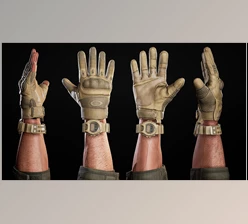
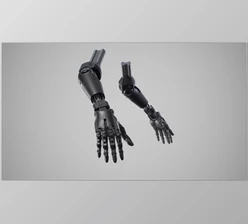
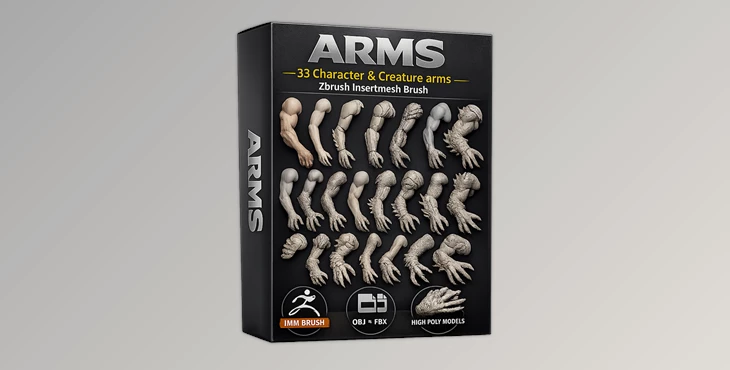
ARMS comes with 33 unique arm models available in a variety of file formats that work right within your ZBrush project and more. This tool allows you to avoid the time it takes to create anatomy from scratch, and instead jump right into adding detail to your project.
Why is this useful?
- Creating anatomy from scratch takes time
- Getting into small details is part of the challenge
- Working repetitively on the same project can be time-consuming
With ARMS, you can instantly access high-quality, detailed arm sculpts to use in your projects.
Real-world uses:
- Character design (fantasy, realistic, creatures)
- Concept art exploration
- Kitbashing for faster production
- Enhancing existing sculpts with better anatomy
These features directly improve your results by saving time, increasing accuracy, and giving you more room to experiment creatively.
🛠️ Professional Tool Breakdown – ARMS Pack
ARMS isn’t just a simple asset pack—it’s a complete workflow enhancer built for artists who want speed and flexibility.
✨ Features
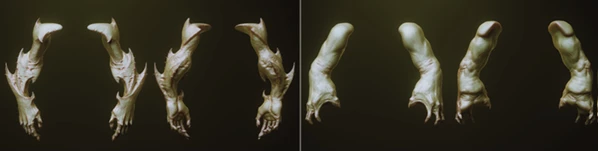
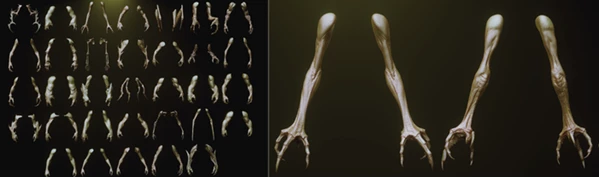
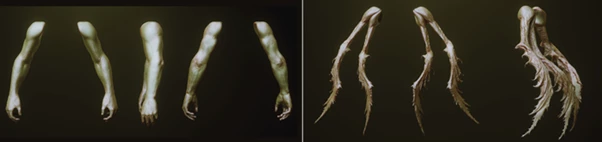
- 33 Unique Arm Models: A wide variety of arm designs to fit different styles and concepts
- ZBrush IMM Brush Included: Instantly insert arms into your scene without breaking your flow
- ZBrush Master File (Subtools Ready): Each arm is organized as a separate subtool for easy access and editing
- FBX & OBJ Formats: Compatible with multiple 3D software beyond ZBrush
- High Poly, Decimated Meshes: Maximum detail with optimized performance
- Untextured for Full Control: Gives you complete freedom for custom materials and rendering
🎯 Practical Impact
- Use ARMS to quickly create characters for your projects.
- Add complexity to your projects by adding one or both of these limbs.
- Experiment with different designs and poses.
You can use this tool within a creature design project to try out multiple arm styles quickly.
🎨 Pro Tips for Better Results
Here are a few tips that will help you get the most out of your sculpting project with ARMS.
- Use Dynamesh after inserting arms
- Scale and rotate them to create unique designs
- Add several arms together to create creatures and monsters
- Refine designs using sculpting brushes like Clay, Damstandard, and Polish
- Experiment with the tool and its features freely
These tips will help your projects look more professional and natural in appearance.
🚀 Final Thoughts
ARMS is a hidden gem in the world of 3D modeling software. This application will save you time and inspire your creativity. ARMS is great for both beginners and professionals looking to increase the number of projects they can complete in a day. Give it a try and let your creativity take over!

Files Password : gfxplugin.com OR 123456