Downloadable Files
Download Batch Export – You can download the Batch Export product for free at the end of this page.
🚀 A Faster Way to Export Everything
If you’ve tried to export multiple objects from Blender individually, you know how frustrating it can be. Can you imagine trying to do this for dozens of 3D models? Not the most fun of tasks! Batch Export will make exporting all of your objects from Blender at once much easier for you. All you have to do is click a button, and your objects will be exported without having to do it individually.
🎯 What is Batch Export and Why It Matters?
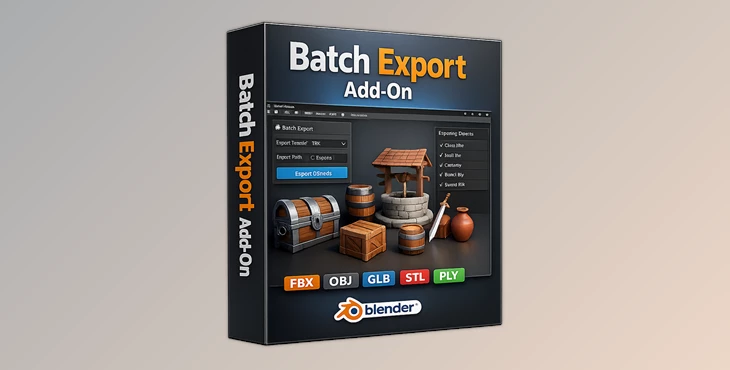
Batch Export is a Blender add-on designed to export multiple objects into separate files automatically. Each file is named after the object itself, saving you from the tedious renaming process.
🔍 Why is this useful?
Imagine having 30 different paint can models ready to use in your next project. Instead of having to individually export each object, Batch Export will automatically take care of this for you.
💡 Real Impact
This feature is especially valuable when working with:
- Game assets
- Product visualizations
- 3D libraries
- Large-scale modeling projects
By automating repetitive tasks, you can focus more on creativity and less on technical bottlenecks.
🧰 Meet the Tool: Batch Export Add-on
Batch Export was made to simplify the exporting of objects from Blender. This tool will not make your export times any faster for large files, but it will automate the process of having to manually export each object.
⭐ Features
- Export multiple objects simultaneously
- Automatic file naming based on object names
Supports multiple formats:
- .ABC
- .GLB
- .FBX
- .OBJ
- .STL
- .PLY
One-click export for entire scenes
Clean and simple workflow integration
🎨 Real-World Example
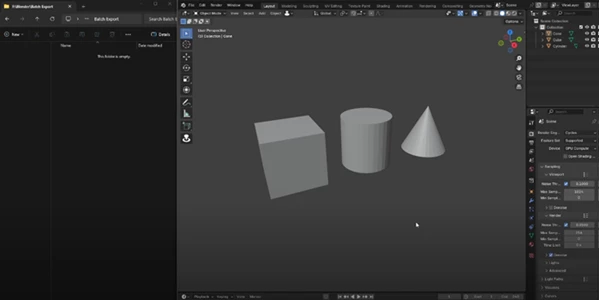
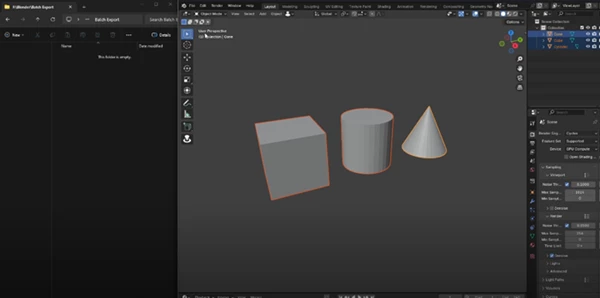
Let’s say you’re creating a product catalog with different variations of a model (like paint cans). Instead of exporting each version manually:
- Select all objects
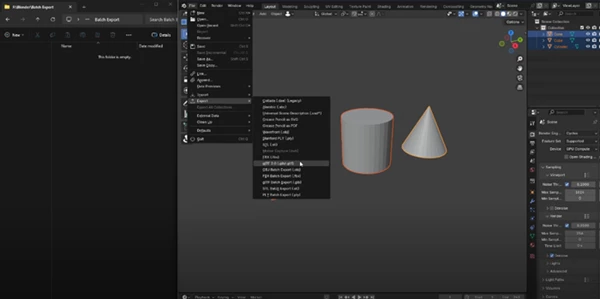
- Choose your format (e.g., GLB or FBX)
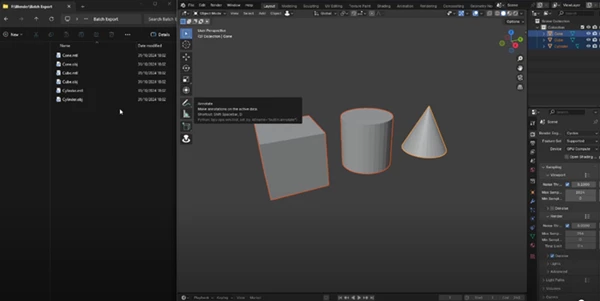
- Click export once
Done. Every model is exported as its own file, properly named.
💡 Pro Tips for Better Results
A few tips to help you get the most out of Batch Export:
- Name your objects prior to exporting
- Use lightweight file formats for exporting first, then export larger file formats later
- Large files may take longer to export; simplifying the process, but not reducing the time to export files
- Only export the objects you would like to export
- Export a few objects first to test the tool prior to exporting larger batches of objects
These tips will help you have a smoother and more professional exporting process.
🏁 Final Thoughts
Batch Export is a tool that may seem minor, but will make a huge difference in the exporting of your 3D models in Blender. It will save you time and effort when having to perform this task if you work with multiple objects in Blender. Give this tool a try and see how it can make your exporting process easier.

Files Password : gfxplugin.com OR 123456