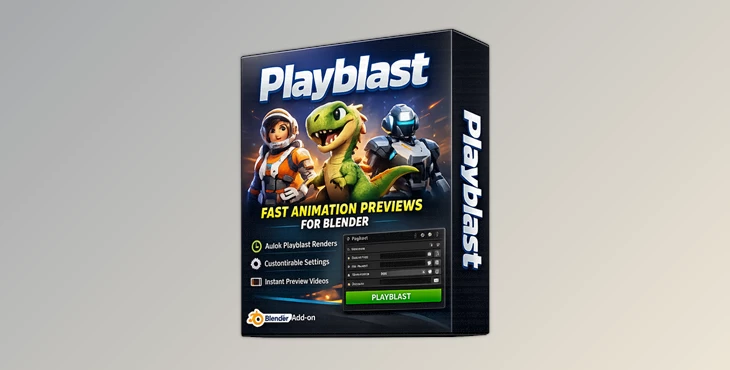
Downloadable Files
You can download Playblast for free at the end of this page.
🎬 A Faster Way to Preview Your Animations
If you’ve ever worked on animation software like Blender, you know how often the software will ask you to preview your animation. You’ll do this frequently when you’re animating to check the timing of specific characters or scenes. Each time, however, you’ll have to tweak the settings to make it render for previewing, which can be repetitive and frustrating over time.
That’s where Playblast comes in. Playblast will simplify the process of previewing your animation for Blender, ultimately allowing you to focus on your project instead of the software settings.
🧠 What Is Playblast and Why It Matters?
At its core, a playblast is a quick preview render of your animation using OpenGL rather than full rendering. It’s designed for speed, not final quality.
Why is this important?
- Imagine animating a character walk cycle. You need to check the timing constantly.
- Or working on a camera movement—you want to see how it feels in motion instantly.
Normally, Blender doesn’t separate final render settings from preview settings. That means:
- You adjust output formats repeatedly
- Change resolution back and forth
- Waste time on setup instead of creativity
Playblast solves this by automating and separating those workflows, so you get faster feedback and smoother iteration.
🚀 Meet Playblast Addon
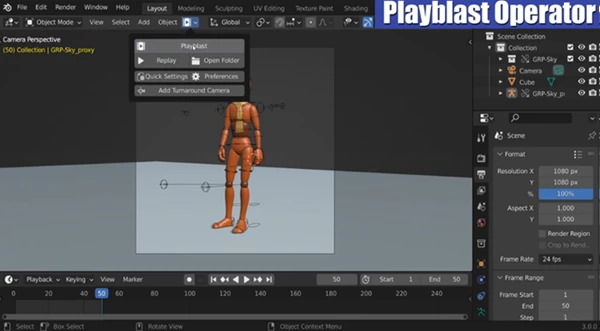
The Playblast Addon for Blender will give you greater control over your animation software and give you faster, more efficient previewing capabilities. You’ll be able to define your settings for Blender once, and then the Playblast addon will save these settings so that they’re recalled every time you wish to use the addon.
⚙️ Features
🔹 Smart Default Settings
Set your preferred output, resolution, format, and codecs once—and reuse them every time without hassle.
🔹 On-the-Fly Adjustments
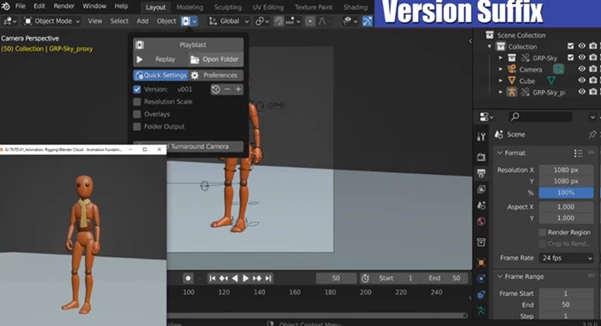
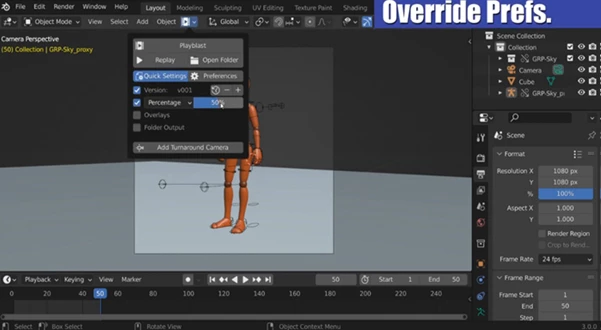
Need a quick change? Override settings instantly without touching your main configuration.
🔹 Clean Workflow Separation
No more switching between final render and preview settings. Everything is streamlined.
🔹 Automatic Resolution Fix
Working with H264? The addon automatically adjusts resolution if it’s not divisible by 2—no manual fixes needed.
🔹 Easy Installation
- Blender 4.2+: Just drag and drop the ZIP file
- Older versions: Install via Preferences in a few clicks
🎥 Real-World Impact
- Animators can preview scenes instantly without breaking the flow
- Freelancers save time on repetitive setup tasks
- Studios maintain consistent preview outputs across projects
Imagine working on a complex scene and generating previews in seconds instead of minutes—this is where the addon shines.
💡 Pro Tips for Better Results
- Always configure your preferences carefully at the start—it saves tons of time later
- Use lower resolutions for faster previews during early animation stages
- Enable resize methods to avoid codec issues automatically
- Save your project before rendering (since canceling isn’t available yet)
- Keep your workflow consistent for smoother iteration cycles
✨ Final Thoughts
The Playblast addon will give you control over your animations in Blender. It will save you time and allow you to focus on your project rather than the software settings. Whether you are a newcomer to Blender or a professional animator, this addon will make a significant difference in your productivity. Give it a try and experience the difference for yourself!

Files Password : gfxplugin.com OR 123456